
Key Takeaways
- Pinterest users are buyers. 85% of weekly Pinners have purchased something they found on the platform.
- Pins last for months. Unlike Instagram or TikTok posts that peak in 24 hours, a single pin can drive traffic for 3 to 6 months.
- It works like a search engine. Pinterest SEO means your products show up when people search for exactly what you sell.
- You don’t need a huge following. Pinterest rewards good content over follower count, so new Shopify stores can compete immediately.
Most Shopify store owners pour energy into Instagram and TikTok. Makes sense. Those platforms are flashy and trending. But there’s a quieter platform sending high-intent buyers to online stores every single day.
Pinterest.
It’s not the first platform most e-commerce owners think about. That’s exactly why it’s an opportunity. While your competitors fight for attention in crowded Instagram feeds, Pinterest users are actively searching for products to buy.
Let’s break down why Pinterest deserves a spot in your Shopify marketing strategy and how to use it effectively.
Why Pinterest Is Different From Other Platforms
Pinterest isn’t a social media platform in the traditional sense. It’s a visual search engine. People don’t scroll Pinterest to see what friends ate for lunch. They search for ideas, products, and inspiration with the intent to take action.

Here’s what makes it unique for Shopify stores:
- High purchase intent. 85% of weekly Pinterest users have bought something they discovered on the platform.
- Evergreen content. A pin’s average lifespan is 3 to 6 months. Compare that to an Instagram post (24 to 48 hours) or a TikTok (a few days at best).
- Search-driven discovery. Users find your content through keyword searches, not just by following your account.
- Massive reach without followers. Your pin’s performance depends on SEO and content quality, not your follower count.
If you’re already creating product photos for social media, you’re halfway to a Pinterest strategy. The same visuals that work on Instagram work even harder on Pinterest because they keep driving traffic for months.
Setting Up Pinterest for Your Shopify Store
Before you start pinning, get the foundations right. A proper setup takes about 15 minutes and makes everything else work better.
1. Switch to a Business Account
A Pinterest Business account is free and unlocks analytics, Rich Pins, and ad tools. If you have a personal account, convert it at business.pinterest.com.
2. Claim Your Shopify Domain
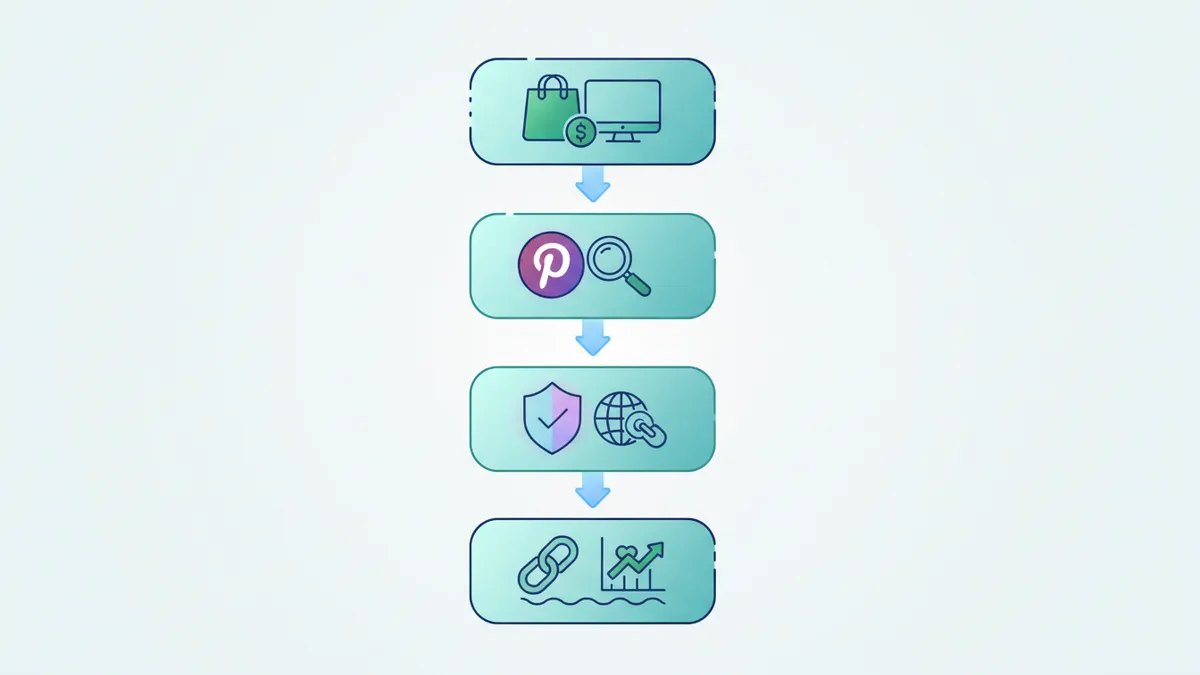
Go to Settings > Claim in Pinterest and verify your Shopify store URL. This does two things: pins from your site get your profile photo and name attached, and you get analytics on all pins from your domain.
3. Enable Rich Pins
Rich Pins pull real-time data from your Shopify product pages. They show price, availability, and product descriptions directly on the pin. When a price drops, the pin updates automatically.
To enable Rich Pins:
- Make sure your Shopify theme includes Open Graph meta tags (most modern themes do).
- Use Pinterest’s Rich Pin Validator tool to test a product page URL.
- Apply for Rich Pins. Approval usually takes 24 hours.
4. Set Up Your Boards Strategically
Don’t just create one board called “Products.” Think like your customer. What would they search for?
Board structure example for a home decor store:
- Modern Living Room Ideas
- Small Space Furniture Solutions
- Minimalist Home Decor
- Gift Ideas for New Homeowners
- DIY Home Styling Tips
Each board name should include keywords your target customers actually search for.
Pinterest SEO: How to Get Your Pins Found
Pinterest SEO works like Google SEO, just simpler. The algorithm reads text signals to decide which pins to show for which searches. If you want to master SEO for your entire Shopify store beyond Pinterest, our complete Shopify SEO guide covers product pages, collections, and blog content.
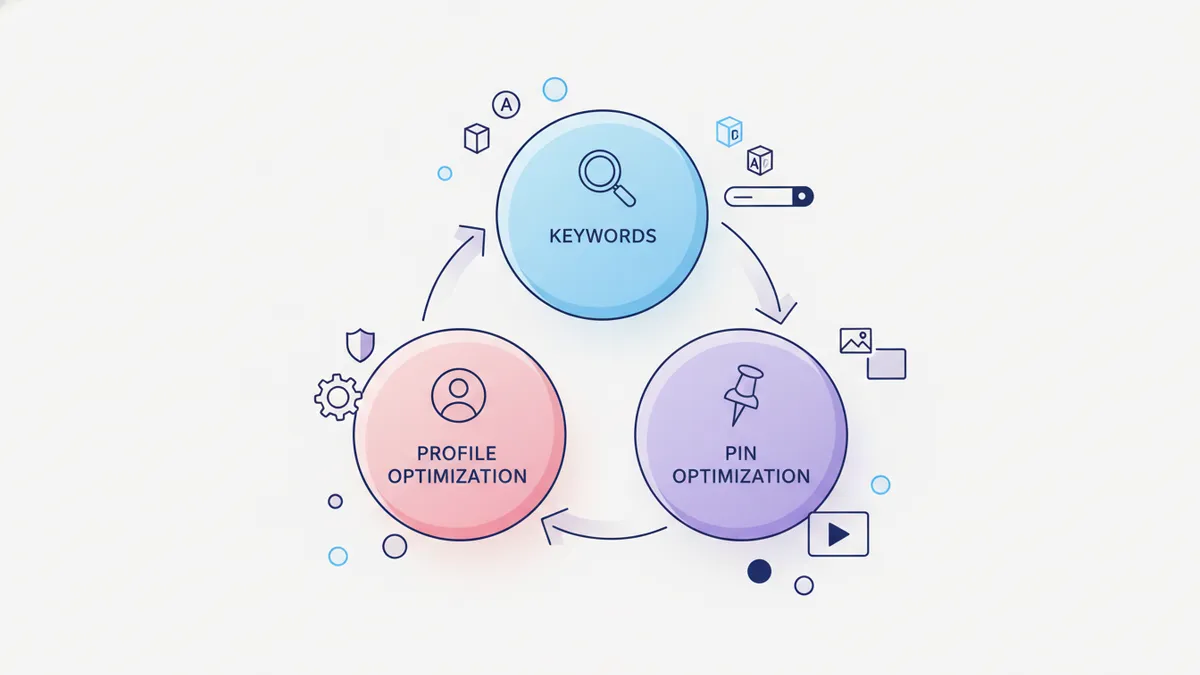
Optimize Your Profile
- Use your primary keyword in your display name (e.g., “Luna Home Decor | Modern Furniture & Styling”)
- Write a keyword-rich “About” section
- Include your Shopify URL
Optimize Every Pin
Each pin has three places for keywords:
- Pin title. Include the primary search term. “Modern Minimalist Coffee Table” beats “Check out our new table!”
- Pin description. Write 2 to 3 sentences using natural language with relevant keywords. Think of this like a mini product description.
- Alt text. Describe the image. Pinterest reads this for accessibility and search ranking.
Use Pinterest Trends
Pinterest Trends (trends.pinterest.com) shows you what people search for by season and category. Use it to plan content around rising searches.
For example, “fall home decor” searches spike in August. If you sell home goods, start pinning fall content in July.
This pairs perfectly with a social media content calendar where you can map out seasonal Pinterest content alongside your other platforms.
What to Pin: Content Types That Drive Shopify Traffic
Not all pins are created equal. Here’s what works best for driving traffic to your store.
Product Pins
Showcase individual products with clean, vertical images (1000 x 1500 pixels). Include the product name and a key benefit in the text overlay.
Tips for product pins:
- Use lifestyle shots over plain white backgrounds
- Show the product in context (a candle on a styled shelf, not floating in white space)
- Add a subtle text overlay with the product name or a benefit
Collection Pins
Group related products together. “5 Must-Have Kitchen Tools Under $30” performs better than a single product pin because it gives browsers a reason to click through.
Blog and Guide Pins
If your Shopify store has a blog (and it should), create pins for every blog post. Tutorial content, gift guides, and how-to posts drive massive traffic on Pinterest.
Idea Pins
Pinterest’s short video and multi-image format. These don’t link directly to your site, but they build your audience and signal to the algorithm that your account is active.
Use Idea Pins to share:
- Quick styling tips
- Behind-the-scenes content
- Product demos
- Customer testimonials
A Weekly Pinterest Strategy for Shopify Stores
You don’t need to spend hours on Pinterest. A consistent, focused approach beats random pinning.
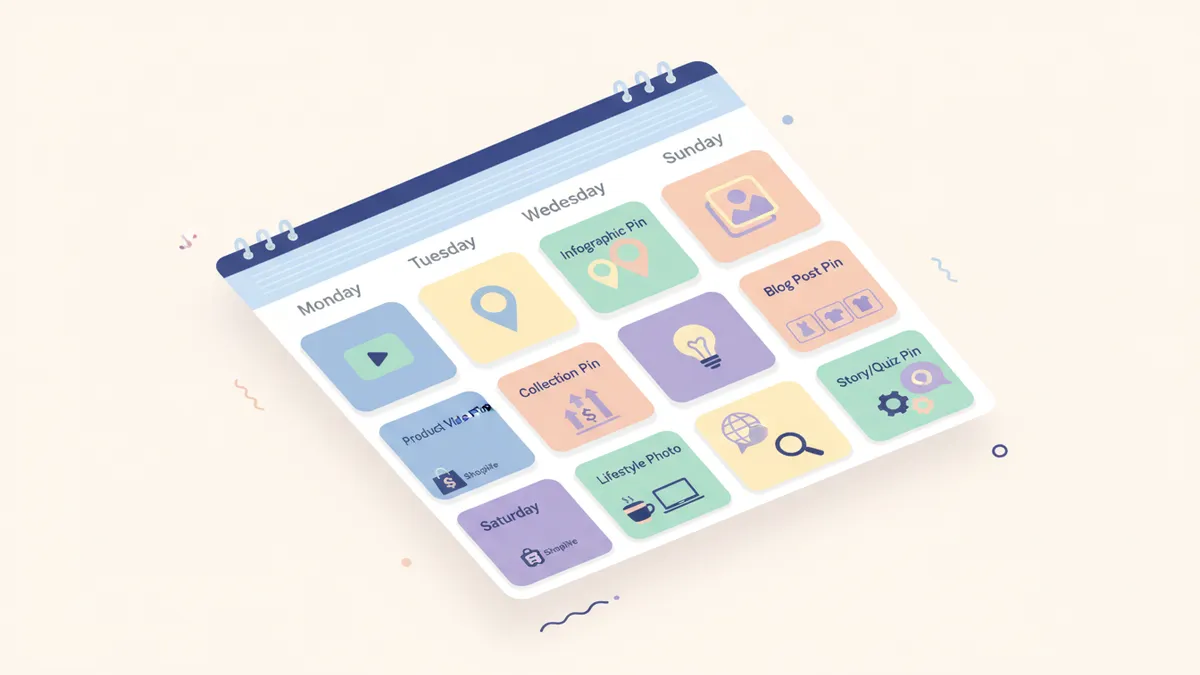
The 5-Pin Weekly Plan
| Day | Pin Type | Example |
|---|---|---|
| Monday | Product Pin | New arrival or bestseller |
| Tuesday | Blog/Guide Pin | Link to your latest blog post |
| Wednesday | Collection Pin | ”Top picks for [season/occasion]“ |
| Thursday | Lifestyle Pin | Product in real-life setting |
| Friday | Idea Pin | Quick tip video or carousel |
Batching Your Pinterest Content
The smartest approach is to batch-create your pins. Set aside one session per month to:
- Choose 15 to 20 products or posts to pin
- Create vertical images for each
- Write optimized titles and descriptions
- Schedule everything in advance
This is where a tool like IDEQO saves serious time. Instead of logging into Pinterest separately, you can schedule pins alongside your Instagram, TikTok, and Facebook posts from one Content Calendar.
Measuring What Works
Pinterest analytics tells you exactly which pins drive traffic and sales. Focus on these metrics:
Key Metrics to Track
- Outbound clicks. The most important metric. How many people clicked through to your Shopify store.
- Impressions. How many times your pins appeared in feeds and search results.
- Saves. When someone saves your pin, it gets redistributed to their followers. Saves compound your reach over time.
- Pin clicks. Close-ups on your pin. High pin clicks but low outbound clicks means your pin image is good but the description or landing page needs work.
What Good Performance Looks Like
For a Shopify store starting fresh on Pinterest:
- Month 1 to 2: Focus on consistent pinning and SEO optimization. Traffic will be low. That’s normal.
- Month 3 to 4: You should see pins appearing in search results. Outbound clicks start growing.
- Month 6+: Compounding effect kicks in. Old pins keep driving traffic while new pins expand your reach.
Pinterest is a long game. It rewards patience. Unlike TikTok where a video might go viral overnight, Pinterest builds steady, compounding traffic over time. Think of it as SEO for visual content.
Common Pinterest Mistakes Shopify Stores Make
Avoid these and you’ll be ahead of 90% of your competitors:
1. Using Square or Landscape Images
Pinterest is a vertical platform. Use 2:3 ratio images (1000 x 1500 pixels). Vertical pins take up more real estate in the feed and get more clicks.
2. Ignoring Keywords
Pretty images without optimized titles and descriptions won’t get found. Every pin needs keyword-rich text.
3. Pinning Only Products
Mix in lifestyle content, blog posts, and tips. A board full of nothing but product shots feels like a catalog, not an inspiration board.
4. Inconsistent Pinning
Pinning 30 pins one day then disappearing for a month hurts your account. The algorithm favors steady, consistent activity.
5. Not Linking to the Right Page
Every pin should link directly to the relevant product page or blog post. Don’t send Pinterest traffic to your homepage and expect them to find what caught their eye.
Pinterest + Your Existing Content Strategy
The beauty of Pinterest is that it amplifies content you’re already creating. If you’re building a content calendar for your Shopify store, adding Pinterest takes minimal extra effort.
Here’s how it fits into a multi-platform workflow:
- Create one piece of content (product photo, blog post, or collection)
- Adapt it for each platform. Instagram gets a square crop. TikTok gets a video. Pinterest gets a vertical pin.
- Schedule everything at once. Use IDEQO to plan and publish across all platforms from one calendar.
- Let Pinterest compound. While your Instagram post fades after a day, your pin keeps driving traffic for months.
This approach means Pinterest doesn’t add much work to your plate. It just extends the life and reach of content you’re already making.
Start Driving Pinterest Traffic to Your Store
Pinterest is one of the few platforms where Shopify stores can drive meaningful, free, and high-intent traffic without a massive following. The key ingredients are simple: vertical images, keyword-rich descriptions, and consistent pinning.
Here’s your action plan:
- Set up your Pinterest Business account and claim your domain
- Create 5 to 10 keyword-optimized boards
- Start with 5 pins per week using the schedule above
- Batch-create a month of pins in one session
- Track outbound clicks monthly and double down on what works
Ready to manage Pinterest alongside all your other platforms? Start free with IDEQO and schedule your first month of pins, Instagram posts, and TikTok videos from one dashboard. Free plan available. No credit card required.
Frequently Asked Questions
Is Pinterest worth it for Shopify stores in 2026?
Yes. Pinterest drives more referral traffic to e-commerce sites than any platform except Facebook. Its users have high purchase intent, and pins stay discoverable for months, unlike posts on Instagram or TikTok that fade in days.
How often should I pin for my Shopify store?
Aim for 5 to 15 fresh pins per week. Consistency matters more than volume. A steady pinning schedule signals to the algorithm that your account is active and worth promoting.
Do I need a business account on Pinterest for Shopify?
Absolutely. A Pinterest Business account gives you access to analytics, Rich Pins, ad tools, and the ability to claim your Shopify domain. It's free and takes two minutes to set up.
What size should Pinterest images be for best results?
Use a 2:3 aspect ratio. The ideal size is 1000 x 1500 pixels. Vertical pins take up more space in the feed and consistently outperform square or landscape images.
Can I automate Pinterest posting from my Shopify store?
Yes. Tools like IDEQO let you schedule pins alongside your Instagram, TikTok, and Facebook posts from one dashboard. You can batch-create a month of pins in a single session.