
Instagram isn’t just a place to post pretty product photos. For Shopify store owners, it’s a full sales channel. The stores that treat it like one are the ones turning followers into customers.
Key Takeaways
- Set up Instagram Shopping: Tag products directly in posts, Reels, and Stories so followers can buy without leaving the app.
- Use the content mix formula: 40% product, 30% educational, 20% UGC, 10% behind-the-scenes.
- Reels are your growth engine: They reach non-followers and drive 2x more discovery than static posts.
- Automate publishing, not creativity: Batch-create content and schedule it. Stay consistent without daily effort.
- Track revenue, not vanity metrics: Measure clicks, add-to-carts, and sales from Instagram, not just likes.
Why Instagram is the top platform for Shopify stores
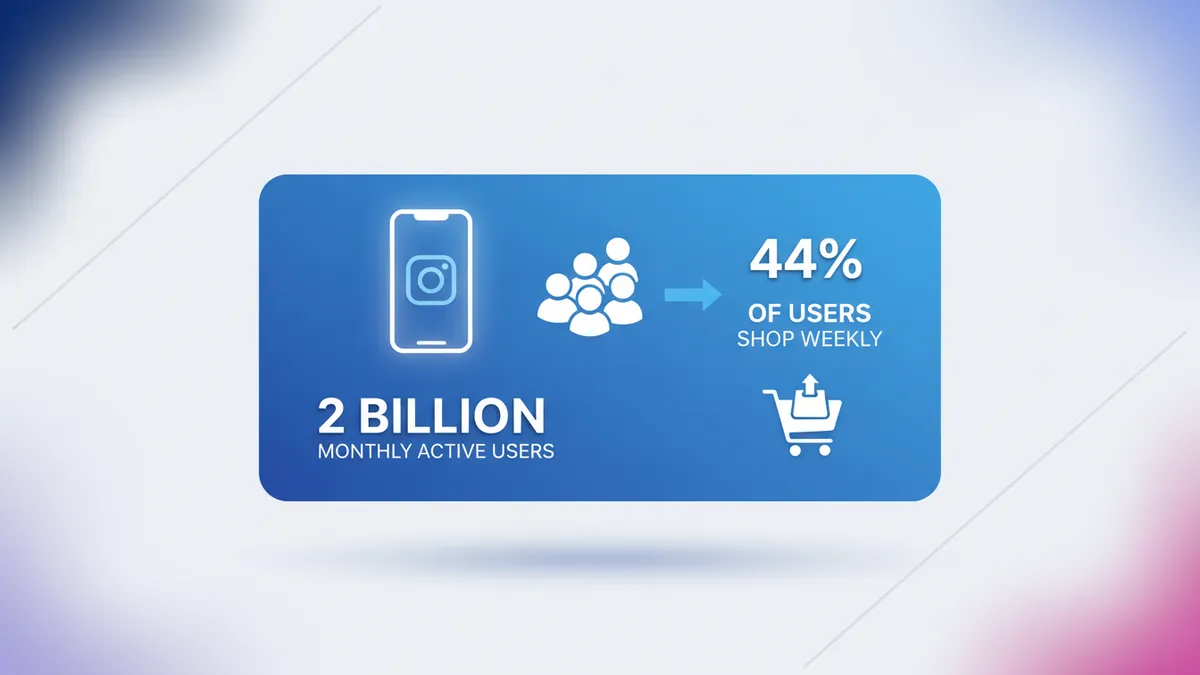
Instagram has over 2 billion monthly active users. More importantly, 44% of users shop on the platform weekly. No other social platform combines visual discovery, built-in shopping tools, and that level of purchase intent.
For Shopify store owners specifically, the integration is seamless. Your product catalog syncs directly to Instagram. Customers can browse, tap, and buy without ever leaving the app.
But here’s the problem most stores face: they post product photos with “link in bio” captions and wonder why sales don’t come. Instagram marketing for Shopify isn’t about posting products. It’s about building a content system that moves people from discovery to purchase.
Set up Instagram Shopping for your Shopify store
Before you post anything, make sure your store is connected to Instagram Shopping. This lets you tag products directly in posts, Reels, and Stories.
What you need
- A Shopify store with the Facebook & Instagram sales channel installed
- A Facebook Business Page connected to your store
- An Instagram Business or Creator account
- Products synced to Facebook Commerce Manager

Setup steps
- Install the Facebook & Instagram sales channel in your Shopify admin.
- Connect your Facebook Business Page and Instagram account.
- Wait for your product catalog to sync (usually a few hours).
- Submit your account for Instagram Shopping review. Approval takes 1-3 business days.
- Once approved, enable product tagging in your Instagram settings.
Once connected, you can tag up to 5 products per image, 20 per carousel, and add product stickers to Stories. This turns every piece of content into a shoppable moment.
The Instagram content formula for e-commerce
Posting randomly doesn’t work. You need a content mix that balances sales, value, and trust. Here’s the formula that works for Shopify stores.

40% product content (sell)
This is your catalog brought to life. Don’t just post flat-lay product photos. Turn them into scroll-stopping content by showing your products in context.
- Lifestyle shots: Your product in real-life settings.
- Styling ideas: “3 ways to wear this” or “How to use this in your kitchen.”
- New arrivals and restocks: Build anticipation with teaser posts before launch.
- Product comparisons: Help buyers choose between similar items.
- Close-up details: Texture, craftsmanship, packaging.
Tag products in every piece of content. Make it easy for someone to go from “that looks nice” to “it’s in my cart.”
30% educational content (teach)
Educational content builds authority and drives saves. People save posts they want to reference later, and saves signal Instagram’s algorithm to push your content further.
- How-to guides related to your niche (not your product directly)
- Tips and tricks your audience can use today
- Common mistakes your customers make
- Buying guides that help people choose the right product
A skincare brand might post “Morning routine for dry skin in winter.” A home decor store might share “5 rules for mixing patterns.” You’re teaching, not selling. But you’re building trust that leads to sales.
For more on creating educational content that drives engagement, check out our guide on Instagram engagement tactics that actually work.
20% user-generated content (prove)
UGC is the most trusted content on Instagram. When potential customers see real people using your products, it removes the biggest barrier to purchase: uncertainty.
- Customer photos and videos: Repost tagged content (always credit the creator).
- Reviews as graphics: Turn 5-star reviews into carousel slides.
- Unboxing videos: Encourage customers to film and tag you.
- Before-and-after transformations: Powerful for beauty, fitness, and home products.
How to get more UGC:
- Add a card in your packaging asking customers to tag you.
- Send a follow-up email 7 days after delivery with a photo request.
- Create a branded hashtag and feature the best submissions weekly.
- Offer a small incentive (10% off next order) for tagged photos.
10% behind-the-scenes (connect)
This content humanizes your brand. People buy from brands they feel connected to.
- Packing orders: One of the most-watched content types for small stores.
- Founder story: Why you started. What drives you.
- Day in the life: Running your business, visiting suppliers, designing new products.
- Team introductions: Put faces behind the brand.
Instagram Reels strategy for Shopify stores
Reels are how you reach people who don’t follow you yet. Instagram pushes Reels to the Explore page and Reels tab, giving your content distribution you can’t get from feed posts alone.
Reel formats that drive sales
Product showcase Reels (15-30 seconds) Quick, punchy product reveals. Show the product, show it in use, end with a product tag. Use trending audio when it fits naturally.
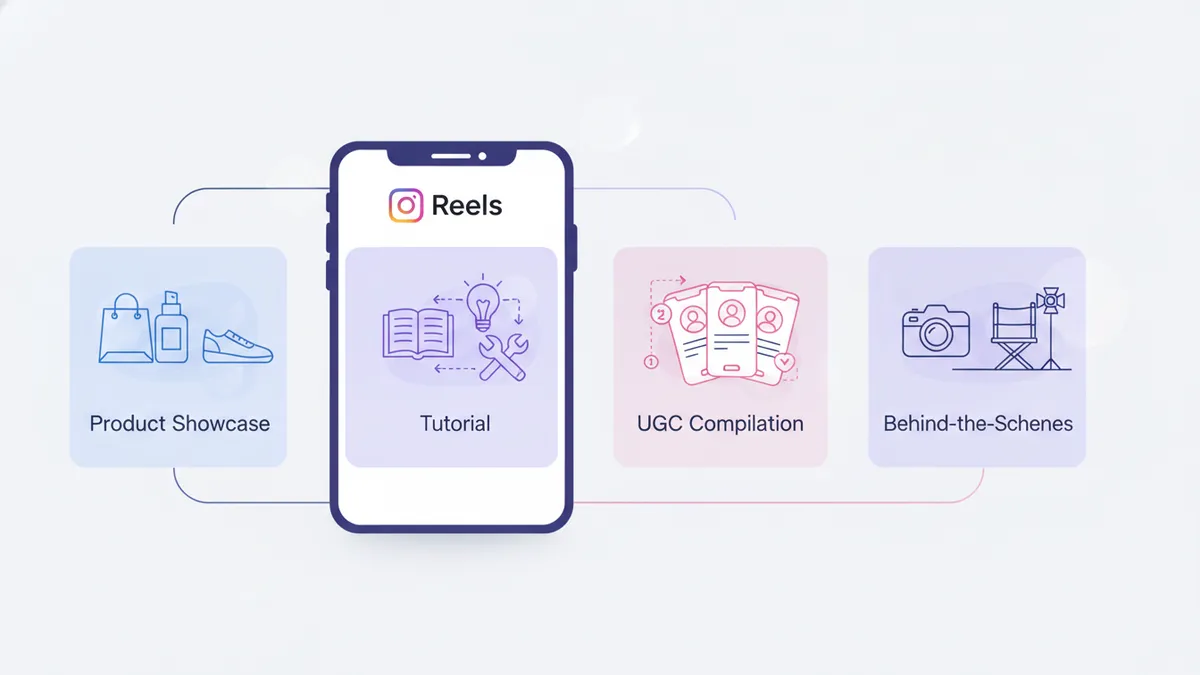
Tutorial Reels (30-60 seconds) Teach something using your product. “How to style a scarf 3 ways” or “5-minute meal with our spice kit.” These get saved and shared.
UGC compilation Reels (15-30 seconds) Stitch together customer clips into one montage. Social proof at scale.
Behind-the-scenes Reels (15-45 seconds) Packing orders, designing new products, quality checks. These feel authentic and perform well because they break the polished-content pattern.
Reel optimization tips
- Hook in the first 1.5 seconds. Ask a question, make a bold claim, or show something visually surprising.
- Add text overlays. 85% of users watch Reels without sound.
- Use 3-5 relevant hashtags. Don’t spam 30. Target niche, product-specific hashtags.
- Post Reels when your audience is active. Check your Instagram Insights for peak hours.
- Include a CTA. “Tap the product tag to shop” or “Save this for later.”
Instagram Stories that drive Shopify traffic
Stories disappear after 24 hours, but they do two critical things: keep you top-of-mind and drive direct traffic to your store.
Daily Stories framework for Shopify stores
| Time | Content | Goal |
|---|---|---|
| Morning | New product or restock alert | Drive urgency |
| Midday | Educational tip or quick tutorial | Build authority |
| Afternoon | Poll, quiz, or “this or that” sticker | Boost engagement |
| Evening | Customer review or UGC repost | Build trust |
Stories features that drive sales
- Product stickers: Tag products directly in Stories. One tap takes viewers to the product page.
- Link stickers: Link to collection pages, sale pages, or blog posts.
- Countdown stickers: Perfect for product launches and flash sales.
- Poll stickers: “Which color should we restock first?” (This doubles as market research.)
Post 3-7 Stories per day. More than 7 and completion rates drop. Fewer than 3 and you’re not showing up consistently.
Build a posting schedule you can actually maintain
Consistency beats frequency every time. A Shopify store posting 3 times a week for 6 months will outperform one that posts daily for 3 weeks then disappears. For a full breakdown of optimal posting frequency across every platform, including sample schedules by resource level, check out our posting frequency guide.
Recommended weekly rhythm
| Day | Content Type | Format |
|---|---|---|
| Monday | Educational tip | Carousel |
| Tuesday | Product feature | Reel (shoppable) |
| Wednesday | UGC or customer review | Feed post |
| Thursday | Behind-the-scenes | Reel or Story series |
| Friday | Product lifestyle shot | Shoppable feed post |
Plus daily Stories using the framework above.
Batch-create to save time
Don’t create one post at a time. Block 2-3 hours every two weeks and create all your content in one session.
- Brainstorm (15 min): Map 10 post ideas to the content formula.
- Write captions (45 min): Draft all captions back-to-back.
- Create visuals (60 min): Shoot photos, record Reels, design carousels.
- Schedule (15 min): Load everything into your scheduling tool.
If you haven’t built a content calendar yet, start with our step-by-step guide to creating a social media content calendar for Shopify. It covers the full framework.
IDEQO’s Bulk Content Generator can create a full month of Instagram captions in minutes. You review, edit for your brand voice, add product tags, and schedule. That’s the workflow.
Track the metrics that actually matter
Likes are nice. Sales are better. Here’s what to track when measuring your Instagram marketing ROI.
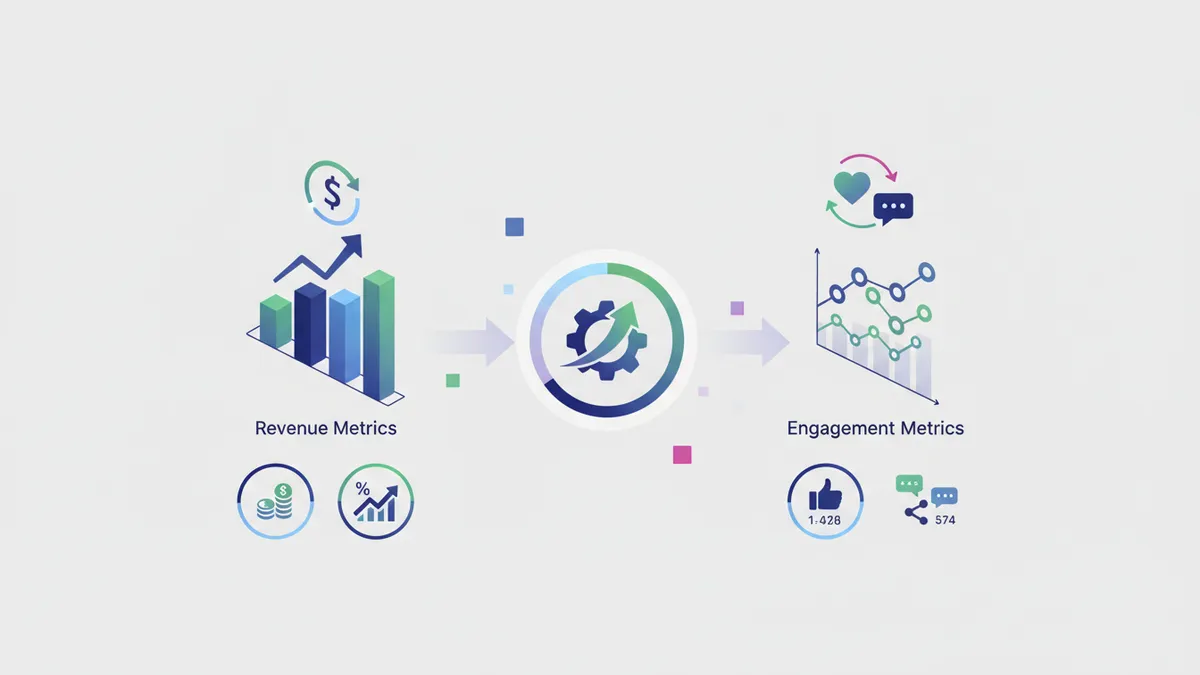
Revenue metrics
- Instagram-attributed revenue: Check your Shopify analytics under “Sales by social source.”
- Product page clicks from Instagram: How many people tap your product tags?
- Add-to-cart rate from Instagram traffic: Are Instagram visitors actually interested in buying?
Engagement metrics that predict sales
- Save rate: High saves mean people want to come back and buy later.
- Share rate: Shares put your products in front of new potential customers.
- Story link taps: Direct measure of how much traffic Stories drive to your store.
- DM conversations: People who DM about products have high purchase intent.
What to ignore
- Follower count: A store with 2,000 engaged followers will outsell one with 50,000 passive followers.
- Like count: Likes don’t correlate with purchases. Saves and shares do.
For a deeper look at metrics and platform strategy, read our complete social media strategy guide.
Common mistakes Shopify stores make on Instagram
Only posting product photos. Your feed looks like a catalog. Nobody follows a catalog. Mix in educational content, UGC, and behind-the-scenes.
Ignoring Instagram Shopping features. If your posts aren’t shoppable, you’re adding friction between “I want this” and “I bought this.”
Inconsistent posting. Going silent for two weeks resets your algorithmic momentum. Use scheduling tools to stay consistent even when you’re busy.
Generic captions. “New arrival! Link in bio.” doesn’t cut it. Write captions that tell a story, teach something, or spark conversation. AI tools can help you draft captions faster, but always add your personal touch.
Not using Stories. 500 million people use Instagram Stories daily. If you’re not posting Stories, you’re invisible to a huge portion of your audience.
Ignoring DMs. Instagram’s algorithm considers DM activity a relationship signal. Reply to every DM. It boosts your content’s visibility in that person’s feed.
Turn your Instagram into a sales channel
Instagram marketing for your Shopify store isn’t about chasing followers or going viral. It’s about building a content system that consistently moves people from discovery to trust to purchase.
Start with these three actions this week:
- Set up Instagram Shopping and tag products in your next 5 posts.
- Plan 2 weeks of content using the 40/30/20/10 content formula.
- Post one Reel showcasing your best-selling product.
Then build from there. Create a rhythm, batch your content, and let scheduling tools handle the publishing.
Ready to automate your Instagram posting? Start free with IDEQO. Plan your content calendar, generate captions with AI, and auto-publish to Instagram from one dashboard. Free plan available. No credit card required.
Frequently Asked Questions
How do I connect my Shopify store to Instagram Shopping?
You need a Facebook Business Page linked to your Shopify store, an Instagram Business or Creator account, and products in your Facebook Commerce Manager catalog. Shopify's Facebook & Instagram sales channel syncs your products automatically. Approval usually takes 1-3 business days.
How often should a Shopify store post on Instagram?
Aim for 3-5 feed posts per week plus daily Stories. Consistency matters more than volume. Posting 3 times a week every week beats posting 7 times one week then going silent. Use a scheduling tool to stay on track.
What type of Instagram content drives the most sales for e-commerce?
Shoppable Reels, product carousels with lifestyle context, and user-generated content (UGC) drive the highest conversion rates. Reels reach new audiences, carousels educate buyers, and UGC builds the trust needed to click 'buy.'
Is Instagram still worth it for Shopify stores in 2026?
Yes. Instagram has over 2 billion monthly active users and its shopping features are more mature than any other social platform. For visual products like fashion, beauty, home decor, and food, Instagram remains the top social commerce channel.
Can I automate my Shopify store's Instagram posting?
Yes. Tools like IDEQO let you schedule feed posts, Reels, and Stories in advance. You can batch-create a month of content and auto-publish at optimal times. The key is to automate publishing, not content creation. Always review and personalize before scheduling.