

Your product photos get people to stop. Your description gets them to buy. And if it’s written right, Google sends them to you for free.
Key Takeaways
- Unique descriptions are non-negotiable. Duplicate manufacturer copy won’t rank. Google ignores it.
- Lead with benefits, not specs. Tell buyers what the product does for them before listing what it’s made of.
- One primary keyword per product page. Use it in the title, first paragraph, and one subheading.
- 300+ words minimum. Short descriptions don’t give Google enough context to rank you.
- Use the Problem, Solution, Proof framework. It converts better than feature lists every time.
Why most Shopify product descriptions fail at SEO
Open any Shopify store and you’ll find the same pattern. A product title that’s too clever to be searchable. Two sentences of generic description. A bullet list of specs. Done.
That product page will never rank on Google. Here’s why.
Duplicate content kills rankings. If you copied the manufacturer’s description, so did every other store selling that product. Google has no reason to rank your version over anyone else’s. It might not index it at all.
Thin content gets ignored. Google’s algorithm evaluates content depth. A product page with 30 words competes against pages with 300+. The deeper content wins almost every time.
No keyword targeting means no traffic. If your title says “The Luna Crossbody” but people search for “leather crossbody bag for women,” Google can’t connect the dots. You have to use the words your customers type into search.
The fix isn’t complicated. It just takes intentional writing.
The anatomy of an SEO product description
Every high-ranking product description has five components. Miss one and the whole page underperforms.
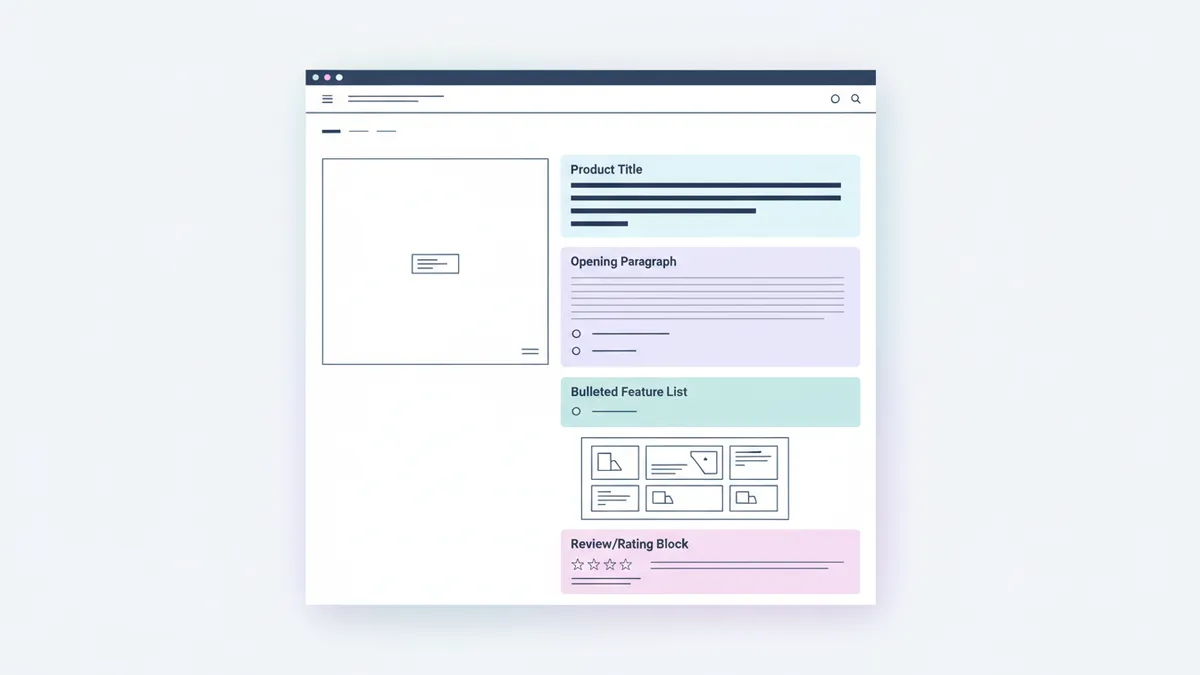
1. A keyword-optimized product title
Your product title is the H1 tag on the page and the strongest ranking signal. It’s also what appears in Google search results.
Rules:
- Put the primary keyword first. “Organic Cotton Baby Blanket” not “The Dreamer: Baby Blanket.”
- Include key attributes. Material, size, use case, or audience.
- Keep it under 60 characters for full display in search results.
- Make it readable. It still needs to sound natural.
| Before (Brand-First) | After (Keyword-First) |
|---|---|
| The Wanderer Tote | Canvas Tote Bag, Large, Everyday Carry |
| Midnight Glow | Lavender Soy Candle, 8oz, Hand-Poured |
| FitPro Bands | Resistance Bands Set, 5 Levels, Home Workout |
The “before” titles are good for branding. The “after” titles are good for Google. You can often combine both: “The Wanderer Canvas Tote Bag, Large, Everyday Carry.” Keep the brand name, add the keywords.
2. A benefit-driven opening paragraph
The first 160 characters of your description often appear as the meta description in search results. Make them count.
Start with the outcome, not the product. What does the buyer get?
Instead of: “Our handcrafted leather wallet is made from premium Italian leather.”
Write: “A slim wallet that fits your front pocket without the bulk. Premium Italian leather that develops a unique patina over years of use.”
The first version describes the product. The second version describes the experience of owning it. The second version sells.
Include your primary keyword naturally in this opening paragraph. Google gives extra weight to keywords that appear early on the page.
3. Feature and benefit sections
After the opening, break down features and benefits. Use a format that’s easy to scan.
The golden rule: Every feature should connect to a benefit.
| Feature | Benefit |
|---|---|
| 100% organic cotton | Gentle on sensitive baby skin, no chemicals |
| Double-wall vacuum insulation | Coffee stays hot for 12 hours, even if you forget it |
| Adjustable resistance levels | One set replaces an entire gym, grows with your fitness |
Write this section using bullet points or short paragraphs. Shoppers scan product pages. They don’t read them like novels. Make every line easy to digest.
4. Use case and lifestyle context
Help the buyer imagine owning the product. This section bridges the gap between “that looks nice” and “I need this.”
Examples by product type:
- Fashion: “Pair it with high-waisted jeans for weekend brunch or dress it up with a blazer for after-work drinks.”
- Home: “Tuck it on your nightstand with a book and a cup of tea. The lavender scent fills the room in minutes.”
- Fitness: “Throw it in your bag and get a full workout at the hotel, the park, or your living room.”
This content does double duty. It gives buyers a reason to purchase and it adds natural keyword variations that help Google understand the product’s context.
5. Social proof and trust signals
End your description with proof that other people love this product.
- Number of reviews or ratings
- Bestseller status
- “As seen in” mentions
- Specific customer quotes
“Rated 4.8 stars by 1,200+ customers” is a powerful closing line. It addresses the buyer’s last hesitation: “Is this actually good?”
The PSP framework for product descriptions
Use Problem, Solution, Proof for every product description. It mirrors the buyer’s mental process.
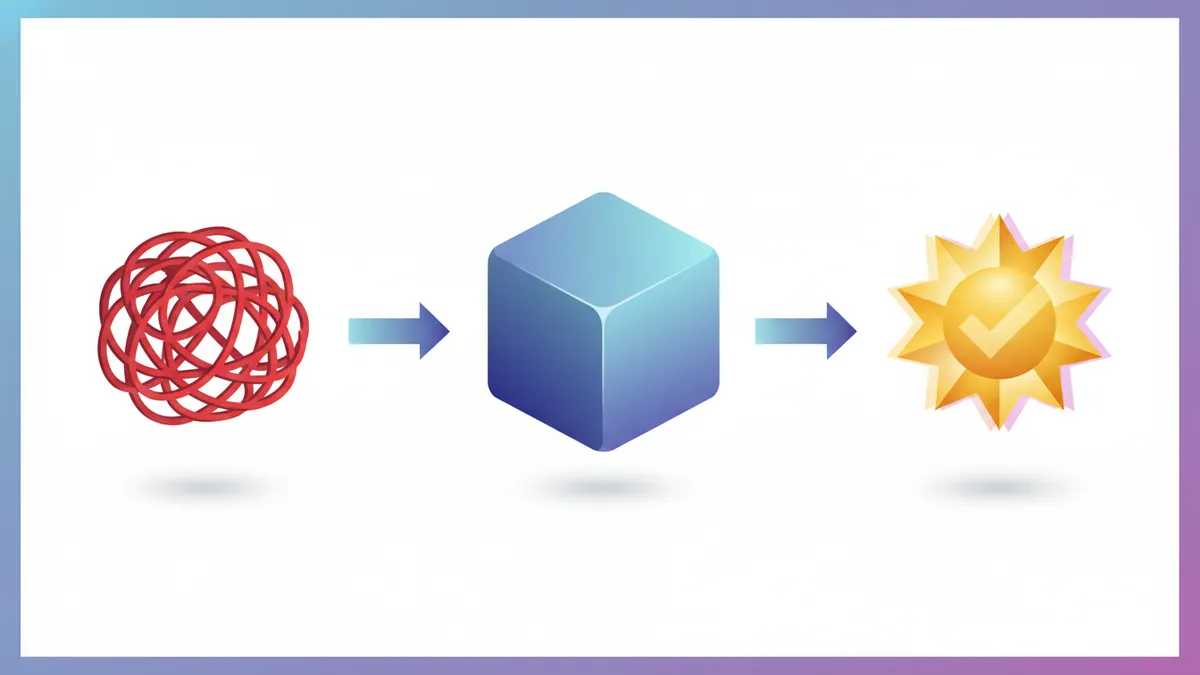
Problem: Name the frustration or desire your customer has.
Solution: Position your product as the fix.
Proof: Back it up with evidence.
Example for a kitchen sponge:
Your kitchen sponge starts smelling by Wednesday. You replace it every week and it still harbors bacteria. (Problem)
Our antimicrobial silicone scrubber lasts 6 months. It’s dishwasher safe, odor-resistant, and cleans just as well as traditional sponges. (Solution)
Over 3,000 five-star reviews. The most common feedback? “I can’t believe I waited this long to switch.” (Proof)
This framework works for any product in any niche. It’s the same approach that drives product captions that convert on social media, adapted for longer-form product pages.
Keyword research for product descriptions
You can’t optimize what you haven’t researched. Before writing any product description, identify the keywords your customers actually search for.
Finding the right keywords
Google Autocomplete: Type your product name into Google and note the suggestions. These are real searches people make.
Google Shopping: Search for your product type. Look at how top-ranking competitors title and describe their products.
Amazon: The world’s largest product search engine. Search for your product category and study the titles, bullet points, and descriptions that rank well.
Customer reviews: Read reviews on your store and competitors. The language customers use is often the exact language they search. If customers call it a “travel mug,” don’t optimize for “portable beverage container.”
Where to place keywords
| Location | Priority | Example |
|---|---|---|
| Product title | Highest | ”Organic Cotton Baby Blanket” |
| First paragraph | High | ”This organic cotton blanket is the softest…” |
| One subheading | Medium | ”Why Organic Cotton Matters for Baby Skin” |
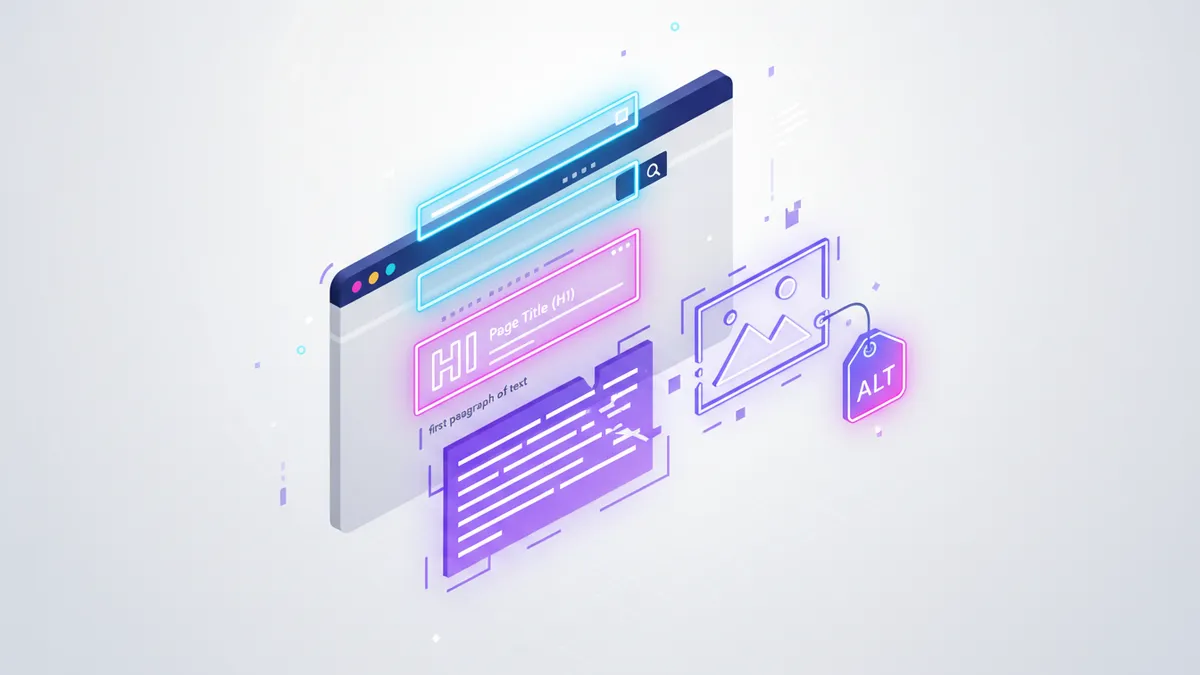
| Alt text on images | Medium | ”organic cotton baby blanket in sage green” |
| URL slug | High | /products/organic-cotton-baby-blanket |
| Meta description | High | ”Wrap your baby in 100% organic cotton…” |
Don’t stuff. If you’ve used your primary keyword 5+ times in 300 words, you’ve overdone it. Google penalizes over-optimization. Read the description aloud. If it sounds unnatural, remove a keyword instance.
For a deeper look at finding the right keywords for your entire store, check our complete Shopify SEO guide.
Writing descriptions at scale
You have 200 products. Writing 300+ words for each feels impossible. Here’s how to make it manageable.
Prioritize your top sellers
Start with the 20 products that generate the most revenue. Optimize those first. The ROI is immediate because these pages already have traffic and conversion data.
Use templates for similar products
Create description templates for each product category. A template for t-shirts, one for candles, one for accessories. Fill in the specifics for each product.
T-shirt template:
[Opening benefit statement about comfort/style]

[Material and construction details → benefits]

[Fit and sizing information → who it's for]

[Care instructions]

[Social proof line]
Templates make writing faster without making every description sound identical.
Use AI for first drafts
AI excels at generating product description drafts. Feed it the product details, your Brand Voice, and a description template. It produces a solid first draft in seconds.
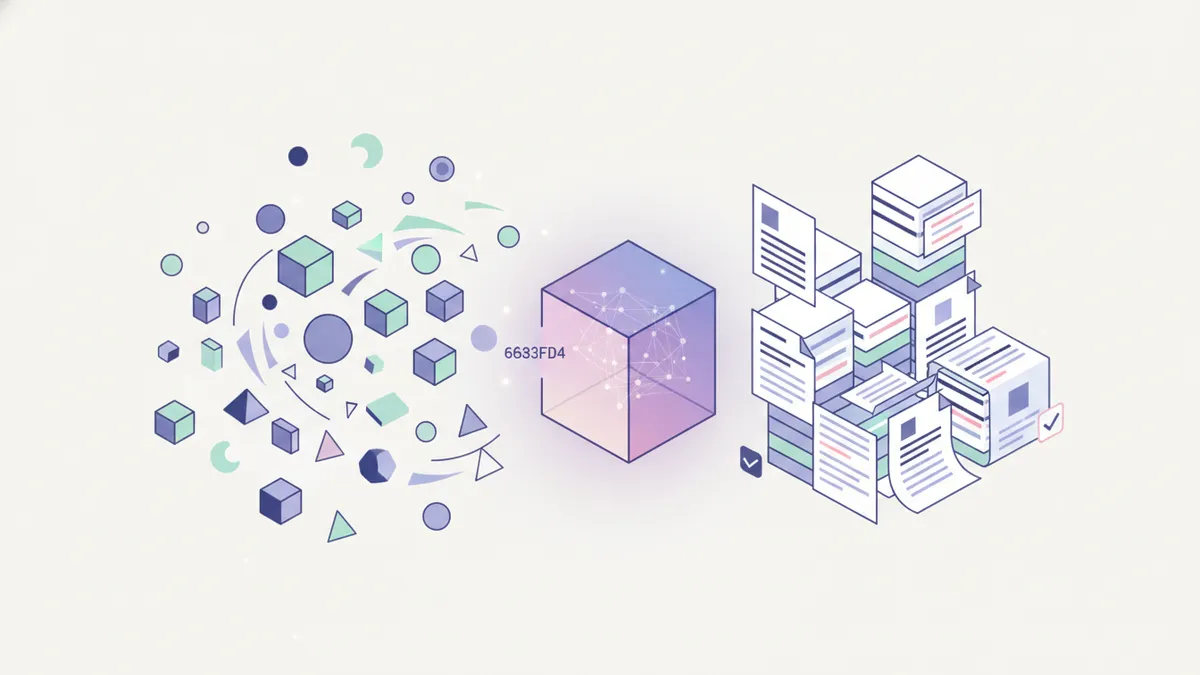
The workflow:
- Give AI your product specs, target keyword, and brand tone.
- Generate a first draft.
- Edit for accuracy, uniqueness, and your brand personality.
- Add specific details AI can’t know (customer feedback, real use cases).
IDEQO’s AI content features generate product descriptions in your Brand Voice. You review, edit, and publish. This cuts writing time from 30 minutes per product to under 10.
For a full walkthrough on using AI for e-commerce content without losing authenticity, see our AI content creation guide. For specific prompts and templates, check out our guide to AI product descriptions that sell.
Batch your writing sessions
Don’t write one description at a time. Block 2-3 hours and write 10-15 descriptions in one session. You’ll find a rhythm and your writing will be more consistent.
This is the same batching approach that works for social media content creation. Plan once, execute in bulk, then move on.
Common mistakes to avoid
Writing for search engines, not people. If your description reads like a keyword list, it won’t convert even if it ranks. Write for the buyer first. Optimize for Google second.
Identical descriptions for variants. Same description for every color or size of the same product. Google sees these as duplicate pages. Add at least a unique opening sentence per variant that mentions the specific attribute.
Ignoring mobile readability. Over 60% of Shopify traffic comes from mobile. Long paragraphs are unreadable on small screens. Use short paragraphs, bullet points, and plenty of white space.
Forgetting the meta description. Shopify auto-generates meta descriptions from your product description text. But the auto-generated version is usually terrible. Write a custom meta description for every product page. Include the primary keyword and a reason to click.
No internal links. Product descriptions should link to related products, collections, or relevant blog posts. “Pair this with our Shopify automation tools” is good for users and SEO.
Your product description action plan
- Audit your top 20 products. Check for duplicate content, missing keywords, and thin descriptions.
- Research one primary keyword per product. Use Google Autocomplete and competitor analysis.
- Rewrite using the PSP framework. Problem, Solution, Proof for every description.
- Add 300+ words of unique content. Include benefits, use cases, and social proof.
- Optimize titles and meta descriptions. Put keywords first. Write for clicks.
- Set up templates for scale. Create category templates, then fill in product-specific details.
Start with your best sellers. Measure organic traffic to those product pages over the next 60 days. You’ll see the difference.
Want to generate product descriptions faster? Start free with IDEQO and use AI to draft descriptions in your Brand Voice. Review, edit, publish. Free plan available. No credit card required.
Frequently Asked Questions
How long should a Shopify product description be for SEO?
Aim for 300 words minimum. Longer descriptions give Google more context to rank your page. But every word should earn its place. Don't pad with filler. Focus on benefits, features, use cases, and answers to common buyer questions.
Should I use the manufacturer's product description on my Shopify store?
No. Manufacturer descriptions appear on dozens of other stores selling the same product. Google treats duplicate content as low value. Write unique descriptions for every product. Even rewriting 50% of the manufacturer copy makes a meaningful difference.
How many keywords should I include in a product description?
Target one primary keyword and 2-3 related variations. Use the primary keyword in the title, first paragraph, and one subheading. Sprinkle variations naturally throughout the description. If it sounds forced when you read it aloud, you've overdone it.
Can AI write good product descriptions for Shopify?
AI is excellent at generating first drafts. It can produce benefit-focused, keyword-rich descriptions in seconds. The key is editing the output for accuracy, brand voice, and uniqueness. Tools like IDEQO's Brand Voice feature ensure AI drafts match your tone automatically.
Do product descriptions really affect Shopify SEO?
Yes. Product descriptions are the primary text content on your product pages. Google uses this text to understand what your product is and which searches it should appear for. A product page with a two-sentence description will almost never outrank one with 300+ words of unique, keyword-rich content.