
What is advent calendar marketing for a Shopify store? It’s a December campaign where you open one “door” a day on social, usually from December 1 to December 24, and each door reveals something: a product, a one-day code, a how-to, or a gift idea. The trick is to build every door before December 1. That means one-day discount codes with use limits in Shopify, product reveals scheduled to publish on their own, and posts scheduled at the same hour every day. Once your shipping cutoff passes, the late doors switch to gift cards, local pickup, and digital products. And if you sell a physical advent calendar box, your real deadline is November 30, not Christmas.
Advent calendars are having a big year. Modern Retail reports that Tarte and e.l.f. Cosmetics are launching advent calendars on TikTok Shop this season, and that the #adventcalendar hashtag appears on 1.8 million TikTok posts (Modern Retail). You don’t need a beauty brand’s budget to borrow the format. A small store needs a door plan, a few Shopify settings, and posts that go out without you.
Count-Fill-Lock-Open is the four-step plan in this guide: count your doors and dates, fill each door with one job, lock everything in before December 1, then open one door a day.
Key Takeaways
- Count back from door 1, not from Christmas: Pick 12 or 24 doors and mark your shipping order-by dates. A physical calendar box has to arrive by November 30.
- Not every door is a discount: Mix product reveals, how-tos, free shipping, and gift card doors so followers don’t learn to wait for a deal.
- One code per door, valid for one day: In Shopify, set the same start and end date, cap the uses, and tag every door code so you can find them later.
- Schedule the reveals: Shopify can publish a product or collection at a set date and time, and a scheduler can post each door at the same hour.
- Switch doors at your cutoff: After your last order-by date, doors move to e-gift cards, local pickup, and digital products.
The Count-Fill-Lock-Open plan at a glance
An advent campaign is 12 or 24 small launches in a row. If you build each one on the morning it opens, December turns into a scramble. Most of the work belongs in November.
| Step | When | Goal | In Shopify | On social |
|---|---|---|---|---|
| Count | Late October | Doors and dates are fixed | Note your shipping order-by dates | A teaser that the calendar is coming |
| Fill | Early November | Every door has one job | Pick products, offers, and stock caps | Write every door caption in one sitting |
| Lock | Mid to late November | No door depends on you being awake at 8 a.m. | One-day discount codes and scheduled product reveals | Schedule every door post |
| Open | December 1 to 24 | One door a day, on time | Watch code use against each cap | Door post, countdown Story, comment replies |
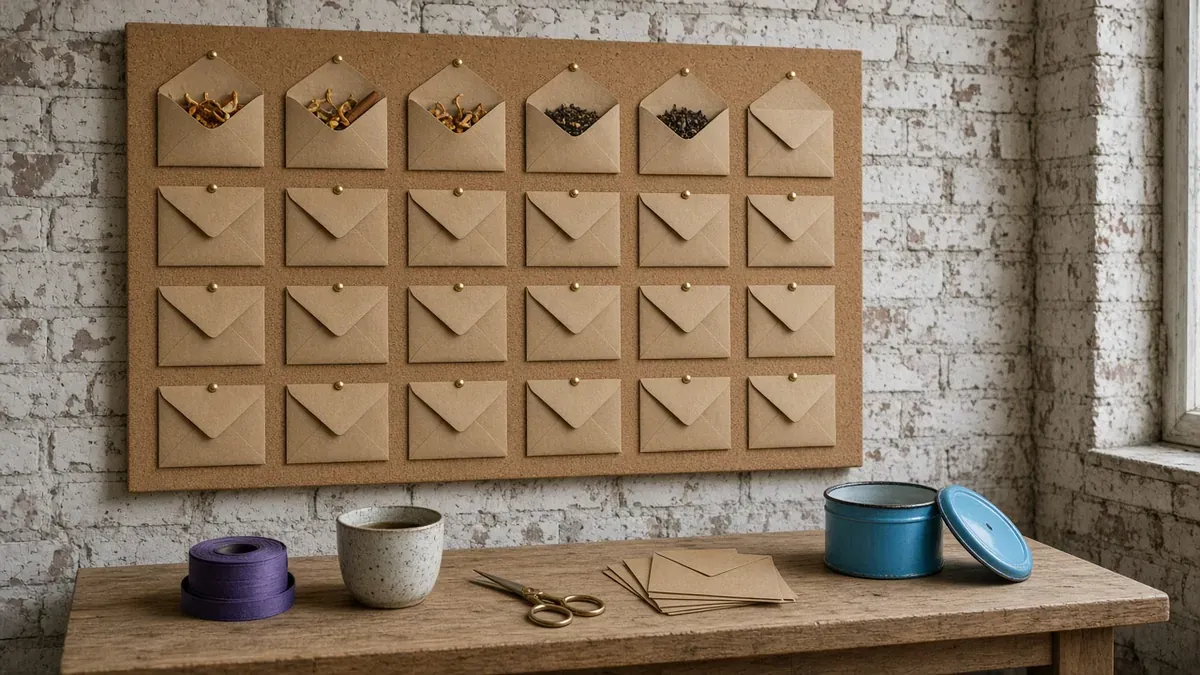
The worked example later in this guide follows a two-person loose-leaf tea shop that sells a 24-door tea advent box and runs a 24-door calendar on Instagram and Facebook.
Which advent format fits your store?
There are two ways to use the format, and plenty of stores do both.
| Advent door campaign | Advent calendar box | |
|---|---|---|
| What it is | One reveal a day on social, December 1 to 24 | A physical box with a small item behind each door |
| What you sell | Your normal catalog, one door at a time | The box itself |
| Hard deadline | Your Christmas shipping cutoff | The box has to arrive by November 30 |
| Biggest risk | Too many discounts | Unsold boxes after December 1 |
| Social job in December | Post the door every day | Show buyers’ openings without spoiling the next door |
If you’ve never run either, start with the door campaign. It uses products you already stock, nothing has to be manufactured, and you can run it with 12 doors instead of 24.
Count: how many doors, and which dates?
Goal: by early November, you know how many doors you’ll open, on which dates, and when each kind of door has to stop.
12 doors or 24?
Advent calendars usually count down one door a day from December 1 to December 24. Liturgical Advent starts a little earlier: in 2026, the First Sunday of Advent is November 29 (USCCB). You can open on that Sunday, but starting on December 1 keeps the math simple, because door 24 lands on Christmas Eve.
Twenty-four doors is a lot for a small team to fill well. Twelve is easier. If you go with 12, pick which 12 days: December 1 to 12 keeps every door ahead of your shipping cutoff, while December 13 to 24 builds to Christmas Eve but puts more doors after it.
One naming note. Traditionally, the Twelve Days of Christmas start on Christmas Day and run to Twelfth Night on January 5, the eve of Epiphany (Britannica). If your 12 doors run before Christmas, a name like “12-day countdown” avoids confusing customers who know the tradition. A Twelve Days campaign that starts on December 25 can work too. It lines up with the tradition and gives people holding new gift cards a reason to come back.
Mark the dates that set your calendar
Put these on one page before you plan a single door:
- Door 1 and the last door. In 2026, December 1 is a Tuesday and Christmas Day is a Friday (OPM), so door 24 opens on Thursday, December 24.
- Your shipping order-by dates. For expected delivery before December 25 in the lower 48 states, USPS recommends sending USPS Ground Advantage by December 17, Priority Mail by December 18, and Priority Mail Express by December 19 (USPS). Your order-by date comes earlier, by however long you take to pack. The holiday shipping deadlines guide walks through the math: a store that packs in two business days should post Tuesday, December 15 at noon for standard shipping.
- The switch date. This is the first door after your last order-by date. From here on, no door can promise delivery by Christmas.
- The end of your Black Friday sale. Thanksgiving is Thursday, November 26, so Cyber Monday falls on November 30 and door 1 opens the next day. That makes the calendar a ready-made answer to “what do we post after the sale?” If you’re running the BFCM social plan, let the last Cyber Monday post announce door 1.
If you sell a calendar box, count back from November 30
A box with door 1 inside is already late on December 2. Work back from Monday, November 30 the way you’d work back from Christmas:
- Transit time. USPS expects Ground Advantage delivery in 2 to 5 days and Priority Mail in 2 to 3 days, and says places like Alaska and Hawaii may get slower service (USPS; USPS).
- Packing time. Use the number of business days you actually need in late November, when Black Friday orders are landing too.
- Thanksgiving. Thursday, November 26 is a federal holiday (OPM). Don’t count it as a delivery day.
For a store that packs in two business days and ships Ground Advantage, an order-by of Wednesday, November 18 at noon gets boxes out on Friday, November 20. That leaves five weekdays through November 30, skipping Thanksgiving, which covers the top of the 2-to-5-day range. Delivery estimates aren’t guarantees, so an earlier date is safer if your buyers are spread across the country.

Put the order-by date in every box post, and decide now what happens after it passes. You have two honest options: keep selling with a plain note that new orders arrive after December 1 and buyers can open the doors they missed on day one, or stop calling it an advent calendar and sell it as a sampler gift. If you’re taking orders before the boxes are packed, the pre-orders guide covers ship-by dates and deposits.
Fill: what goes behind each door?
Goal: every door has one clear job, and the calendar still makes money.
Pick from these door types
A door doesn’t have to be a discount. Mix these:
- Reveal door. A new product, a restock, or a small batch, published the moment the door opens.
- Code door. A one-day discount on one product or collection.
- Free shipping door. Use it before your order-by dates, while shipping still means “arrives in time.”
- Gift-with-purchase door. A small add-on while it lasts, set up as a Buy X get Y discount.
- How-to door. No offer at all. A brew guide, a styling idea, a care routine. These keep the calendar from turning into a coupon feed.
- Gift card door. After your cutoff, a door that sells e-gift cards. The gift cards guide covers how to post them.
- Pickup door. For local customers after the cutoff. See the local pickup guide.
- Giveaway door. One or two at most, with clear rules. The giveaway guide has them.
- Thank-you door. The last door, with nothing to sell.
Rules for a door map that protects your margin
- Keep discounts to about one door in three. Count code doors and free shipping doors together.
- Don’t front-load. Spread the strongest doors into the second and third weeks, so there’s a reason to keep checking after the first few days.
- Give each door one product or collection. One link, one action, one thing to remember.
- Cap each door at the stock you can spare. If you can give up 40 units for a door, cap that code at 40 uses.
- Match doors to shipping. Before your order-by dates, anything can ship. After them, a door needs a gift card, pickup, a digital product, or a plain “ships after Christmas” line.
- Put busy doors on days you can staff. Code doors and giveaways bring DMs. The comments and DMs playbook covers saved replies.
Here’s a starting mix that follows those rules:
| Door type | 24-door calendar | 12-door calendar |
|---|---|---|
| Product reveals | 8 | 4 |
| One-day code doors | 6 | 3 |
| Free shipping doors, before your cutoff | 2 | 1 |
| How-to doors, no offer | 4 | 2 |
| Gift card or pickup doors, after your cutoff | 3 | 1 |
| Thank-you door | 1 | 1 |
Eight of the 24 doors carry a discount, and four of the 12. Move the numbers around for your catalog, but keep that ratio.
Lock: what should you set up in Shopify before December 1?
Goal: by the last week of November, every door exists in Shopify and every post is scheduled. December is for replying, not building.
Check your store’s time zone first
Discount dates and scheduled publishing both run on your store’s time zone. Shopify’s own example: if your store is on Eastern time and you pick a start date of November 26, the discount starts at 12:00 a.m. Eastern on November 26 (Shopify Help). Confirm the time zone in the Store defaults section of your General settings before you build anything (Shopify Help).
Create one discount code per door
In your Shopify admin, go to Discounts, click Create discount, and choose the type, such as Amount off products for one product or collection. Then set four things on every door code (Shopify Help):
- Active dates. Choose the same calendar day for the start date and the end date. Shopify says that makes the code valid for only one day.
- Maximum discount uses. Check “Limit number of times this discount can be used in total” and enter the stock you can spare for that door. Add “Limit to one per customer” if one buyer shouldn’t use it twice; Shopify tracks that by email address or phone number.
- Combinations. Leave them unchecked unless you want door codes to stack with your other discounts. A door code stacked on a leftover Cyber Monday code costs you twice.
- Tags. Give every door code the same grouping tag, like advent-2026. Shopify uses tags to filter the Discounts list, so all your doors show up in one view.
Name each code after its door’s reveal, not its number. A code that starts at midnight stays secret until your post goes up, unless your codes follow a pattern like DOOR7 and DOOR8 that anyone can guess at 12:01 a.m. The discount codes guide covers how to word code posts.
Schedule each reveal in Shopify
For reveal doors, let Shopify publish the product when the door opens. Open the product and make sure its status is Active. In the Publishing section, click the calendar icon next to Online Store, choose the date and time, then click Schedule publishing and Save. You can type in any hour and minute, so match it to your post (Shopify Help). Collections can get a publish date the same way, which helps when a door reveals a small set (Shopify Help).
Three limits to know before you rely on it (Shopify Help):
- Draft products don’t publish. A product still in Draft status at the scheduled time stays hidden.
- Variants can’t be scheduled on their own. You set the date for the whole product.
- The Shop app isn’t supported. Future publishing doesn’t work there.
Write and schedule every door post
Write all 12 or 24 captions in one sitting, while the plan is fresh. Every door caption needs the same four parts: what’s behind today’s door, the code and when it expires if there is one, one link, and a line about tomorrow. For example:
Door 7: our winter chai is back for December. Code CHAITIME takes 15% off today only, until 11:59 p.m. Eastern. Link in bio. Tomorrow’s door is a brew guide.
Schedule the feed posts for the same time every day, on Instagram, Facebook, and anywhere else you post regularly. Stories need the Instagram app, so plan them as a short evening job. The countdown sticker counts down to a specific time or date, and you can keep reusing it as the clock runs down (Shopify). Point it at tomorrow’s door each night, and save every door Story to a Highlight so latecomers can catch up. The Instagram Stories guide covers Highlights.
Tell people the rules before door 1: what time doors open, how long codes last, and where to find past doors. A pinned post, one email to subscribers, and a message in your Instagram broadcast channel cover it. The social media and email guide covers the email side.
Open: what does the daily routine look like?
Goal: a short daily check keeps every door on time and catches problems before your followers do.
The daily door routine
- When the door goes live: open the post, tap the link, and test the code. A broken door is worse than a skipped one.
- In the first hour: answer comments and DMs. Door days bring the same few questions, so keep saved replies ready.
- Around midday: check how many times today’s code has been used against its cap. If a door sells out, say so in a Story and point people to tomorrow.
- In the evening: post the countdown Story for the next door.
Show calendar boxes without spoiling them
If you sell a box, your buyers are opening the same door you are. Post each box door’s contents the day after it opens, or behind a “spoiler ahead” frame, so buyers who are a day behind don’t see their surprise early. Instagram’s Add Yours sticker lets you post a prompt that followers answer with their own Stories (Shopify). “Show us door 5 in your mug” turns buyers into your content. Ask before you reshare anyone’s post, and use the UGC strategy guide for the rest.
Switch doors when your cutoff passes
On the day your last order-by date passes, every remaining door changes job. E-gift cards, local pickup, digital products, and how-to doors take over. Each caption should say plainly that new shipped orders arrive after Christmas. Quietly posting a shippable product on December 22 sets up a gift that shows up late.
Close the calendar
The last door doesn’t need to sell anything. Post a thank-you, a photo of the fully opened calendar, and a hint of what’s coming in January.
After the holiday, go to Analytics, then Reports, and open Sales by discount codes. It groups sales by discount name and shows which codes were used and which converted into the most sales. If you let codes combine, one order can appear in more than one row (Shopify Help). Write down your three best doors and your three quietest. That list is next year’s door map. For the week after, the week after a sale plan works just as well after a calendar.
Worked example: a two-person tea shop’s 24 doors
The tea shop sells loose-leaf tea online, packs orders in two business days, and ships with USPS. This year it sells a 24-door tea advent box and runs a 24-door calendar on Instagram and Facebook, with doors opening at 8 a.m. Eastern. Here’s its plan:
| Date | Step | What the tea shop does |
|---|---|---|
| Mon, Oct 26 | Count | Picks 24 doors, December 1 to 24. Marks the box order-by (Wed, Nov 18, noon) and the standard shipping order-by (Tue, Dec 15, noon) |
| Tue, Oct 27 | Count | Opens box orders, with the November 18 order-by date in every box post |
| Tue, Nov 3 | Fill | Writes the door map: 8 reveals, 6 code doors, 2 free shipping doors, 4 brew guides, 3 gift card or pickup doors, and a thank-you door |
| Wed, Nov 18 | Count | Last day to order the box for delivery by November 30. Updates the listing to say later orders arrive after December 1 |
| Fri, Nov 20 | Lock | Creates the 8 door codes with one-day active dates, use caps, and the tag advent-2026. Schedules the 8 reveal products for 8 a.m. on their door days |
| Mon, Nov 23 | Lock | Schedules all 24 door posts. Emails subscribers the rules: one door a day at 8 a.m., codes good until midnight |
| Sun, Nov 29 | Open | Posts a teaser on the First Sunday of Advent, with a countdown Story to door 1 |
| Tue, Dec 1 to Tue, Dec 15 | Open | Doors 1 to 15 hold every code and free shipping door. Door 15 says “order by noon today for standard shipping” |
| Wed, Dec 16 and Thu, Dec 17 | Open | Doors 16 and 17 point to the Priority Mail and Express order-by dates |
| Fri, Dec 18 to Thu, Dec 24 | Open | Doors 18 to 24 are e-gift cards, local pickup, and brew guides. Door 24 is the thank-you |
| Mon, Dec 28 | Close | Runs Sales by discount codes, notes the best and quietest doors, and saves the map |
That’s 24 scheduled posts, 8 door codes, and 8 scheduled reveals, built in two November sessions. December itself is a few minutes each morning and a Story each night. The box buyers get a calendar that arrives on time, and the followers who never bought a box still get a reason to open the app every day until Christmas Eve.
Mistakes that break an advent calendar
Making every door a discount. Followers learn to wait for the code, and your margin pays for all 24 days.
Selling the box right up to December 1. Without an order-by date in every post, your last buyers get door 1 late and feel it.
Using guessable codes. DOOR1, DOOR2, DOOR3 lets anyone use the next code at midnight, hours before your post.
Forgetting the cutoff switch. A shippable door on December 22 with no warning becomes a gift that arrives after Christmas.
Leaving reveal products in Draft. Scheduled publishing needs Active status. A Draft product misses its own door.
Building doors in December. If door 9 isn’t ready by December 1, it’ll get built at 11 p.m. on December 8.
Run Count-Fill-Lock-Open this December
- Count: Pick 12 or 24 doors. Mark door 1, your order-by dates, and the switch date. If you sell a box, set its order-by date so it arrives by November 30.
- Fill: Map every door. Keep discounts to about one door in three, spread the strong doors out, and cap each door at the stock you can spare.
- Lock: Check your time zone, build one-day codes with caps and a shared tag, schedule reveals, and schedule every door post before December 1.
- Open: Test each door when it goes live, reply in the first hour, post tomorrow’s countdown, and switch doors when your cutoff passes.
Twenty-four posts at the same hour every day is exactly the job a scheduler is for. Line up every door in IDEQO’s scheduling calendar, which auto-publishes to Instagram, Facebook, and more, then add the countdown Stories from the Instagram app each evening. For the rest of December, IDEQO’s free holiday calendar suggests post angles by niche and month. Start free with IDEQO. Free plan available. No credit card required.
Frequently Asked Questions
When should an advent calendar campaign start in 2026?
Open door 1 on Tuesday, December 1, so door 24 lands on Christmas Eve. Liturgical Advent begins two days earlier, on Sunday, November 29, which makes a good teaser day. Announce the calendar in mid to late November, once the doors are built. If you sell a physical calendar box, set an order-by date so boxes arrive by November 30.
How do I make a Shopify discount code work for only one day?
In the discount's Active dates section, choose the same calendar day for the start date and the end date. Shopify says that makes the code valid for only one day, and it counts the day in your store's time zone, so check that setting first. Then add a total use limit equal to the stock you can spare for that door.
Should every advent calendar door be a discount?
No. If every door is a code, followers learn to wait for the deal, and your margin pays for 24 days of it. A practical mix keeps discounts to about one door in three. Fill the rest with product reveals, how-to posts, free shipping before your cutoff, and gift card or local pickup doors after it.
Do I need an advent calendar app for Shopify?
Not for a social campaign. Shopify's own tools cover it: discount codes with one-day active dates and use limits, plus scheduled publishing for products and collections. The Shopify App Store does list advent calendar apps that add a clickable door grid to your storefront, which helps if you also want shoppers to open doors on your site.
Is a 12-day advent campaign better than 24 days?
For a small team, often yes. Twelve strong doors beat twenty-four thin ones. Running December 1 to 12 keeps every door before your shipping cutoff, while December 13 to 24 builds to Christmas Eve but puts more doors after it. Traditionally, the Twelve Days of Christmas run from December 25 to January 5, so call a pre-Christmas run a 12-day countdown.