
How do you promote Shopify pre-orders on social media? Fix a ship date you can defend before the first post, decide what buyers pay today, and repeat those two facts word for word in every caption, Story, and reply. Send every link to the product page on your online store, because that is where Shopify supports pre-order checkout. Then keep posting after the window closes. The weeks between payment and shipping are when buyers start asking where their order is.
Shopify gives you two ways to sell something you have not shipped yet. The inventory setting Continue selling when out of stock lets customers buy at zero stock, and Shopify lists pre-orders as one reason to turn it on (Shopify Help). A pre-order app goes further: full, partial, or no payment at checkout, a stored payment method, and the rest collected later (Shopify Help). Either way you are selling a promise, and in the US, the FTC’s Mail, Internet, or Telephone Order Merchandise Rule decides how that promise has to work (FTC).
Date-Deposit-Drumbeat-Deliver is a four-step plan for running one pre-order on social: set the date, set the money, post on a fixed rhythm, then deliver or reset the promise in writing.
Key Takeaways
- Date before the first post: Build the ship-by date from a supply date you have in writing, your real production rate, packing time, and a buffer. If you state no date, the FTC expects you to ship within 30 days.
- Pick the money model on purpose: Continue selling when out of stock takes full payment with no app. A pre-order app can take a deposit or nothing at checkout and charge the rest on a date or when the order ships.
- Link to your online store, every time: Shopify supports pre-order products only on the Online Store and Custom Storefront channels, and buyers can’t use Shop Pay, Apple Pay, or Google Pay for them.
- Write one pre-order line and reuse it: Ship-by date, today’s charge, and when the rest is charged, in the same words in captions, Stories, pinned comments, DM replies, and the product page.
- Production updates are deadline checks: If a weekly count shows the date slipping, email a delay notice with a new date and a cancel-for-refund option before the old date passes.
What counts as a pre-order on Shopify?
A pre-order is an order you accept now for a product you will ship later. Shopify treats pre-orders as one of three purchase options, next to subscriptions and try-before-you-buy (Shopify Help). In practice you have two routes, and they change what your posts can promise.
| Continue selling when out of stock | Pre-order app | |
|---|---|---|
| What the buyer pays at checkout | The full price, like any order | Full, partial, or nothing, set in the app |
| What you set up | One inventory setting, with inventory tracking turned on | A pre-order app from the Shopify App Store, configured inside the app |
| What tells the buyer it is a pre-order | Only what you write on the product page | Pre-order details from the app on the product page, plus a confirmation the buyer must accept at the Payment step |
| Main limits | Does not apply to Shopify POS orders; stock at a location that does not fulfill online orders does not count | Shopify Payments or PayPal Express only; no Shop Pay, Apple Pay, or Google Pay; Online Store and Custom Storefront channels only |
| Best fit | Short waits for stock you have already paid for | Made-to-order runs, longer waits, and higher prices where a deposit helps |
Sources: Shopify Help on selling out of stock products and setting up pre-orders.
Two more details shape the setup. With an app, you choose whether the product sells only as a pre-order or also as a regular one-time purchase, using Only display this product with these purchase options on the product (Shopify Help). And if you uninstall the app, Shopify deletes the pre-order data you created in it, other than customer payment information, after 48 hours (Shopify Help). Do not swap apps while orders are open.
The social plan below works for both routes. What changes is one sentence about money.
The Date-Deposit-Drumbeat-Deliver framework
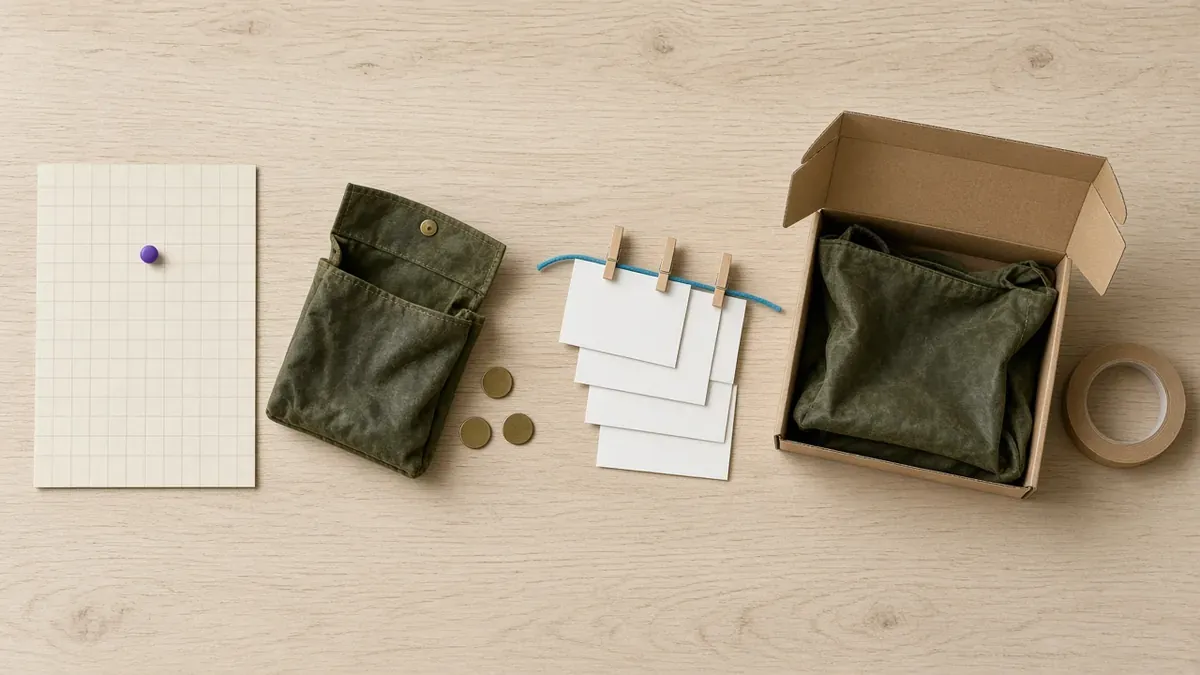
Date and Deposit happen before you post anything. Drumbeat runs from the day the window opens to the day it closes. Deliver runs from the close to the last box out the door, which for the tote below means a month of buyers waiting on a date.
Date: what ship-by date can you defend?
Goal: one date you would bet the business on, written down with the reasons behind it.
The FTC’s rule starts here. When you advertise a product, you need a reasonable basis for any shipping time you state or imply. If you state none, you need a reasonable basis to expect to ship within 30 days (FTC). The FTC defines a reasonable basis as information that would satisfy a reasonable and prudent businessperson, acting in good faith. Shopify repeats the same three requirements on its pre-order setup page: a reasonable basis for the date, 30 days when no date is given, and a revised date plus the right to cancel or get a refund if you miss it (Shopify Help).
This guide covers the US rule, and it is general information, not legal advice. Shopify Help says pre-order sellers must comply with the laws where their business and their customers are (Shopify Help), so check local rules before you sell abroad.
A hopeful date fails that test. A date built from your own numbers passes it:
Ship-by date = supply date in writing + production at your real rate + packing + buffer
Here is the math for a two-person workshop pre-selling a new waxed-canvas tote this fall:
- Supply date. The mill confirms by email that the canvas arrives Monday, November 2.
- Production. The pair sews 40 totes a week, measured on the last batch. A 120-tote run takes three weeks, to Friday, November 20.
- Packing. Labels, inspection, and boxing take two days, to Tuesday, November 24.
- Buffer. One week for whatever goes wrong. That lands on Tuesday, December 1.
Every post says ships by December 1. The workshop saves the mill’s email, the sewing rate, and the math in one note. The rule does not require records, but it says that in an FTC action, a seller without records of the systems it uses to ship on time is presumed, unless it proves otherwise, to have lacked a reasonable basis (FTC).

Two more Date decisions:
- Cap the quantity at the batch. A 120-tote run means 120 pre-orders. Order 121 has a date you cannot defend. Apps handle stock differently: Shopify says inventory for a pre-order is reserved either at the time of sale or at fulfillment, depending on the app (Shopify Help). Check which one yours uses, and set the 120 limit where the app enforces it.
- Check the calendar around the date. If a caption says in time for the holidays, the ship-by date has to clear your carrier’s cutoffs. The holiday shipping deadlines plan covers how to find them. If the date does not clear them, say it ships in January.
Not every product is ready for a pre-order. Use this to choose:
| Where you are | Run this | Why |
|---|---|---|
| Supply date confirmed in writing, production rate known | A pre-order | You can state a ship-by date with a reasonable basis |
| Product designed, supply date not confirmed | A waitlist now, a pre-order once the date is firm | A waitlist takes emails, not money, so a slipping date costs no refunds |
| Still deciding whether to make it | An interest list only | The FTC describes dry-testing a planned product: you cannot suggest it will ship, and you must disclose that it is only planned and may not ship (FTC) |
| A sold-out product with a restock date | A restock plan, or a pre-order for the incoming batch | The restock plan covers the list, the reminder post, and restock day |
For the waitlist itself, a Shopify Forms signup with a tag gives you a list you can email the day the pre-order opens.
Deposit: what does the buyer pay today?
Goal: one sentence about money that is true at checkout, true on the product page, and true in every caption.
| Model | How you set it up | Buyer pays today | Watch out for |
|---|---|---|---|
| Full payment | Continue selling when out of stock, or an app set to full payment | Everything | You hold the money for weeks, so every missed date becomes a refund conversation |
| Deposit | A pre-order app | A set amount, with the rest charged on a date or when the order ships | The later charge can fail, and a charge nobody expected can turn into a chargeback |
| Nothing upfront | A pre-order app | Nothing; Shopify stores the payment method | The whole price is charged later, so the same risks apply to all of it |
Sources: Shopify Help on pre-orders and managing pre-orders.
Since API version 2026-01, Shopify lets pre-order apps process the remaining balance when the order is fulfilled (Shopify). Ask your app whether it offers that term. It is the easiest one to explain in a caption, because the charge happens when the product leaves.
The FTC’s clock does not wait for the balance, either. It starts when you receive a properly completed order, which the FTC defines as the correct full or partial payment plus all the information you need to fill the order (FTC). A deposit starts it just like full payment does.
Know what Shopify does when one cart holds several pre-orders (Shopify Help):
- The earliest due date applies to every pre-order item in the order.
- Due on fulfillment overrides any set date.
- Deposits are added together and charged at checkout.
So if you run two pre-orders at once, give them the same payment terms. Otherwise a buyer who orders both pays both balances on the earlier date.
Then check the restrictions that change what your posts can say (Shopify Help):
- Payment provider. Pre-orders need Shopify Payments or PayPal Express.
- No one-tap checkout. Buyers can’t use Shop Pay, Apple Pay, or Google Pay for pre-orders, or local methods such as Klarna. Do not promise fast checkout in a caption.
- Online Store and Custom Storefront only. Shopify supports pre-order products on those two sales channels and no others.
- No Buy X get Y. Those discounts are not supported on pre-orders, so do not build the offer around one.
- One purchase option per product per checkout. A customer can’t pre-order a subscription product. If you also sell the item on subscription, keep the two offers in separate posts.
- No customized checkouts, no Shop Promise. Pre-orders are not supported on stores with customized checkouts, and Shop Promise does not support them.
If you take pre-orders through Continue selling when out of stock and offer Shop Pay Installments, one more rule applies. For products that might take over 30 days to fulfill, such as pre-orders or handcrafted items, Shopify requires a specific notice on the product page saying loan payments may be due before the buyer receives the item (Shopify Help). The Shop Pay Installments guide covers the rest of the approved wording.
Now write the money half of the pre-order line. For the tote, priced at $120 with a 30 percent deposit:
Ships by December 1. $36 deposit today. The other $84 is charged when your tote ships.
Drumbeat: what do you post, and where does it link?
Goal: the same promise, on a fixed rhythm, with every link ending on your product page.
Start with the full pre-order line. It has three parts, in this order: when it ships, what they pay today, and when the rest is charged. Add one pointer to the full terms.
Pre-order: ships by December 1. $36 today, $84 when it ships. Full terms on the product page, link in bio.
Put that line in the first two lines of every caption, pin it as the first comment, save it as a quick reply for DMs, and add it to the product page and the order confirmation. Shopify’s own pre-order guide lists the same places for the ship date: announcement bars, product pages, checkout pages, and order confirmation emails (Shopify).
Every link goes to the product page on your online store: your bio link, Story link stickers, Pin destinations, and your broadcast channel messages. A marketplace listing or an in-app checkout is not where Shopify supports the pre-order, so the terms and the checkout confirmation will not be there.
Here is the two-week window for the tote, plus what runs after it closes:
| When | Post | Its job |
|---|---|---|
| Mon, Oct 19 (opens) | Email the waitlist first. Then a short video of the sample in use, a carousel with the pre-order line on the last slide, and a Story with a link sticker | Open the window with the full terms |
| Wed, Oct 21 | Making-of: the pattern pieces and the sample on the workbench | Prove the product exists |
| Fri, Oct 23 | Story questions on size, ship date, and deposit, with the answers saved to a highlight | Answer once, point to it forever |
| Tue, Oct 27 | The sample carried on a real errand, with the maker’s reason for the design | Make people want it |
| Fri, Oct 30 | Closing reminder: closes Sunday, plus units left in the cap if the number is real | A true deadline |
| Sun, Nov 1 (closes) | Last call in the morning; at close, a pre-orders closed Story with the waitlist link | End cleanly |
| Every Friday in production | A progress post in public, and the same update by email to buyers | Keep buyers calm and check the date |
| Ship week | A packing clip, a shipping-now Story, and a request for photos | Turn buyers into proof |
Three rules keep the drumbeat honest:
- Scarcity only when it is real. Shopify’s guide says scarcity works when the limit is specific and accurate (Shopify). “12 left of 120” is fine when the app’s cap says 12.
- Calendar dates, not relative ones. “Ships in four weeks” changes meaning every day the post stays up. “Ships by December 1” does not.
- If the date moves while the window is open, change the product page first. The FTC says updated shipping information you give on your site before an order supersedes what your ads said, as long as you have a reasonable basis for the new date (FTC). Then edit the captions and the pinned comment so old posts stop repeating the old date.
For the videos themselves, the product video guide covers what to shoot. For the replies, the comments and DMs guide covers quick replies and who answers when.
Deliver: how do you keep the promise, or reset it?
Goal: every buyer gets the product by the date, or hears about the new date before the old one passes.
The Friday progress post doubles as your deadline check. For the tote, 40 sewn by Friday, November 13 means on track. If the count is 25, the December 1 date is gone, and the notice goes out that week, not on November 30.
If the date slips, the FTC’s rule sets what happens next (FTC):
- Send a delay notice before the promised date. Give a definite revised date, or say you cannot give one, and tell the buyer they can cancel for a full and prompt refund. Email works. A notice posted only on an order-status page does not count if the buyer never sees it in time.
- Know when silence counts. If the first notice moves the date by 30 days or less, you may treat no reply as a yes, and the notice must say so. If it moves the date by more than 30 days, or you cannot give a date, the notice must say the order will be cancelled automatically by the original date plus 30 days unless the buyer agrees to wait.
- A second delay needs a yes. A renewed notice cannot treat silence as consent.
- Refund money, not store credit. For card payments, a prompt refund means within seven working days, and credit toward future purchases is not a substitute.
The tote’s notice, adapted from the FTC’s sample wording:
Your tote won’t ship by December 1. Our new ship-by date is December 15. If you’d rather not wait, reply to this email to cancel, and we’ll send a full, prompt refund of your $36 deposit. If we don’t hear from you before we ship, we’ll take that as a yes to the new date.
Post the delay publicly the same day: one Story with the new date, and an updated pinned comment. In Shopify, you can place unfulfilled orders on hold to extend fulfillment time from the menu in the order’s Unfulfilled section, and Shopify’s note is the same as the FTC’s: tell the customer (Shopify Help).
Before the balance charge, send your own heads-up. Shopify’s automatic payment reminders are not sent for orders with purchase options such as pre-orders (Shopify Help), so check whether your app sends one, and if it does not, email buyers a few days before the totes ship. If the product is ready early, Shopify lets you change the due date or charge the stored card from the order’s Partially paid section, and it warns that a charge the customer is not expecting could result in a chargeback (Shopify Help).
When a charge fails, open the customer in Shopify, go to Payment methods, click More actions, then Send link to update card. A bank can also ask the buyer to confirm a later charge, in which case Shopify emails the buyer a link to confirm it (Shopify Help).
If someone cancels, you can cancel a partially paid pre-order that has not been fulfilled. After you refund it from the Orders page, you might need to cancel the order in your pre-order app as well (Shopify Help).
Then ship week: a packing clip, a shipping-now Story, and one ask, a photo when it arrives. A couple of weeks later, turn the first photos and reviews into posts with the reviews to social guide. The people who waited are your best proof for the next pre-order.
Mistakes that break a pre-order
“Coming soon” with a buy button. No date on the product page or in the post means the FTC’s 30-day default applies to every order. Put the date in.
A date built on hope. No supplier confirmation, no pre-order. Run a waitlist until the email arrives.
Promising fast checkout. Shop Pay, Apple Pay, and Google Pay are not available for pre-orders. A caption that says “two taps with Shop Pay” is wrong at checkout.
Going quiet after the close. The production weeks are when buyers ask where their order is. A Friday update answers it before they ask.
A delay announced only in a Story. The FTC wants a notice that is reasonably likely to reach the buyer in time. Email it, and use the Story as the backup.
Store credit for a delay refund. The rule does not allow it as a substitute. Refund the money.
Run Date-Deposit-Drumbeat-Deliver on your next pre-order
- Date: Get the supply date in writing, measure your production rate, add packing and a buffer, cap the quantity at the batch, and save the math.
- Deposit: Choose full payment, a deposit, or nothing upfront, check the Shopify restrictions, and write the money half of the pre-order line.
- Drumbeat: Post the full line everywhere, link only to the product page, run the two-week window, and keep a Friday update going until the last box ships.
- Deliver: Check the count every Friday, send the delay notice before the date if you need one, warn buyers before the balance charge, and ask for photos when it lands.
If the product is not ready for any of that yet, start with the product launch plan and a waitlist, and come back here when the supplier’s email arrives.
If you want the whole sequence on one calendar before the window opens, IDEQO connects to your Shopify store and pulls in your product photos, descriptions, and prices, so each pre-order post starts with the product already attached. Paste your pre-order line into each caption, then line up the opening, the proof posts, the close, and the Friday updates in IDEQO’s scheduling calendar. Start free with IDEQO. Free plan available. No credit card required.
Frequently Asked Questions
Does Shopify have a built-in pre-order option?
Partly. The inventory setting Continue selling when out of stock lets customers buy a product at zero stock and pay the full price, and Shopify lists pre-orders as one reason to use it. Deposits, pay-later terms, and pre-order details at checkout need a pre-order app from the Shopify App Store, and those pre-orders only work with Shopify Payments or PayPal Express.
Can customers pay a deposit on a Shopify pre-order?
Yes, with a pre-order app. Shopify supports full, partial, or no payment at checkout, stores the payment method, and collects the rest later, on a set date or when the order is fulfilled if your app offers it. If one cart holds several pre-orders, the earliest due date applies to all of them, due on fulfillment overrides set dates, and deposits are added together.
How long can a Shopify pre-order take to ship?
As long as you can honestly promise. In the US, the FTC's Mail, Internet, or Telephone Order Merchandise Rule requires a reasonable basis for any shipping time you state, and shipment within 30 days if you state none. If you will miss the date, send a notice with a revised date and the option to cancel for a full, prompt refund. Shopify lists the same requirements for pre-orders.
Can people pre-order through Instagram or TikTok checkout?
Not with a pre-order app. Shopify says pre-order products are supported only on the Online Store and Custom Storefront sales channels, and buyers can't use Shop Pay, Apple Pay, or Google Pay to purchase them. Send every pre-order post, Story link, and bio link to the product page on your online store, where the terms and the checkout confirmation live.
What should a pre-order caption say?
Three facts in the first two lines: when it ships, what the buyer pays today, and when the rest is charged. For example: ships by December 1, $36 today, $84 when it ships, full terms on the product page. Use the same words in Stories, pinned comments, DM replies, the product page, and the order confirmation, so nobody sees two versions of the promise.