Your feed fights for attention. Your Instagram channel does not. Members who join are asking for a direct line: drops, restocks, behind-the-scenes proof, and timing that actually matters for buying.
Instagram Help describes channels as a place to share announcements, behind-the-scenes content, event details, and upcoming collaborations. Members can react, reply, and vote in polls, but they cannot send messages to the whole channel (Instagram Help Center). Channels are public and discoverable, so treat them like a shoppable newsletter inside Instagram, not a private group chat (Instagram Help Center).
If purchase chats already convert, keep Instagram DM sales for Shopify as the close. If daily warm paths are weak, tighten Instagram Stories for Shopify first. Use Setup-Signal-Steer-Sustain below when you want a reliable announcement lane that points back to your store.
Key Takeaways
- Setup with a clear job: Create the channel only when eligibility is real and the promise is specific.
- Signal useful updates: Lead with drops, restocks, shipping cutoffs, and proof, not endless discount codes.
- Steer to one Shopify path: Send members to a PDP, collection, Story sticker, or DM checkout handoff.
- Sustain a calm cadence: Two to four messages a week beats daily spam or radio silence.
Why Shopify stores need a channel, not another feed post
A Reel can introduce a product. A Story can warm a buyer. A channel is for people who already said, “Tell me when it matters.”
That difference matters for Shopify ops:
- Opt-in attention: Members joined after an invite, Story share, link, or QR code, so the first job is already done.
- Timing leverage: Restocks, limited drops, and shipping cutoffs land better in the inbox than buried under feed noise.
- Sales handoff: The channel creates urgency. Shopify draft-order DM links and clean product URLs finish the order.
Channels also support collaboration. Admins can invite collaborators who can send messages too, which helps founder-plus-creator launches without inventing a separate Discord (Instagram Help Center). Keep branded content disclosures honest when a collaborator is paid (Instagram Help Center).
The Setup-Signal-Steer-Sustain framework
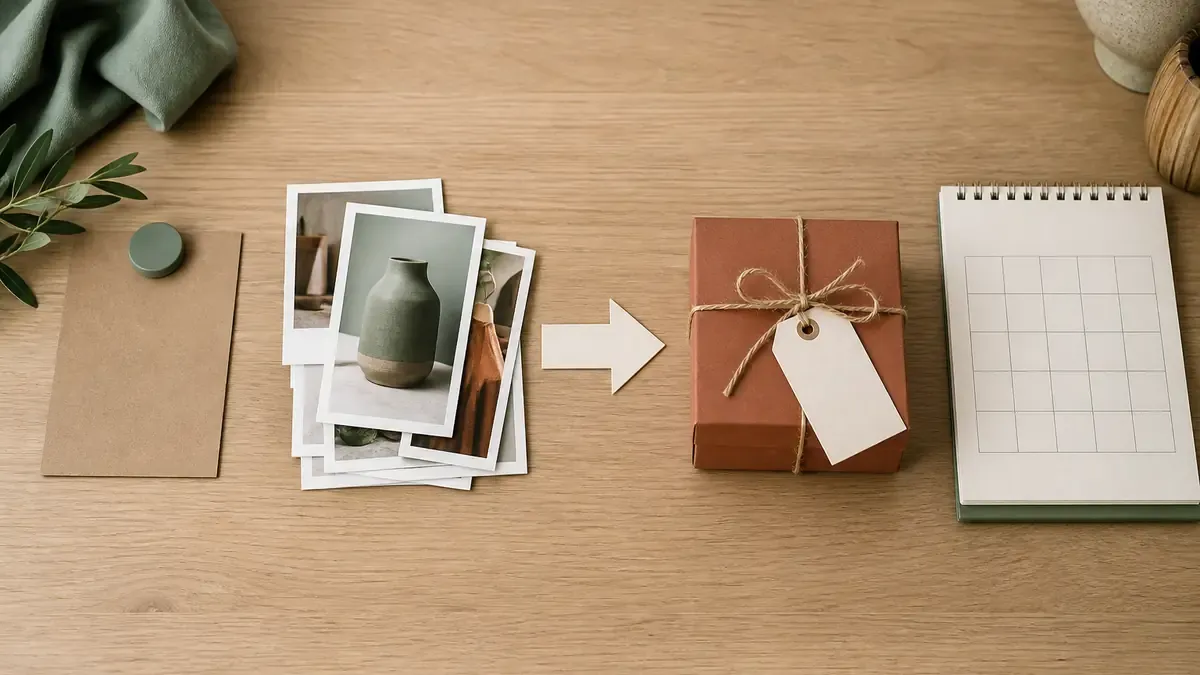
Most brands open a channel, dump sale codes for a week, then abandon it. Setup-Signal-Steer-Sustain treats the channel like an operating lane: eligibility and promise first, useful messages second, Shopify routing third, cadence last.
Phase 1: Setup
Goal: create a channel people understand in one glance.
Instagram Help says channels are still rolling out and are not available to everyone yet. A public account with more than 1,000 followers can start a channel when the feature is present (Instagram Help Center).
Setup checklist:
- Confirm your Instagram account is public and over the follower threshold
- Open Messages, tap Compose, then Create channel
- Name the channel after the job, not your legal brand entity (examples: Drop Alerts, Restock Desk, Insider Lane)
- Choose audience, end date if needed, and whether the channel shows on your profile
- Write a welcome promise in the first message before you ever sell
Invite paths Instagram documents:
- First message notifies followers and invites them to join
- Invitation link (resettable if it leaks somewhere you do not want)
- Share the channel to Stories
- Share a specific channel message to Stories
- QR code from the channel details screen
As admin, you can rename the channel, change its theme, share it to Stories, invite or remove collaborators and moderators, unsend your own messages, manage reactions and replies, and delete the channel (Instagram Help Center).
Do not launch a channel if your Shopify link in bio still points to a dead promo. Members will join, click once, bounce, and mute.
Phase 2: Signal
Goal: earn opens with messages that help a buyer decide.
Signal types that fit Shopify catalogs:
- Drop clock: what launches, when it goes live, what sells out first
- Restock truth: which SKU returned, which size is still thin
- Shipping cutoff: last day for holiday or gift delivery windows
- Proof: packing table photos, maker notes, customer results without fake stats
- Polls and prompts: color votes, bundle choices, launch-day questions

Signal rules that keep trust:
- One job per message
- Inventory language that matches Shopify right now
- No fake countdown if stock is unlimited
- Polls only when you will act on the answer
- Paid partnerships labeled with Instagram’s branded content tools when required
Borrow discovery creative from Instagram Reels for Shopify and Instagram carousels for Shopify. The channel should not reinvent the product story. It should announce when that story becomes buyable.
Phase 3: Steer
Goal: move members from inbox attention to a Shopify action.
Steering paths that work:
- Product URL for a single clear SKU
- Collection URL for a themed drop or gift set
- Story sticker when you want a visual tap path the same day
- DM handoff when size, bundle, or custom pricing needs a human close
- Launch sequence when the channel is one beat inside a fuller product launch social plan
Steer checklist before you hit send:
- Confirm the destination is in stock and loads fast
- Match the message promise to the landing page offer
- Prefer one CTA, not three competing links
- Add UTM tags when you want clean Shopify marketing reports
- Prep the DM reply script if the CTA invites sizing questions
Channels are public. Instagram Help notes that reactions, replies, and poll responses can be visible more widely than a private chat, and membership itself may be visible (Instagram Help Center). Write steering messages as if a cold shopper could read them tomorrow.
Phase 4: Sustain
Goal: keep the lane alive without burning the list.
A practical Shopify cadence:
- Monday: one useful Signal (restock, packing proof, or FAQ)
- Wednesday: one Steer message with a single destination
- Friday: optional poll, prompt, or soft reminder only if inventory or timing changed
- Launch weeks: one extra message max, timed to the real go-live minute
Sustain metrics that matter more than vanity:
- Join rate after Story invites
- Reaction and reply quality on drop messages
- Clicks or sessions from tagged destinations in Shopify
- DM volume that becomes paid orders
- Mute or leave signals after hard-sell weeks
Park the weekly channel beats on the same calendar as Reels and Stories so the inbox lane does not collide with three other CTAs. A tool like IDEQO’s content calendar helps you batch channel drafts beside feed posts without inventing a second system. Keep the broader rhythm from your Shopify social media content calendar.
A one-week Setup-Signal-Steer-Sustain sprint
If you only have one focused week, use this sequence.
Monday Setup (45 minutes)
- Confirm eligibility and create the channel
- Write the welcome promise
- Add the channel to a Story and your profile if available
Tuesday Signal (40 minutes)
- Draft three message templates: restock, drop clock, shipping cutoff
- Pull honest inventory notes from Shopify
- Schedule or park drafts for the week
Wednesday Steer (45 minutes)
- Send one Steer message to a live PDP or collection
- Prep the DM close path for size questions
- Confirm UTM or campaign naming if you track channel traffic
Friday Sustain (30 minutes)
- Review joins, reactions, and Shopify sessions
- Kill any message pattern that earned mutes without clicks
- Lock next week’s two to four message slots
Do not invent a second channel midweek. One clear lane beats three half-dead ones.
Mistakes that waste Shopify channel effort
Launching without a promise. “Brand updates” is not a reason to join. Name the job.
Daily discount dumping. Members joined for timing and access, not a coupon firehose.
Sending people to a homepage. If the message is about one SKU, the link should be that SKU.
Ignoring public visibility. Write as if non-members can discover the channel later.
Treating the channel like customer support. Route refunds and damaged-order chats through your social customer service system. Keep the channel for announcements and buying moments.
Going silent after launch week. A dead channel teaches people that your next invite is noise.
FAQ
What is an Instagram broadcast channel for Shopify stores?
An Instagram channel is a public one-to-many messaging space where your store sends announcements, behind-the-scenes updates, and event details to people who join. Members can react, reply, and vote in polls, but they cannot broadcast messages back to the whole channel. For Shopify brands, it works best as an opt-in drop and restock lane that sits beside Reels, Stories, and DM sales.
Who can create an Instagram channel?
Instagram Help says channels are still rolling out and are not available to everyone yet. Channels can be started by a public account with more than 1,000 followers. If you meet that bar and still do not see Create channel in Messages, wait for the rollout rather than assuming your store is blocked forever.
How do Instagram channels drive Shopify sales?
Use the channel to announce drops, restocks, shipping cutoffs, and early access, then steer members to one clear Shopify path: a product URL, a collection page, a Story sticker, or a DM checkout handoff. The channel earns attention. Shopify still closes the order.
How often should a Shopify store post in a broadcast channel?
Most stores do best with two to four useful messages per week plus a harder sell only when inventory, timing, or exclusivity is real. Daily discount spam teaches members to mute you. Quiet for two weeks, then a sudden hard sell, also breaks trust.
Are Instagram broadcast channels private?
No. Instagram Help treats channels as public and discoverable. Member reactions, replies, and poll responses can be visible to anyone on Instagram, and people may see that someone is a member even if they have not joined. Write every message as if a new shopper could find it.
Put Setup-Signal-Steer-Sustain on your calendar this week
Setup the channel with a clear job. Signal updates buyers actually need. Steer every important message to one Shopify path. Sustain a calm cadence so members stay. That loop turns Instagram’s inbox into a drop and restock lane you can run between packing orders.
If you want channel drafts batched beside Reels, Stories, and product posts, IDEQO’s content calendar can help you keep the week visible in one place. Start free with IDEQO. Free plan available. No credit card required.
Frequently Asked Questions
What is an Instagram broadcast channel for Shopify stores?
An Instagram channel is a public one-to-many messaging space where your store sends announcements, behind-the-scenes updates, and event details to people who join. Members can react, reply, and vote in polls, but they cannot broadcast messages back to the whole channel. For Shopify brands, it works best as an opt-in drop and restock lane that sits beside Reels, Stories, and DM sales.
Who can create an Instagram channel?
Instagram Help says channels are still rolling out and are not available to everyone yet. Channels can be started by a public account with more than 1,000 followers. If you meet that bar and still do not see Create channel in Messages, wait for the rollout rather than assuming your store is blocked forever.
How do Instagram channels drive Shopify sales?
Use the channel to announce drops, restocks, shipping cutoffs, and early access, then steer members to one clear Shopify path: a product URL, a collection page, a Story sticker, or a DM checkout handoff. The channel earns attention. Shopify still closes the order.
How often should a Shopify store post in a broadcast channel?
Most stores do best with two to four useful messages per week plus a harder sell only when inventory, timing, or exclusivity is real. Daily discount spam teaches members to mute you. Quiet for two weeks, then a sudden hard sell, also breaks trust.
Are Instagram broadcast channels private?
No. Instagram Help treats channels as public and discoverable. Member reactions, replies, and poll responses can be visible to anyone on Instagram, and people may see that someone is a member even if they have not joined. Write every message as if a new shopper could find it.