

Instagram Stories are where Shopify followers already decide if they trust you today. Feed posts and Reels can earn reach. Stories earn replies, product taps, and the habit of checking your brand before someone buys.
Shopify’s Instagram Shopping docs explain that you can sell through Instagram by syncing catalog products with Facebook and Instagram by Meta, then tagging those products in posts and Stories so shoppers can view details and continue to your online store (Shopify). Meta’s product sticker help says businesses with an approved shop can add one product sticker per Story frame, with up to five products tagged on that sticker, and can combine it with other stickers such as polls (Instagram).
If your broader Instagram marketing for Shopify plan already covers Reels and Shopping setup, use the Stack-Sticker-Steer-Store framework below to turn Stories into a daily operating system instead of a last-minute photo dump.
Key Takeaways
- Stack frames weekly: Batch photos and short clips so daily Stories are assembly, not invention.
- Sticker for commerce: Add product, link, poll, and question stickers that match the job of each frame.
- Steer a daily path: Open with attention, prove value, then send people to one clear Shopify destination.
- Store the winners: Save high-performing frames to Highlights and reuse the formats that earn taps.
Why Stories still matter for Shopify stores
Stories are not a vanity channel. They sit next to the people who already chose your profile. Shopify’s own Stories education for merchants focuses on short interactive content, product links through Instagram Shopping, and using Insights on Business or Creator accounts to see which frames keep attention (Shopify).
Three reasons Stories fit Shopify ops:
- Warm traffic: Viewers opted in by tapping you. That is closer to purchase intent than cold Reel discovery.
- Native commerce tools: Product stickers and link stickers create a short path from a frame to a product page when Shopping is approved.
- Daily feedback: Polls, questions, and reply DMs tell you what to stock, shoot, and clarify next week.
Pair Stories with your Shopify link in bio so every exit option points somewhere intentional. If catalog sync is messy, fix that first with the habits in Facebook Shops vs Instagram Shopping before you scale Story volume. When a buyer needs lasting multi-frame teaching instead of a 24-hour path, use Instagram carousels for Shopify. For drop alerts that should live in the inbox instead of disappearing in 24 hours, use Instagram broadcast channels for Shopify.
The Stack-Sticker-Steer-Store framework
Most Shopify Stories fail for one reason: every frame tries to do everything. Stack-Sticker-Steer-Store separates asset prep, commerce stickers, sequence design, and long-term reuse.
Phase 1: Stack
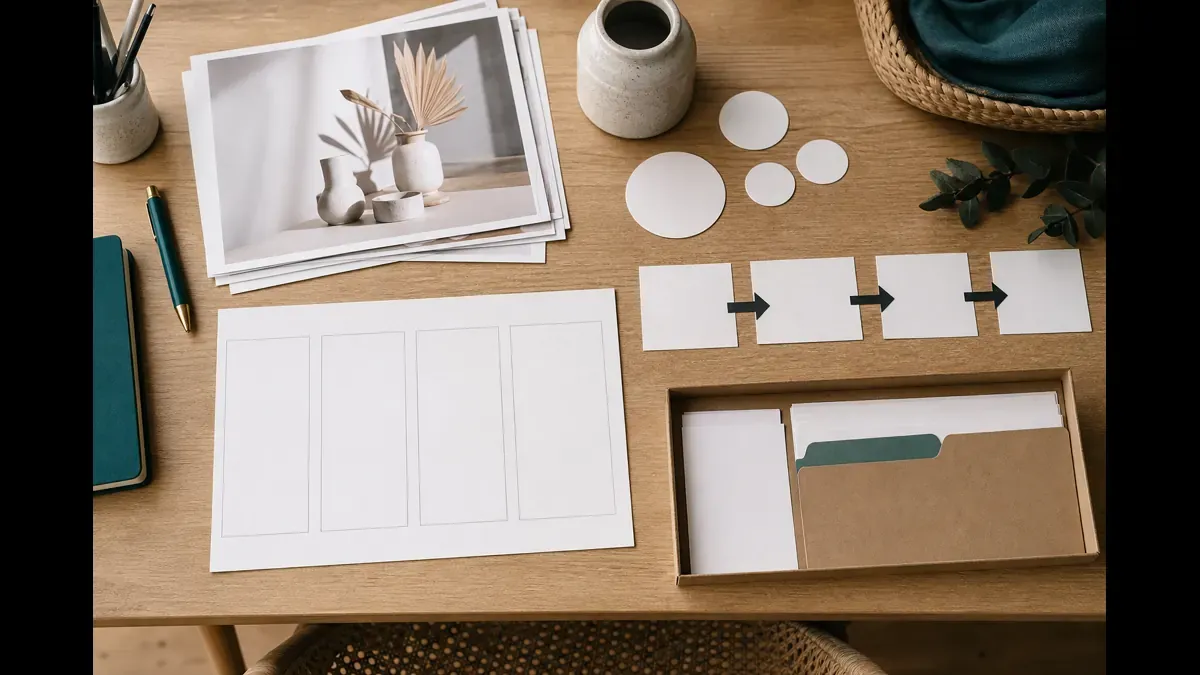
Goal: build a weekly pile of Story-ready frames so publishing is not creative panic.
Stack checklist:
- Pull ten product photos with clean backgrounds or lifestyle context
- Capture five behind-the-scenes clips under fifteen seconds each
- Save three proof assets: reviews, packed orders, or customer photos you have permission to share
- Write one FAQ answer that customers keep asking in DMs
- Note one offer or collection URL you want people to visit this week
Shoot vertical. Leave space at the top and bottom for stickers. Name files by SKU or theme so you can find them during a busy packing day.
A practical Stack day looks like one ninety-minute batch on Monday. Put the assets into a folder labeled by week. Add the week to your Shopify social media content calendar so Stories do not disappear when fulfillment spikes.
Phase 2: Sticker
Goal: make each frame do one job with the right sticker.
Sticker jobs for Shopify Stories:
| Sticker | Use it when | Example |
|---|---|---|
| Product | Shopping is approved and the frame shows a specific SKU | Tag the hero bottle on an image Story |
| Link | You need a collection, quiz, or non-catalog page | Point to a gift guide or size chart |
| Poll | You want a low-friction preference signal | ”Matte or gloss finish?” |
| Question | You need language customers actually use | ”What stopped you from ordering?” |
| Countdown | A real date matters | Drop date or shipping cutoff |
Shopify documents product tagging in Stories with shopping stickers and notes that products must exist in both your Facebook catalog and your Shopify online store (Shopify). Instagram Help adds that you can place one product sticker per Story, tag up to five products on it, and combine it with other stickers (Instagram).

Sticker rules that keep Stories useful:
- One primary CTA per frame
- Product stickers on the exact item in the photo
- Polls that change inventory or creative decisions, not fluff
- Link stickers with UTM parameters so you can see Story sessions in analytics
If you repurpose reviews into Story proof frames, follow the permission and credit habits in the reviews to social content guide.
Phase 3: Steer
Goal: publish a short daily sequence that moves attention toward one Shopify action.
A reliable five-frame day for many stores:
- Hook: a close product detail, packing clip, or question that earns the next tap
- Context: who it is for or when to use it
- Proof: a review line, restock note, or before/after detail
- Offer path: product sticker or link to the matching page
- Close: soft CTA such as reply with a size, save the Highlight, or tap the sticker
Steer means order, not volume. Three strong frames beat twelve random ones. Keep the landing page matched to the promise in the Story. If frame four sells the travel bottle, do not send people to the homepage.
Track Story exits the same way you track other social blocks in the Shopify social media ROI guide. Link taps, product sticker taps, and add-to-carts matter more than vanity view counts.
Phase 4: Store
Goal: keep winning Stories working after twenty-four hours.
Highlights are your Story archive for new profile visitors. Useful Highlight covers for Shopify stores:
- Shop bestsellers
- How it works
- Shipping and returns
- Fit, size, or care
- Seasonal drops
- FAQs from DMs
Every Friday, review Insights for frames with high completion and sticker taps. Promote those formats next week. Delete Highlight frames that are outdated on price, inventory, or policy.
Store also means reusable templates: same sticker placement, same caption pattern, same UTM naming. That is how Stories stay fast when you are packing orders instead of designing from scratch. For the visual side, build Story frames from the same one-page brand guide and templates as your feed posts.
A one-week Stack-Sticker-Steer-Store sprint
| Day | Job | Done when |
|---|---|---|
| 1 | Stack | Twenty assets sorted by product, proof, BTS, and FAQ |
| 2 | Sticker | Stickers planned for each frame type with landing URLs |
| 3 | Steer | Five daily sequences drafted for weekdays |
| 4 | Publish | Monday through Wednesday Stories live with UTMs |
| 5 | Store | Two Highlights updated and weak formats cut |
After week one, refill the Stack folder every Monday. Keep Steer simple: one primary destination per day. If customer service questions dominate replies, route clarification into FAQ frames using the Shopify social customer service habits instead of guessing in captions. When Story replies turn into purchase chats, close them with the Cue-Clarify-Checkout-Capture DM sales framework.
Mistakes that waste Instagram Stories
Posting without a path. A pretty packing clip with no sticker, link, or reply prompt is brand wallpaper.
Tagging the wrong product. If the photo shows the travel size, do not sticker the full-size SKU.
Turning every Story into a hard sell. Alternate proof, education, and commerce so people keep watching.
Ignoring catalog sync. If Commerce Manager shows missing images, bad variants, or unpublished products, sticker taps fail before creative quality matters (Shopify).
Never banking Highlights. Letting every good frame expire forces new visitors to wait for tomorrow’s Story instead of shopping today.
FAQ
How do Shopify stores use Instagram Stories to drive sales?
Batch Story frames weekly, add product or link stickers where shopping is approved, sequence each day from attention to a clear product path, then save winning frames to Highlights. Treat Stories as a daily ops loop, not random behind-the-scenes dumps.
Can I add product stickers to Instagram Stories from Shopify?
Yes once your catalog is connected through the Facebook and Instagram by Meta sales channel and your shop is approved. Shopify notes you can tag products in Stories with shopping stickers on image Story posts. Products must be available in your Facebook catalog and your Shopify online store.
How many Instagram Stories should a Shopify store post per day?
Most small catalogs do well with three to seven frames in one daily sequence. Enough frames to tell a short path, few enough that people finish it. Consistency across weekdays beats long Story dumps followed by silence.
What should go in Instagram Story Highlights for a Shopify store?
Bank evergreen proof and shopping paths: bestsellers, size or fit guides, shipping and returns, FAQs, and seasonal collections. Highlights keep 24-hour Stories useful after they expire and give new profile visitors a fast way to shop without scrolling the feed.
Do Instagram Stories replace Reels for Shopify marketing?
No. Reels help discovery with people who do not follow you yet. Stories deepen relationships with people who already tapped your profile and help move warm attention to product pages. Use both in one Instagram system. For a dedicated Reels ops loop, see Instagram Reels for Shopify stores.
Put Stack-Sticker-Steer-Store on your calendar this week
Stack twenty frames. Sticker the commerce moments. Steer one clear daily path. Store the winners in Highlights. That loop turns Instagram Stories into Shopify ops you can repeat when the warehouse is busy.
If you want the weekly Story sequences visible beside your feed and Reel queue, IDEQO’s content calendar can help you batch frames, keep CTAs consistent, and leave room for product stickers without losing the plan. Start free with IDEQO. Free plan available. No credit card required.
Frequently Asked Questions
How do Shopify stores use Instagram Stories to drive sales?
Batch Story frames weekly, add product or link stickers where shopping is approved, sequence each day from attention to a clear product path, then save winning frames to Highlights. Treat Stories as a daily ops loop, not random behind-the-scenes dumps.
Can I add product stickers to Instagram Stories from Shopify?
Yes once your catalog is connected through the Facebook and Instagram by Meta sales channel and your shop is approved. Shopify notes you can tag products in Stories with shopping stickers on image Story posts. Products must be available in your Facebook catalog and your Shopify online store.
How many Instagram Stories should a Shopify store post per day?
Most small catalogs do well with three to seven frames in one daily sequence. Enough frames to tell a short path, few enough that people finish it. Consistency across weekdays beats long Story dumps followed by silence.
What should go in Instagram Story Highlights for a Shopify store?
Bank evergreen proof and shopping paths: bestsellers, size or fit guides, shipping and returns, FAQs, and seasonal collections. Highlights keep 24-hour Stories useful after they expire and give new profile visitors a fast way to shop without scrolling the feed.
Do Instagram Stories replace Reels for Shopify marketing?
No. Reels help discovery with people who do not follow you yet. Stories deepen relationships with people who already tapped your profile and help move warm attention to product pages. Use both in one Instagram system. For a dedicated Reels ops loop, see the Clip-Hook-Tag-Compound guide.


