Key Takeaways
- Instagram Shopping wins for discovery. Visual products get more organic reach and impulse purchases through Reels, Stories, and the Explore tab.
- Facebook Shops wins for intent. Older, higher-spending audiences browse Facebook Shops with more purchase intent and larger average order values.
- Both share one catalog. Set up once in Meta Commerce Manager and your products appear on both platforms automatically.
- Use both, but weight your effort. Check where your audience actually spends time, then focus your content strategy on that platform.
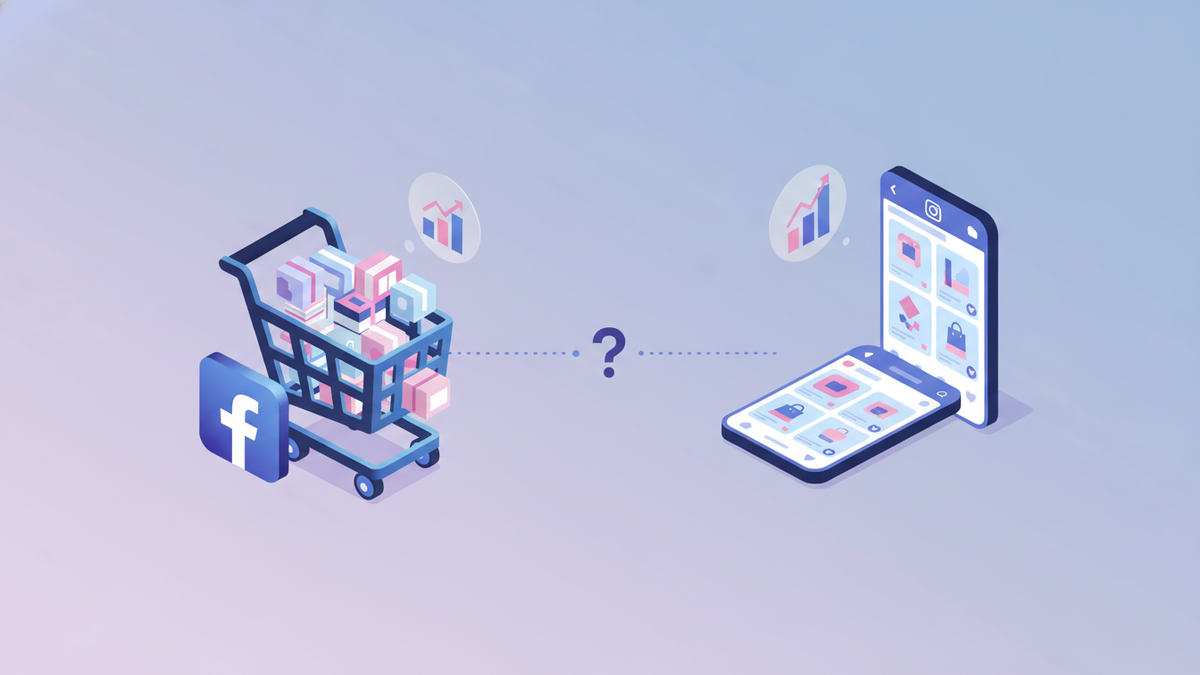
If you sell on Shopify, you’ve probably wondered which Meta platform deserves more of your time. Facebook Shops and Instagram Shopping both let customers browse and buy your products without leaving the app. But they attract different audiences and drive sales in different ways.
This post breaks down exactly how each platform works, where they differ, and which one makes more sense for your store.
How Facebook Shops works

Facebook Shops turns your Facebook Business Page into a storefront. Customers can browse collections, view product details, and check out directly from Facebook or be redirected to your Shopify store.
Key features
- Customizable storefront. Add collections, featured products, and brand colors to match your store’s look.
- In-app browsing. Customers browse your full catalog without leaving Facebook.
- Messenger integration. Shoppers can ask questions about products directly through Messenger, and you can close sales in the conversation.
- Facebook Marketplace visibility. Your Shop products can appear in Marketplace search results, reaching local buyers too.
- Ads integration. Run dynamic product ads that pull directly from your Shop catalog. Customers tap the ad and land on the product inside Facebook.
Who Facebook Shops works best for
Facebook’s user base skews older and has higher disposable income. The 25-54 age range dominates, and these users are comfortable buying online.
If your Shopify store sells products that need explanation (supplements, tech accessories, home appliances), Facebook Shops gives you more room. Product descriptions are more prominent, and Messenger lets you answer questions before the sale.
Facebook Groups also play a role. If your niche has active Facebook Groups (think: home gardening, fitness gear, pet products), your Shop can reach those communities organically.
How Instagram Shopping works
Instagram Shopping turns your profile into a shoppable catalog. You tag products directly in feed posts, Reels, Stories, and the Explore tab. Customers tap a tag, see the product details, and buy.
Key features
- Product tags everywhere. Tag up to 5 products per image, 20 per carousel, and add product stickers to Stories.
- Shoppable Reels. Tag products in Reels to combine discovery content with instant purchasing.
- Shop tab on your profile. Your full catalog is one tap away from your bio.
- Explore tab placement. The algorithm surfaces shoppable posts to users who don’t follow you yet.
- Collections. Curate themed product groupings (e.g., “Summer Essentials” or “Under $50”).
Who Instagram Shopping works best for
Instagram is visual-first. Products that photograph well dominate: fashion, beauty, jewelry, home decor, food, and art. The audience skews younger (18-34) and discovers products while scrolling, not searching.
If your products trigger impulse purchases or look stunning in lifestyle photos, Instagram Shopping is your strongest channel. For a deeper dive into making Instagram drive sales for your store, check out our Instagram marketing guide for Shopify.
Head-to-head comparison
Here’s how the two platforms stack up across the metrics that matter for Shopify stores.

| Feature | Facebook Shops | Instagram Shopping |
|---|---|---|
| Primary audience | 25-54, broad demographics | 18-34, visual-first shoppers |
| Discovery | Marketplace, Groups, Ads, News Feed | Explore tab, Reels, hashtags, Stories |
| Product display | Full storefront with detailed descriptions | Product tags on visual content |
| Checkout | In-app or redirect to Shopify | In-app or redirect to Shopify |
| Best content format | Ads, product posts, live video | Reels, carousels, Stories |
| Messenger/DM selling | Strong (Messenger is a sales tool) | Growing (DMs are less commerce-focused) |
| Average order value | Higher (older, higher-income audience) | Lower but more frequent purchases |
| Organic reach | Declining (pay-to-play model) | Still strong through Reels and Explore |
| Setup complexity | Low (shares Shopify catalog) | Low (same catalog via Meta Commerce) |
Where Facebook Shops wins
Higher average order value
Facebook’s audience tends to spend more per transaction. Users are older, more established financially, and are often shopping with purpose rather than impulse. If your products are in the $50-$200+ range, Facebook buyers convert at better margins.
Messenger as a sales channel
Messenger is one of the most underrated e-commerce tools. Customers ask questions about sizing, shipping, or product details. You answer in real time. That conversation often ends with a purchase.
You can even set up automated FAQ responses in Messenger while keeping complex questions for manual replies. It’s the closest thing to having a sales associate on your website.
Better for products that need context
Some products don’t sell themselves with a photo. Supplements, electronics, home appliances, and specialty tools need description, specifications, and social proof. Facebook Shops gives you more space for that. Product pages show detailed descriptions, and you can pair them with longer-form video content.
Facebook Groups distribution
If your niche has active Facebook Groups, you already have a built-in audience. Share products naturally in group discussions. A pet supply store active in dog training groups, for example, gets organic product exposure that Instagram can’t match.
Where Instagram Shopping wins
Organic discovery is still alive
Facebook organic reach has been declining for years. Instagram still gives you real distribution through Reels and the Explore tab. A single Reel can reach 10x your follower count if it resonates.
For Shopify stores with limited ad budgets, Instagram’s organic reach is a significant advantage. You can grow your audience and drive sales without spending on ads. This is especially true if you create scroll-stopping content from your product photos.
Visual products sell themselves
When your products look good, Instagram does the heavy lifting. Fashion brands, jewelry makers, beauty companies, and home decor stores thrive because the platform is designed to showcase visuals. A well-styled product photo with a product tag is the shortest path from “that’s cool” to “I bought it.”
Reels are a growth multiplier
Reels are Instagram’s biggest distribution channel right now. Shoppable Reels combine entertainment with commerce. A 15-second video showing your product in action, tagged for instant purchase, reaches people who’ve never heard of your brand.
Facebook has Reels too, but Instagram’s Reels algorithm is more aggressive about pushing content to new audiences.
Younger, trend-driven audience
If your target customer is 18-34, Instagram is where they spend time. This demographic discovers brands through content, not search. They buy based on aesthetic, social proof, and influencer recommendations. Instagram’s shopping features are designed for exactly this behavior.
How to decide which platform to prioritize
You don’t have to pick one. Since both platforms share the same Meta Commerce Manager catalog, setting up both takes minimal extra work. But your content strategy and time should lean toward the platform that fits your store better.
Prioritize Facebook Shops if:
- Your audience is 30+ years old
- Your products need explanation before purchase
- You sell higher-ticket items ($50+)
- Your niche has active Facebook Groups
- You’re running Facebook/Meta ads already
- Messenger conversations drive your sales
Prioritize Instagram Shopping if:
- Your audience is 18-34
- Your products are visually driven
- You rely on organic reach (limited ad budget)
- Reels and Stories fit your content style
- Influencer partnerships are part of your strategy
- Impulse purchases are common in your category
Use both equally if:
- Your audience spans multiple age groups
- You sell both visual and functional products
- You have the bandwidth to create content for both
- You’re testing and haven’t found your best channel yet
How to use both platforms together
The real power is running Facebook Shops and Instagram Shopping as a coordinated system, not two separate efforts.
Share one product catalog
Your Shopify store syncs to Meta Commerce Manager once. Both platforms pull from the same catalog. When you add a new product to Shopify, it shows up on Facebook and Instagram automatically. No double entry.
Create content once, adapt for each platform
Don’t create separate content from scratch. Start with one piece of content and adjust the format.
- A product Reel on Instagram becomes a product video on Facebook.
- An Instagram carousel becomes a Facebook album post with a Shop tag.
- A product Story on Instagram becomes a Messenger broadcast teaser.
This is where a content calendar pays off. Plan your weekly content once, then note which posts go to Facebook, Instagram, or both. You save hours without sacrificing platform-specific quality.
Use Facebook ads to amplify Instagram content
One of the strongest Meta advertising strategies: create organic content on Instagram that performs well, then boost it as a Facebook ad. You get the creative quality of Instagram content with the targeting precision of Facebook ads.
Automate publishing across both
Manually posting to two platforms doubles your publishing time. Automate your scheduling so one content session covers both platforms. Batch-create your content, load it into a scheduling tool, and let it publish to Facebook and Instagram on the right days at the right times.
IDEQO lets you manage both platforms from one dashboard. Schedule posts, generate captions with AI, and auto-publish to Facebook and Instagram without switching between apps.
Track performance separately
Even though the setup is shared, track each platform’s results independently. Compare:
- Revenue per platform: Which one drives more actual sales?
- Traffic to store: Which sends more visitors to your Shopify site?
- Cost per acquisition: If you’re running ads, which platform converts cheaper?
- Engagement rate: Which audience interacts more with your content?
Review these numbers monthly. Your strategy should shift based on what the data shows, not assumptions.
Common mistakes to avoid
Treating both platforms identically. Same caption, same image, same time. Each platform has different norms. Facebook posts can be longer and more descriptive. Instagram needs strong visuals first, caption second.
Ignoring Facebook because “it’s dead.” Facebook has nearly 3 billion monthly active users. Its organic reach is lower, yes. But for paid ads and older demographics, it outperforms Instagram in many e-commerce categories.
Only using Instagram feed posts. Instagram Shopping works best when you use every format: Reels, Stories, carousels, and the Shop tab. Feed-only strategies miss 60%+ of the platform’s distribution.
Not enabling product tags. If your products aren’t tagged in your content, customers have to navigate to your bio link, find the product, and add to cart manually. That’s too many steps. Product tags reduce friction and increase conversions.
Skipping Messenger. Facebook Messenger is a direct line to your customers. Ignoring it is like leaving your store’s phone off the hook. Set up basic automation for common questions and check messages daily.
Start selling on both platforms this week
Here’s your action plan:
- Sync your catalog. Install the Facebook & Instagram sales channel in Shopify and connect your accounts.
- Set up your Facebook Shop. Add collections, feature products, and customize your storefront branding.
- Enable Instagram Shopping. Submit for review (1-3 days), then start tagging products in every post.
- Create 5 shoppable posts. Two for Facebook, three for Instagram. Tag products in all of them.
- Check results after 2 weeks. Compare clicks, traffic, and sales from each platform. Adjust your content split accordingly.
You don’t need to master both platforms overnight. Start by getting your catalog live on both. Then lean into the one that your data says is working.
Ready to manage Facebook and Instagram from one place? Start free with IDEQO. Schedule shoppable content, generate captions with AI, and publish to both platforms from a single dashboard. Free plan available. No credit card required.
Frequently Asked Questions
Can I use Facebook Shops and Instagram Shopping at the same time?
Yes. Both run through Meta Commerce Manager and share the same product catalog. Most Shopify stores should use both since they reach different audiences with minimal extra work.
Which platform has lower selling fees?
Both Facebook Shops and Instagram Shopping are free to set up through Shopify. Transaction fees depend on your payment processor, not the platform. If you use Shopify Payments, checkout happens on your store with your standard Shopify rates.
Do I need a Facebook page for Instagram Shopping?
Yes. Instagram Shopping requires a connected Facebook Business Page and a product catalog in Meta Commerce Manager. Your Shopify Facebook & Instagram sales channel handles this connection automatically.
Which platform is better for a new Shopify store?
Start with Instagram Shopping if your products are visual (fashion, beauty, home decor, food). Start with Facebook Shops if your audience skews older (35+) or your products need more explanation before purchase. Ideally, set up both from day one since the catalog syncs across both.
Can I manage Facebook Shops and Instagram Shopping from one tool?
Yes. Both platforms share the same Meta Commerce Manager product catalog, so your Shopify products sync to both automatically. For content publishing, tools like IDEQO let you schedule and auto-post shoppable content to Facebook and Instagram from a single dashboard.