


Key Takeaways
- You need a TikTok Business Account before any third-party tool can publish. Personal accounts won’t work.
- Video content outperforms static images on TikTok. Even short, rough phone-shot product videos beat polished slideshow posts.
- Three to five automated posts per week gives you consistent reach without saturating your audience or burning out on content creation.
- Automation handles product volume. Original content like packing videos, demos, and trend participation handles growth.
- IDEQO’s free plan includes one Shopify connection and one TikTok automation at no cost.
TikTok has become one of the most important discovery channels for Shopify stores. Products surface through the algorithm to audiences who were not specifically looking for them, and organic reach on TikTok can outperform paid ads on other platforms when the content lands.
The challenge is volume. TikTok rewards consistency. Stores that post three to five times per week see significantly more reach than stores that post sporadically. For a store owner already managing inventory, fulfillment, and customer service, finding time to create TikTok content every day is unrealistic.
Automating TikTok posts from your Shopify catalog solves the volume problem. This guide walks through how to set it up.
What Shopify-to-TikTok Automation Actually Does

A Shopify-to-TikTok automation connects your product catalog to a scheduling tool, generates posts from your product data, and publishes them to TikTok on a schedule you set.
What you get:
- Product images and video content generated from your Shopify catalog automatically
- Captions written based on product data and your brand’s tone
- Posts scheduled and published at your chosen times without manual uploading
- New products queued for TikTok as soon as they are added to Shopify
What it does not replace:
- Original trend-based or creator-style content (automation handles product posts, not viral moments)
- Community engagement (you still respond to comments)
- TikTok Shop setup, if you want shoppable posts with native checkout
For a complete multi-platform setup that covers TikTok alongside Instagram, Facebook, and Pinterest simultaneously, see our guide on auto-posting Shopify products to social media. For AI-generated captions and Brand Kit setup specifically, the AI social media content guide for Shopify covers the full workflow.
TikTok Requirements Before You Start
TikTok has stricter third-party publishing requirements than Instagram or Facebook. Before setting up an automation, confirm you have:
TikTok Business Account. Personal TikTok accounts cannot use third-party posting tools. Switch to a Business Account in your TikTok profile settings. It is free and takes two minutes.
TikTok for Business account connected. Some tools require you to authorize via TikTok for Business (business.tiktok.com) in addition to your standard TikTok login. Your automation tool will walk you through this during setup.
Video or image content in your Shopify catalog. TikTok prioritizes video content in its algorithm. If your products only have static photography, automated posts will use those images in a slideshow or single-image format. Adding short product videos to your Shopify listings will significantly improve TikTok post performance.
Shopify store with complete product data. Product titles, descriptions, and images need to be filled in. The automation generates captions from this data, so gaps in your product information will show up in your posts.
Which Tools Auto-Post Shopify Products to TikTok
Not all social media tools support TikTok auto-posting from a Shopify catalog. Here is what is available:
IDEQO connects to your Shopify catalog and generates TikTok posts using your Brand Kit. Your colors, logo, and fonts are applied automatically. Brand Voice AI writes captions in your store’s tone. Paid plans include TikTok as a publishing channel.
Xyla AI connects to Shopify and runs autopilot posting to TikTok. Hands-off, minimal brand control. Good for stores that want maximum automation without caring about visual consistency.
Outfy supports TikTok on Pro plans ($40/month). Uses product catalog templates. No Brand Kit enforcement.
Minta specializes in AI-generated video from your product catalog and supports TikTok. Template-driven, no Brand Kit.
For this guide, we will use IDEQO. It is the only tool in this category that applies Brand Kit enforcement to TikTok posts, so your content looks like your brand rather than a generic product template.
Step 1: Connect Your Shopify Store to IDEQO
Create a free account at app.ideqo.com/register.
From the IDEQO dashboard, click Integrations in the sidebar and click Connect Shopify. Authorize the connection in your Shopify admin and return to IDEQO.
Your full catalog syncs automatically: product images, titles, descriptions, prices, and collections. New products added to Shopify appear in IDEQO without any manual import.
Step 2: Connect Your TikTok Account
In IDEQO, click Integrations in the sidebar and find TikTok in the platform list. Click Connect TikTok.
You will be redirected to TikTok to authorize IDEQO. Log in with your TikTok Business Account credentials and approve the permissions. Once connected, your TikTok account appears in your social accounts list.
If you get an authorization error, check that your TikTok account is set to Business Account (not Personal). The standard personal account login will not work for third-party publishing.
Step 3: Set Up Your Brand Kit
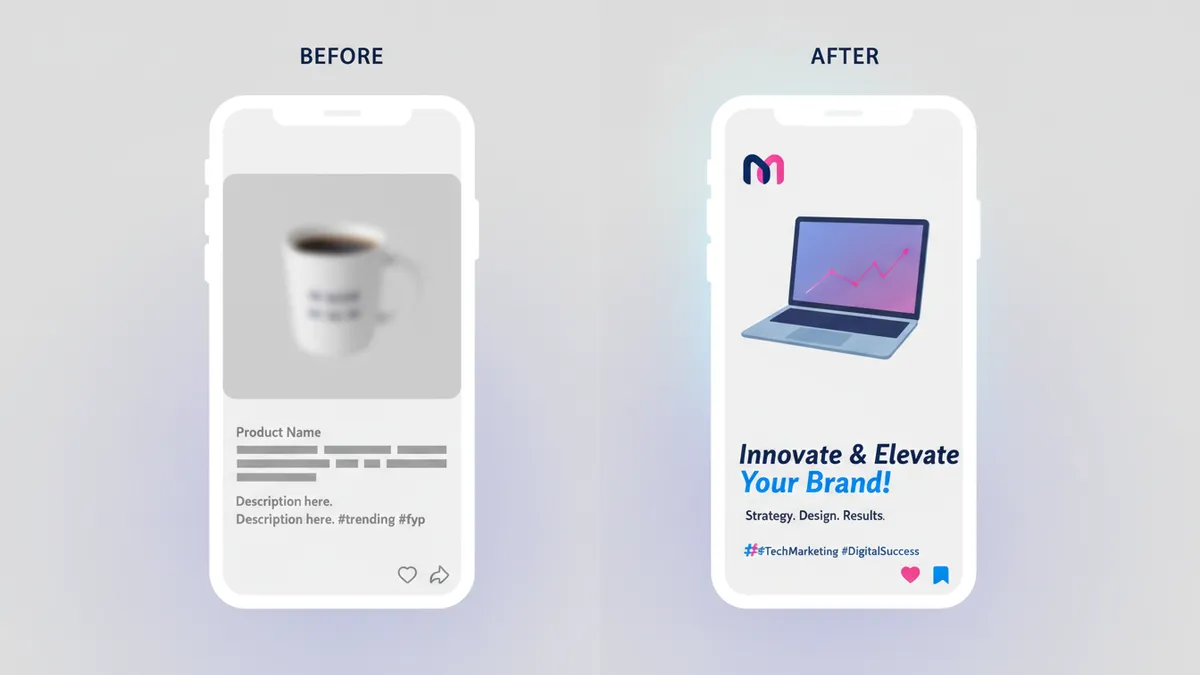
This is the step that makes the difference between TikTok posts that look on-brand and ones that look like they came from a generic automation tool.
Go to Brand Kit in the sidebar and configure:
- Logo (transparent PNG)
- Brand colors (hex codes for primary and secondary colors)
- Fonts (upload your brand fonts or select from the available library)
- Brand Voice (a short description of your tone: “bold and confident,” “playful and approachable,” “minimal and premium”)
Every TikTok post IDEQO generates applies your Brand Kit. If your brand is known for a specific color palette and visual style, that carries through to automated posts instead of being overridden by a template aesthetic.

Step 4: Create Your TikTok Automation
Go to Automations > New Automation and select TikTok as your publishing channel.
Product source. Choose what to pull from: all products, a specific collection (new arrivals, bestsellers, sale items), or a curated selection. For TikTok, showcasing your most visually engaging products first tends to get better early performance.
Content format. IDEQO can generate static image posts, video slideshows from product photos, or publish video files directly from your catalog. If you have product videos in Shopify, select video format. If you only have photography, slideshow format works well for TikTok’s current algorithm.
Posting schedule. TikTok’s algorithm favors accounts that post consistently. Three to five times per week is a reasonable baseline. Set your posting times around when your audience is most active. For most ecommerce audiences, evenings (7pm to 10pm) and mid-morning (10am to noon) perform well.
Caption style. IDEQO uses Brand Voice AI to generate captions for each product. You can set a preference for caption length and whether to include hashtags. For TikTok, shorter captions with three to five relevant hashtags tend to perform better than long product descriptions.
Once the automation is live, IDEQO pulls from your product source, generates branded posts, and publishes to TikTok on your set schedule without any manual action.
Step 5: Add a Mix of Original Content
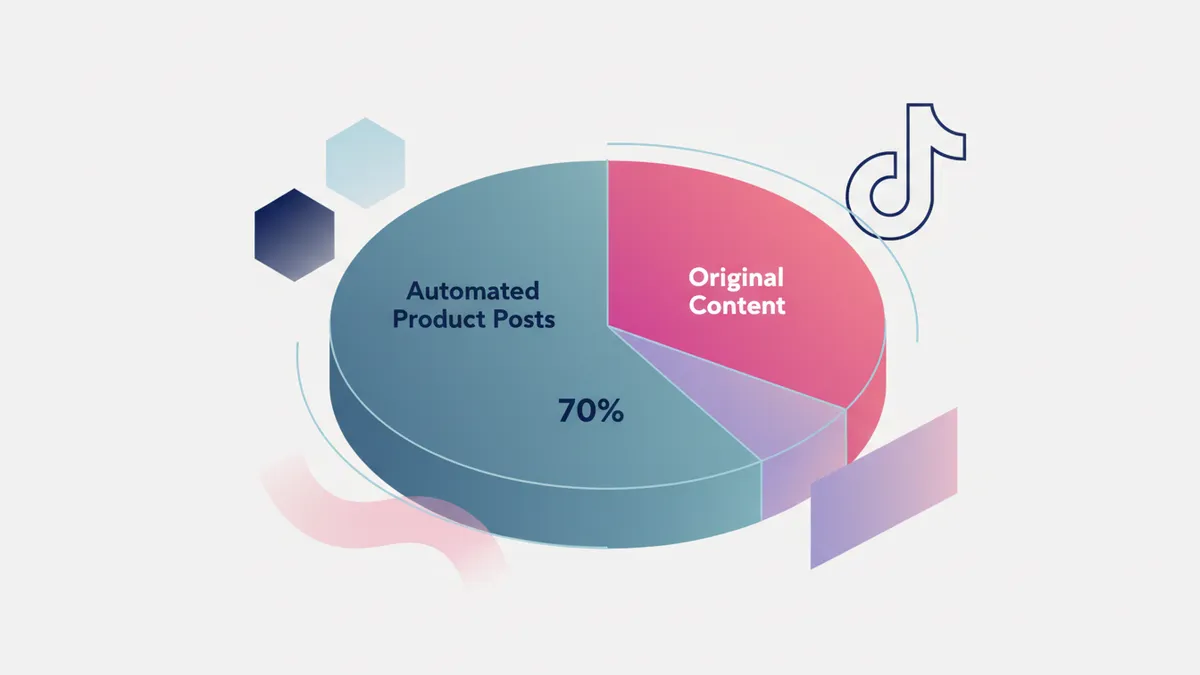
Automation handles your product posting volume. To build real TikTok growth, mix in some original content alongside automated posts.
What works alongside product automation on TikTok:
- Packing and fulfillment videos. “Packing your order” videos consistently perform well. Simple phone-filmed content, no editing required.
- Behind-the-scenes. New inventory arriving, your studio or workspace, how products are made. Authentic and low-production.
- Product demos. Short videos showing the product being used in real life. If you have videos like this, add them to your Shopify catalog so IDEQO can include them in automated posts.
- Trend participation. When a relevant TikTok trend aligns with your products, create a manual post for it. Trends move fast. Do not wait for them to be scheduled through automation.
A ratio of three to four automated product posts per week plus one to two original pieces gives you consistent volume without every post looking automated.
TikTok-Specific Tips for Shopify Stores
Optimize your product videos first. Short, vertical (9:16) product videos under 30 seconds perform significantly better than static images on TikTok. If your catalog only has photography, that is worth fixing before investing heavily in automation. Even short phone-shot videos of products being handled or demonstrated outperform static images. The Shopify product video guide covers the upload limits and the one-master workflow.
Post at consistent times. TikTok’s algorithm rewards posting schedules it can predict. Your automation handles this automatically, but do not undermine it with irregular manual posting in between.
Check TikTok analytics after two weeks. Look at which product posts get the most views, watch time, and profile visits. Adjust your automation’s product source to feature more of what is resonating.
TikTok Shop vs. scheduled posts. TikTok Shop (native in-app checkout) is separate from social scheduling. You can run both in parallel: automated product posts for organic discovery, TikTok Shop for conversion. IDEQO handles the posting side. For connecting the sales channel, verification, and tagging, use the TikTok Shop Shopify setup guide. If your TikTok Shop account has the photo-post beta, the TikTok Shoppable Carousels guide covers the tagged version of the slideshow format.
Frequently Asked Questions
Can I auto-post TikTok videos from my Shopify catalog?
Yes. If your Shopify products have video files attached, IDEQO can pull those videos and publish them to TikTok on a schedule. If you only have product photos, IDEQO creates slideshow-style posts or single-image posts instead.
Does TikTok penalize scheduled or automated posts?
No. TikTok does not penalize content published through authorized third-party tools. Reach is determined by content quality, watch time, and engagement rate, not by how the post was uploaded.
What type of TikTok account do I need for automation?
You need a TikTok Business Account. Personal accounts do not support third-party publishing. Switch in your TikTok profile settings under Manage Account > Switch to Business Account.
How many times per week should I post to TikTok?
Three to five times per week is the standard recommendation for accounts building organic reach. More frequent posting can accelerate growth if content quality is consistent. Less than three times per week significantly limits how often TikTok shows your content to new audiences.
Can I post to TikTok and Instagram at the same time from IDEQO?
Yes. You can create a single automation that publishes to TikTok, Instagram, Facebook, Pinterest, LinkedIn, and X simultaneously. Each platform gets a version formatted for its requirements.
What is the difference between posting to TikTok through IDEQO vs. TikTok Shop?
They serve different purposes. IDEQO posts product content to your TikTok feed for organic discovery. TikTok Shop is a native commerce feature that lets users buy directly through TikTok without leaving the app. The two work well together: IDEQO drives discovery, TikTok Shop handles conversion if you have it set up.
Get Your First TikTok Automation Running
If you are posting to TikTok manually right now, the most useful thing you can do is set up an automation this week. The initial setup takes under 30 minutes.
Connect your Shopify store and start free
Once your Brand Kit is configured and your first TikTok automation is live, product posts go out on schedule without you managing each one. That consistency compounds over time into account growth and organic discovery you could not manufacture by posting manually once a week.
Frequently Asked Questions
Can I auto-post TikTok videos from my Shopify catalog?
Yes. If your Shopify products have video files attached, IDEQO can pull those videos and publish them to TikTok on a schedule. If you only have product photos, IDEQO creates slideshow-style posts or single-image posts instead.
Does TikTok penalize scheduled or automated posts?
No. TikTok does not penalize content published through authorized third-party tools. Reach is determined by content quality, watch time, and engagement rate, not by how the post was uploaded.
What type of TikTok account do I need for automation?
You need a TikTok Business Account. Personal accounts do not support third-party publishing. Switch in your TikTok profile settings under Manage Account > Switch to Business Account.
How many times per week should I post to TikTok?
Three to five times per week is the standard recommendation for accounts building organic reach. More frequent posting can accelerate growth if content quality is consistent. Less than three times per week significantly limits how often TikTok shows your content to new audiences.
What is the difference between IDEQO and TikTok Shop?
They serve different purposes. IDEQO posts product content to your TikTok feed for organic discovery. TikTok Shop is a native commerce feature that lets users buy directly through TikTok without leaving the app. The two work well together: IDEQO drives discovery, TikTok Shop handles conversion.