


Key Takeaways
- AI without brand context produces generic content. Brand Kit and Brand Voice AI are what make automated posts sound like your store, not every other store selling similar products.
- Caption writing, scheduling, and hashtag generation are all automatable. Strategic decisions, promotional timing, and UGC reposts are not.
- Set up Brand Kit before running any automation. It takes 15 minutes and every generated post depends on it. Skip it and every post looks generic.
- Start with one platform, one automation. Get the output right before expanding to more channels.
- IDEQO’s free plan includes one Shopify catalog connection and one social automation at no cost. No credit card required.
AI can write your product captions in seconds. Getting them to sound like your store is the part most tools skip.
This guide covers how to use AI for social media content as a Shopify store owner: what to automate, what tools fit different budgets, and how to keep your Brand Voice consistent when the AI is doing the writing. If you’re still deciding between tools, the best social media apps for Shopify stores breaks down the full comparison.
Why AI Content Falls Flat for Ecommerce Stores
Generic AI writing tools do not know your brand. They pull product titles and descriptions and turn them into captions that are technically correct and completely forgettable. Every post sounds like every other store selling similar products.
The problem is not AI. It is AI without brand context.
When AI has access to your Brand Voice (your tone, the phrases you use and avoid), your product catalog, and the format rules for each platform, it can generate content that sounds like you rather than a template. That is the difference between posts you would publish and posts you would delete.

What AI Actually Does for Shopify Social Media
Caption writing at scale. AI writes Instagram, TikTok, Facebook, and Pinterest captions from your product data. A caption that takes 10 minutes to write manually takes seconds. For a store with 50 products posting each one twice a month, that is 100 captions written without typing a word.
Post scheduling and publishing. Tools with Shopify catalog integration pull new products automatically and queue them for publishing. You set the frequency and platforms; the tool publishes on schedule.
Hashtag generation. Most AI social tools include hashtag suggestions based on product category and platform norms. Not as sharp as manual research, but good enough for regular posts.
Brand Kit application. Tools with Brand Kit support apply your logo, colors, and fonts to post graphics automatically. Every post looks like it came from the same brand.
Product image editing. Shopify’s own file editor can swap a product photo’s background, generate a scene from a short prompt, and extend a square image to a portrait ratio. The Shopify AI image editor guide walks through it.
What AI does not replace: Strategic decisions about what to post, when to run promotions, how to respond to comments, and content that requires personal story or genuine creativity. That still needs a person.
The Brand Kit Problem (and How to Fix It)

The most common complaint about AI social media tools is that posts look generic. The tool pulls a product image, writes a passable caption, but the graphic looks like it came from a stock template site.
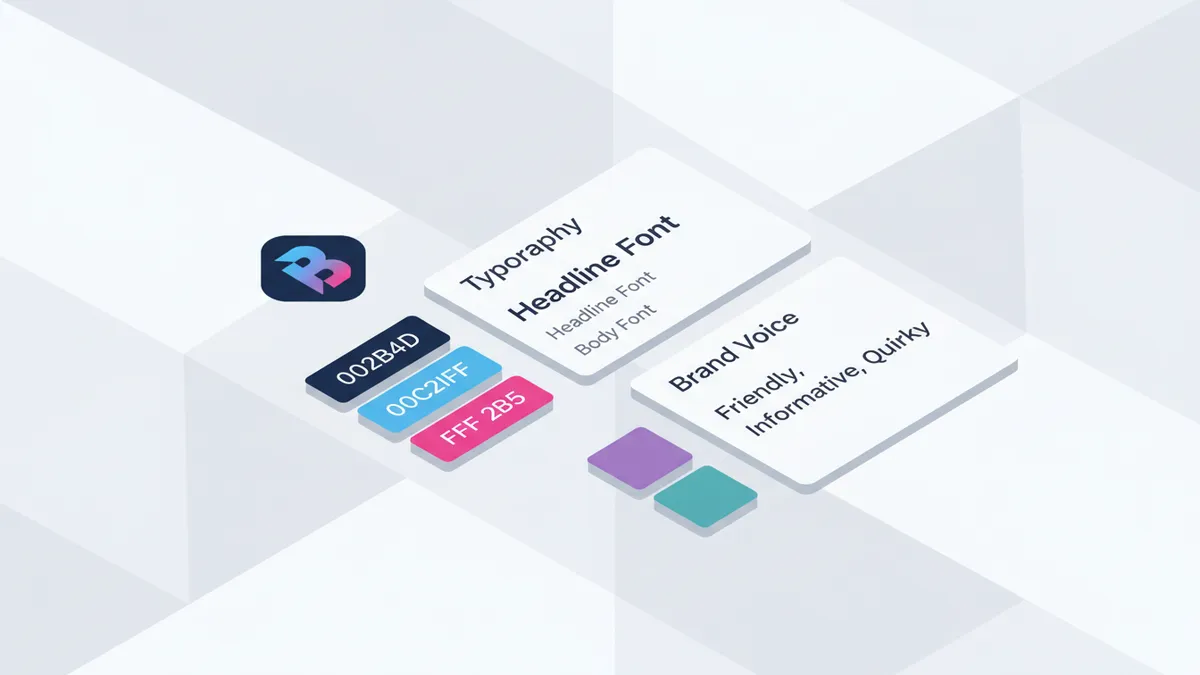
Brand Kit enforcement solves this. A Brand Kit tells the tool your primary and secondary brand colors, your logo, your fonts, and a description of your Brand Voice.
When Brand Kit is enforced, the AI applies your visual identity to every generated post. Your accent color shows up consistently. Your logo appears in the right position. Captions use your tone, not a generic ecommerce tone.
Most tools have template pickers but not real Brand Kit enforcement. You can select colors from a palette, but the tool does not consistently apply them across every generated post. IDEQO’s Brand Kit was built specifically to close this gap for Shopify stores.
Tools for AI Social Media Content on Shopify
IDEQO
Built for Shopify stores. Connects directly to your product catalog, syncs new products automatically, and applies Brand Kit to every generated post. Brand Voice AI writes captions in your tone based on a description you set during onboarding.
You can configure automations by platform, product collection, and posting frequency. Free plan includes 1 store connection and 1 social media automation. Paid plans start at $15/month (billed annually) or $20/month billed monthly.
Best for: Shopify stores that want AI posts to look and sound on-brand without editing every caption.
Predis.ai
AI content generation tool with Shopify integration. Generates posts from product URLs or catalog data. Supports Instagram, Facebook, LinkedIn, and TikTok. Has a Brand Kit feature, though less tightly integrated than IDEQO’s. Plans start at $32/month.
Best for: Stores that want more content format variety (carousels, videos, static images) and are willing to pay more for it.
Xyla AI (formerly Socialit)
Fully automated social content tool for Shopify. Connects your catalog and publishes product posts on autopilot without requiring manual review. Less brand control, but the lowest ongoing management time of any option here. Free plan available. Paid plans from $14/month.
Best for: Stores that want zero-touch automation and are less focused on brand consistency.
Outfy
Template-based product content tool with Shopify catalog integration. Runs on a credits model where each published post uses credits. Lower cost for high-volume posting. Plans from $15/month.
Best for: Stores with large catalogs that want high-frequency product posting without per-post manual work.
How to Set Up AI Social Media Content for Your Shopify Store
Step 1: Connect Your Shopify Catalog
In IDEQO, click Integrations in the sidebar and click Connect Shopify. Authorize the connection in your Shopify admin. Your full catalog (images, titles, descriptions, prices, collections) syncs immediately. New products added to Shopify show up automatically, no manual import needed.
Step 2: Configure Your Brand Kit
Click Brand Kit in the sidebar. Set:
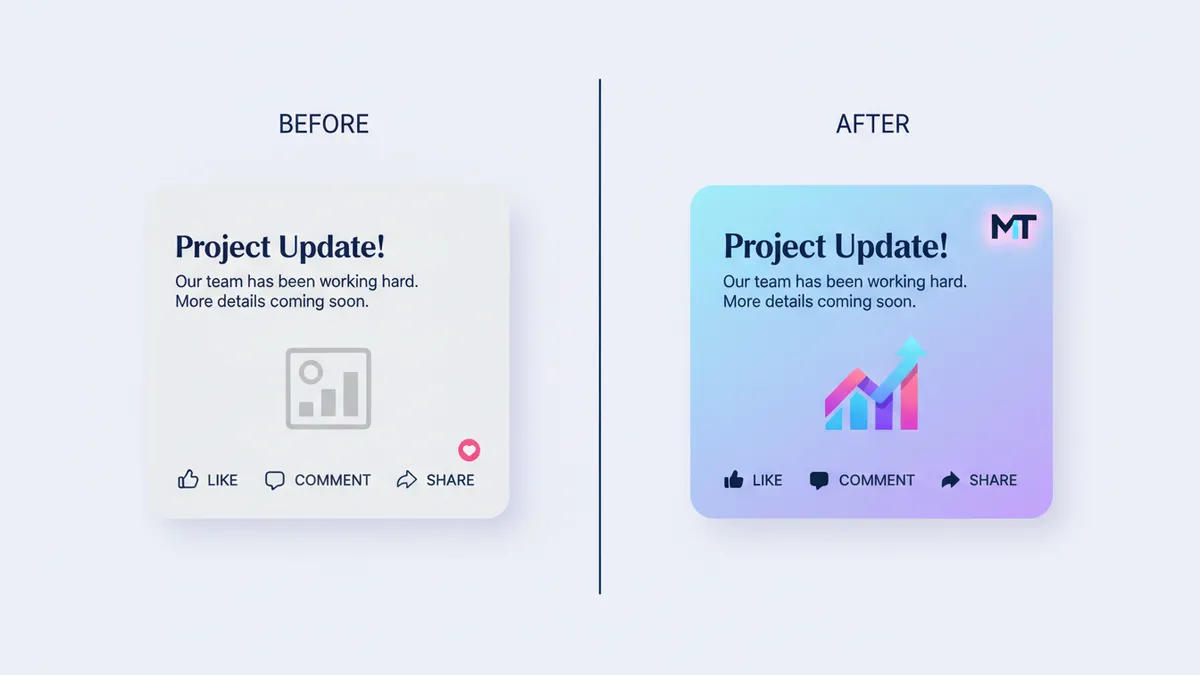
- Logo (transparent PNG)
- Primary and secondary colors (your hex codes)
- Fonts (upload your brand fonts or pick from the library)
- Brand Voice (2-3 sentences describing your tone, what you avoid, and any specific phrases)
This takes 10-15 minutes. Do it once and every post IDEQO generates applies these settings automatically. Skip it and every post looks generic.
Step 3: Connect Your Social Accounts
Click Integrations and connect each platform. Instagram, TikTok, Facebook, and Pinterest each require OAuth authorization through the platform’s API. Each connection takes about 2 minutes.
Instagram requires a Business or Creator account. TikTok requires a Business Account. Personal accounts on either platform cannot connect to third-party publishing tools.
Step 4: Create Your First Automation
Go to Automations > New Automation and configure:
- Platform (Instagram, TikTok, Facebook, Pinterest, or multiple)
- Product source (all products, a specific collection, or a manual selection)
- Posting frequency (daily, 3x/week, 5x/week; start lower and increase based on results)
- Posting times (set windows based on your audience location and peak engagement hours)
- Caption format (short and punchy vs product-detail-focused; IDEQO defaults to Brand Voice)
Once the automation is live, it pulls from your product source, generates branded posts, and publishes on schedule without you touching anything.
Step 5: Review and Refine
For the first two weeks, check what goes out. Are captions in your voice? If not, update your Brand Voice description. Are product images high quality? If not, update them in Shopify and IDEQO pulls the new versions. Are posts going live at the right times? Adjust the automation schedule based on your Instagram analytics.
After a month, look at which posts drove the most profile visits, saves, and link clicks. Those signals tell you what to post more of.
What to Automate vs What to Keep Manual
Automate:
- Product catalog posts across Instagram, TikTok, Facebook, Pinterest
- Caption writing for regular product posts
- Hashtag generation
- Brand Kit application to post graphics
Keep manual:
- Sale or promotional announcements (timing is everything; automate at the wrong moment and it looks tone-deaf)
- Posts that require personal story or behind-the-scenes content
- UGC reposts
- Content you want to repurpose across platforms
- Responses to comments and DMs
- Content tied to real-time trends or moments
- Posts for major new product launches where every word matters
The goal is a consistent stream of product content running automatically, leaving you time for the higher-stakes posts that need real attention.
Common Questions About AI Social Media Content for Shopify
Does AI-generated content perform worse than manually written posts?
Not inherently. Performance depends on content quality, visual strength, and posting consistency. Those same factors apply whether the post was written by AI or a human. Generic AI content performs poorly because it has no brand voice, not because a machine wrote it. Well-configured AI content with Brand Kit enforcement can match manual posts for everyday product content.
Will Instagram or TikTok penalize AI-generated posts?
No. Both platforms evaluate content performance, not how the content was created. Posts published through authorized third-party tools using API connections are treated the same as manually uploaded posts. What the algorithm cares about is engagement, watch time, and content quality.
How many posts should I automate per week?
Start with 3-4 automated posts per week per platform. Consistent presence without saturating your audience. Increase once you see how your audience responds.
Can AI generate video content for TikTok?
Some tools (Minta, Predis.ai) can create short-form video posts from product images using templates and transitions. IDEQO handles image post automation and Brand Kit enforcement. If you already have video assets, IDEQO can schedule and publish Reels or TikToks, but it does not generate video from product stills. Trend-driven TikTok content that relies on audio trends, creator reactions, or real-time hooks still needs manual creation regardless of tool.
What if I have hundreds of products?
AI tools with direct Shopify catalog sync handle catalog size well. You can filter by collection, tags, or price range so only the right products enter your automation queue. Large catalogs work best split across multiple automations organized by collection.
Do I need a designer to set up Brand Kit?
No. If you have your brand colors, logo file, and fonts, you can configure Brand Kit in 15 minutes. No design software or design experience needed.
Start With One Automation
Pick one platform. Set up Brand Kit properly. Run the automation for two weeks before expanding.
Brand Voice is the step most store owners rush. “Friendly and approachable” is not a Brand Voice description. “Warm but direct, no exclamation points unless the product moment earns them, we never say ‘game-changing’” is a Brand Voice description. The more specific it is, the better every generated caption sounds.
Once your first automation produces posts you would be happy to have written yourself, add a second platform. Then a third. The goal is a feed that runs on its own while you focus on the parts of the business that actually need you.
If you are also testing Shopify’s paid AI layer, keep organic AI content and ad automation on separate workflows. The Shopify Campaign Autopilot guide covers how to approve Growth-tab tactics without letting weak catalog creative burn budget.
Start free with IDEQO and have your first Shopify product automation running today. No credit card required.

Frequently Asked Questions
Does AI-generated content perform worse than manually written posts?
Not inherently. Performance depends on content quality, visual strength, and posting consistency. Generic AI content performs poorly because it has no brand voice, not because a machine wrote it. Well-configured AI with Brand Kit enforcement can match manual posts for everyday product content.
Will Instagram or TikTok penalize AI-generated posts?
No. Both platforms evaluate content performance, not how the content was created. Posts published through authorized third-party tools using API connections are treated the same as manually uploaded posts.
How many posts should I automate per week?
Start with 3-4 automated posts per week per platform. Consistent presence without saturating your audience. Increase once you see how your audience responds.
What if I have hundreds of products?
AI tools with direct Shopify catalog sync handle catalog size well. Filter by collection, tags, or price range so only the right products enter your automation queue. Large catalogs work best split across multiple automations organized by collection.
Do I need a designer to set up Brand Kit?
No. If you have your brand colors, logo file, and fonts, you can configure Brand Kit in 15 minutes. No design software or experience needed.