

Content Approvals Workflow
Why Approval Workflows Matter
Section titled “Why Approval Workflows Matter”Tracking approval status is critical for teams to maintain:
- Quality Control: Ensure content is reviewed before it’s scheduled.
- Brand Consistency: Keep your voice and style aligned.
- Accountability: Know which stage of production each piece of content is in.
Approval Process
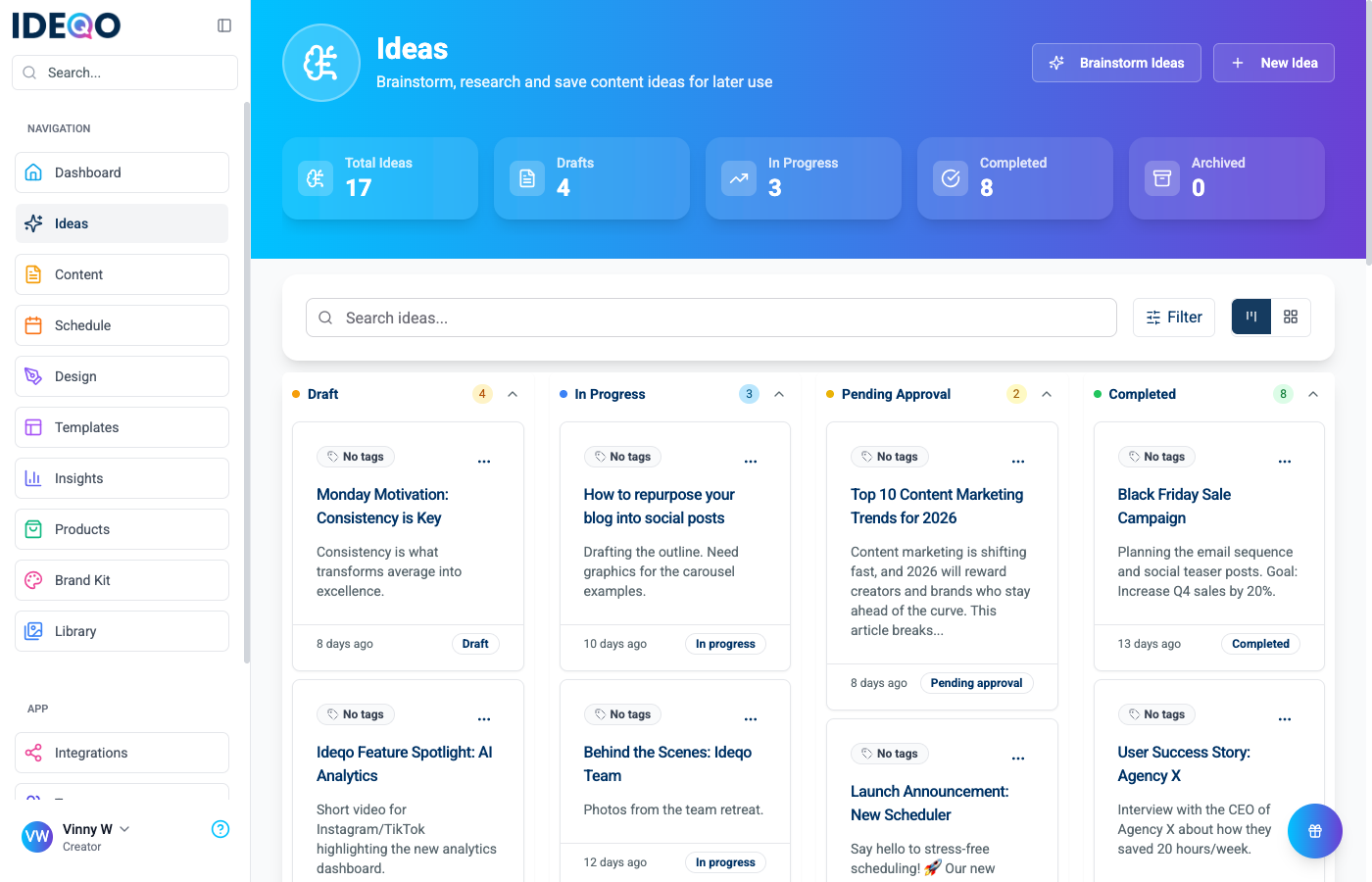
Section titled “Approval Process”IDEQO supports approval tracking through the Ideas Kanban board.
Step 1: Creator Drafts Content
Section titled “Step 1: Creator Drafts Content”- Navigate to Ideas.
- Create a new idea or open an existing draft.
- Flesh out the content (title, description, attachments).
- Keep the status as Draft or In Progress while working.
Step 2: Submit for Review
Section titled “Step 2: Submit for Review”When the content is ready for review:
- Go to the Ideas board.
- Drag the card to the Pending Approval column.
- Alternatively, open the card and change the status dropdown to “Pending Approval”.
- Notify your team member via your preferred communication channel (Slack, Email).
Step 3: Reviewer Approves
Section titled “Step 3: Reviewer Approves”The reviewer checks the Pending Approval column:
- Open the card to review content.
- If changes are needed, move the card back to In Progress or leave a note.
- If approved, move the card to Completed.
- Proceed to Schedule the content from the idea.
Final Review: Scheduling View
Section titled “Final Review: Scheduling View”Once content is scheduled, use the Calendar to perform a final check before publishing.
- Navigate to Schedule (
/scheduling). - Click any scheduled post to open the Preview Dialog.
- Verify Previews: Check how the post looks on specific platforms (Instagram, LinkedIn, etc.).
- Actions:
- Edit Content: Modify text or media.
- Update Schedule: Change the date/time.
- Cancel Schedule: Remove from the queue if issues are found.
Best Practices
Section titled “Best Practices”- Check the Board Daily: Make the “Pending Approval” column part of your daily routine.
- Use Clear Titles: Accurate titles help reviewers know what they are looking at quickly.
- Collaborate Outside: Use your team chat to signal when urgent approvals are needed.
Questions? Contact support.