

Create Your Account
Get started in under 5 minutes. No credit card required. Sign up →
IDEQO is a content command center that helps small businesses and creators plan, write, and auto publish consistent, on brand content across their channels from one place. Instead of juggling separate tools, IDEQO becomes your central content hub and command center for social, blog, and email content.
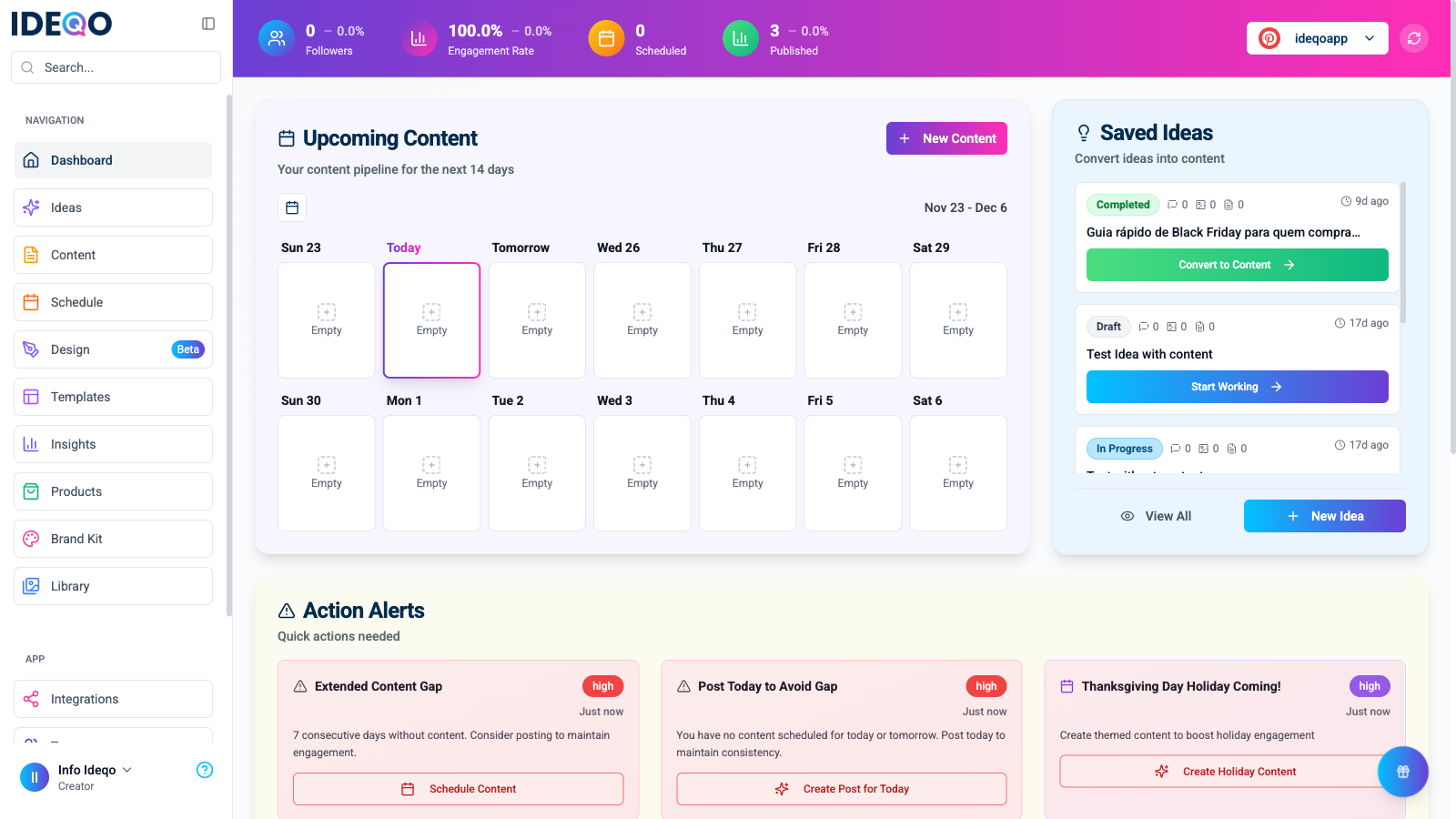
Instead of jumping between apps, IDEQO keeps everything organized. Your dashboard shows upcoming content, saved ideas, and action alerts so you never miss a post.
When you only post when you have time, people stop seeing you. Consistent, on brand content keeps your business in front of the right people so they remember you when they are ready to buy.
IDEQO makes it easier to stay consistent by helping you plan, write, and schedule your content in one place.
IDEQO helps you by:
IDEQO works in three simple steps:
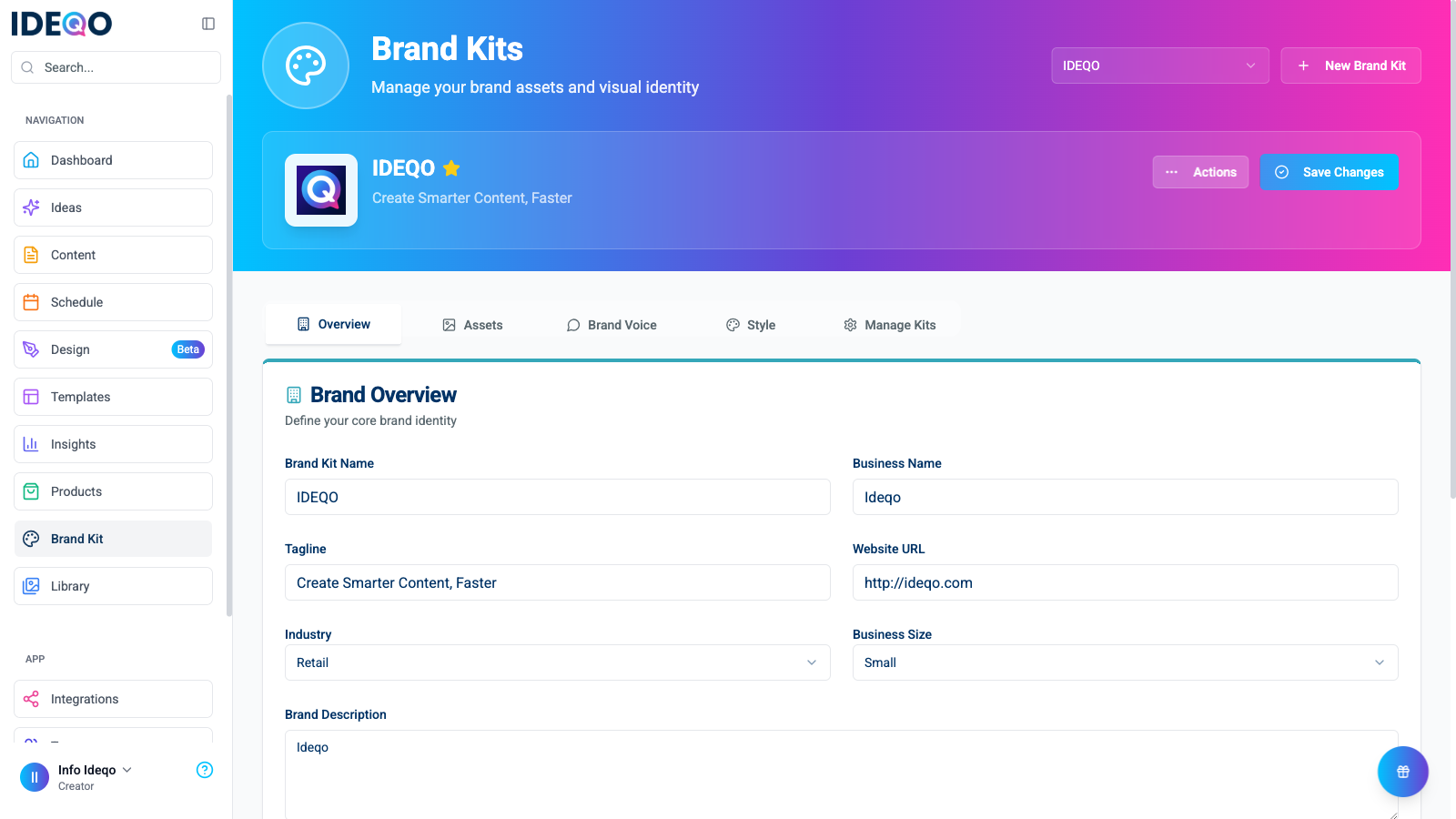
Tell IDEQO your colors, fonts, and how you want to sound. Once set, every post automatically matches your style.
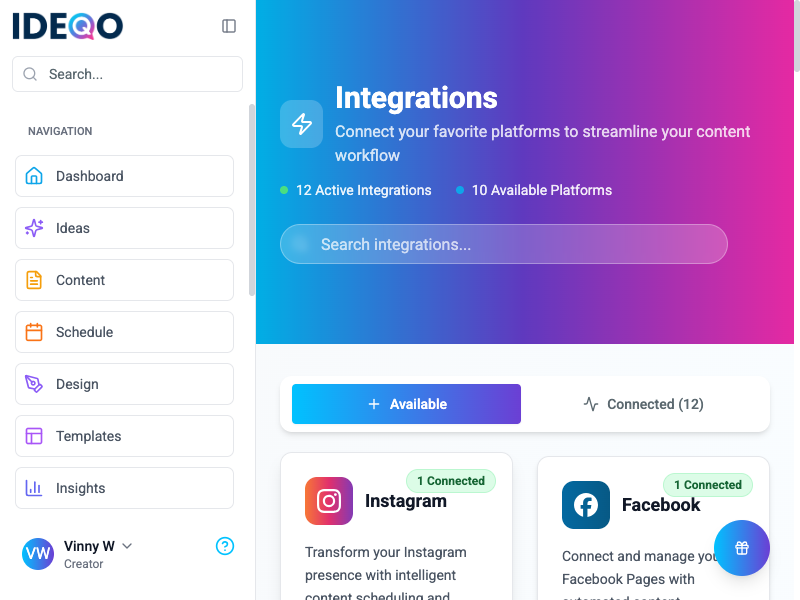
Connect Instagram, LinkedIn, Facebook, X (Twitter), TikTok, YouTube—whatever you use. Do it once, and IDEQO remembers.
Create content using templates, AI assistance, or write it yourself. Then schedule everything ahead of time.
IDEQO publishes automatically at the right times, so you can focus on other work.
Your dashboard gives you a complete view of your content:
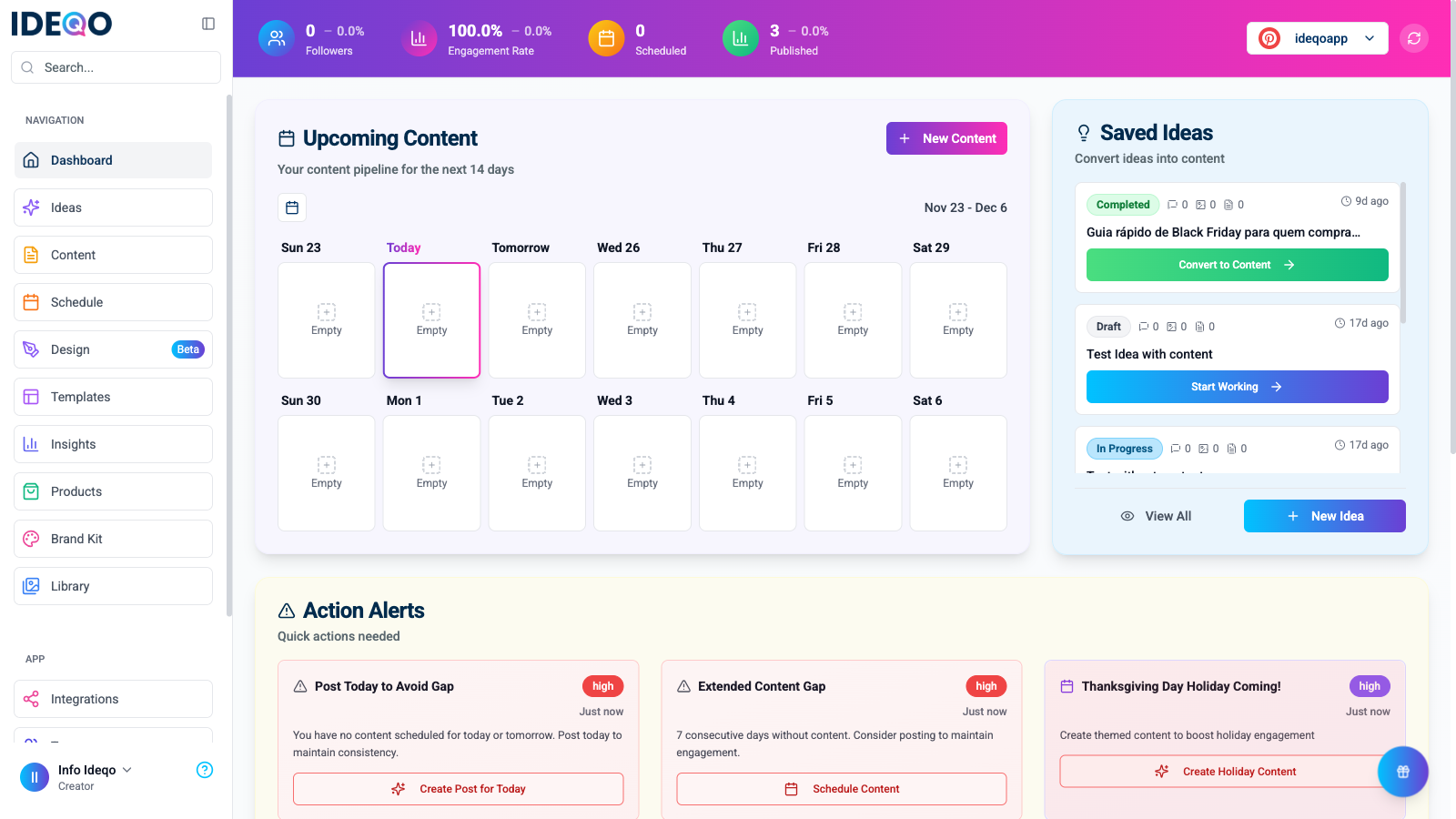
The dashboard shows your upcoming content calendar, saved ideas ready to convert, and action alerts that help you stay on track.
Here’s where to go next:
Get started in under 5 minutes. No credit card required. Sign up →
Upload your logo, set your tone, and define your visual style. Set up Brand Kit →
Link Instagram, LinkedIn, or any other platform in 3 clicks. View integrations →
Still have questions? Check the FAQ or contact support.