

Key Takeaways
- Pinterest drives high-intent discovery. Pins have a multi-month shelf life compared to hours on Instagram or TikTok. Well-optimized product pins keep driving clicks long after posting.
- The official Pinterest Shopify app syncs your catalog for shopping search but doesn’t schedule pins to boards. You need a separate tool for automated board posting.
- IDEQO handles both: scheduled pins with Brand Kit applied, plus multi-platform posting to Instagram, TikTok, Facebook, LinkedIn, and YouTube from the same setup.
- Pin descriptions are indexed by Pinterest search. AI-generated descriptions with real context outperform generic “shop now” copy.
- IDEQO’s free plan includes one Shopify connection and one automation at no cost.
Pinterest is one of the highest-intent social platforms for product discovery. When someone pins a product, they are often in active shopping mode. Click-through rates on Pinterest product pins can outperform most other social platforms for ecommerce, and the traffic tends to convert. For Shopify stores in fashion, home decor, beauty, food, or any visually driven category, Pinterest is not optional.
The problem is that posting products manually to Pinterest takes time you could spend running the store. You pull a product image, resize it, write a pin description, choose a board, and post. Then you do it again for the next product. For a store with 50 products and a rotating inventory, that workflow does not scale.
Automating it fixes the time problem. Here are four ways to auto-post your Shopify products to Pinterest, and how to choose which one fits your setup.
Why Auto-Posting Shopify Products to Pinterest Matters

Pinterest users plan purchases months in advance. A pin from a Shopify store can get discovered, saved, and clicked on weeks or months after it was posted. That long shelf life is different from Instagram or TikTok, where content disappears from feeds within hours.
Automating your Pinterest presence means your products stay in front of buyers who are actively looking for what you sell, without you having to post manually. For a full comparison of scheduler options, see the best Pinterest scheduler for Shopify stores. A store selling home goods, for example, can have its entire fall collection pinned and distributed across relevant boards in minutes instead of hours.
The other factor is consistency. Stores that pin regularly get more distribution from Pinterest’s algorithm. Automating product posts keeps your boards active even on weeks when you are focused on other parts of the business.
Option 1: Pinterest’s Official Shopify App
Best for: Stores that want a free, basic product sync directly into Pinterest Shopping.
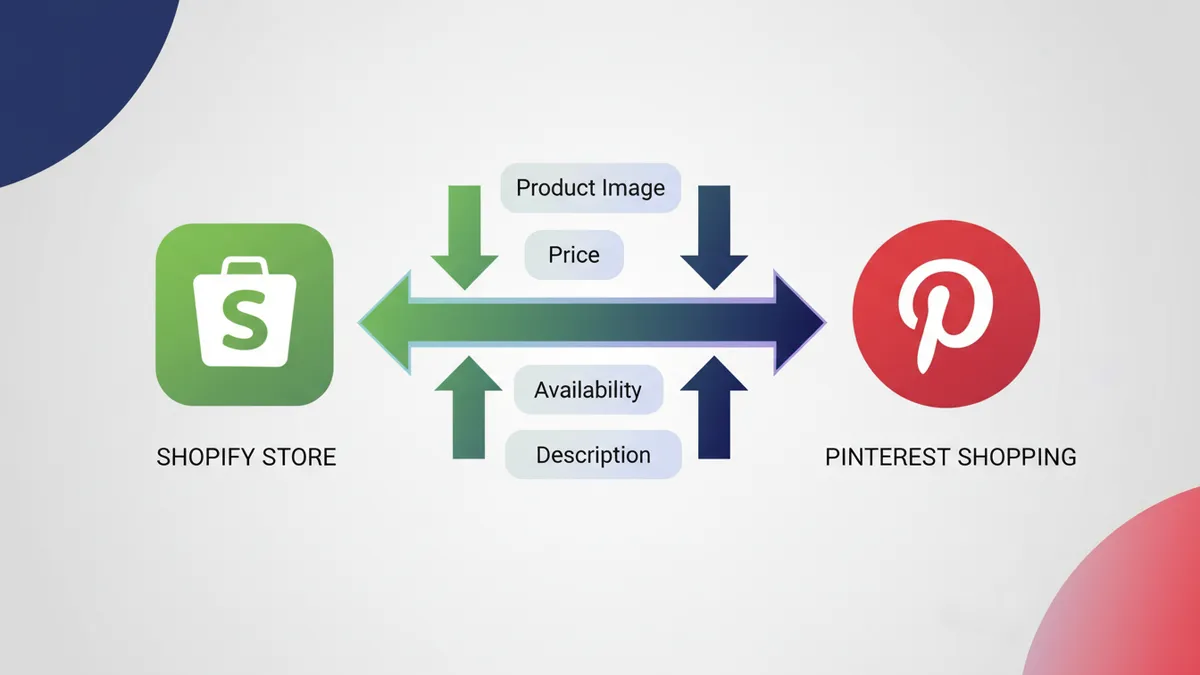
Pinterest has an official app on the Shopify App Store. Install it, connect your Pinterest business account, and it syncs your product catalog as a Pinterest product catalog. Your products appear in Pinterest Shopping with price, availability, and a direct checkout link.
The official app is useful for catalog distribution: it makes your products discoverable within Pinterest’s shopping surfaces. But it functions more as a catalog sync than a publishing automation. It does not automatically post styled pins to your boards on a schedule. Your products become searchable within Pinterest, but creating actual pins from those products for your boards still requires manual work or a separate tool.
When to use it: Install the official Pinterest app as your baseline catalog connection. It is free and gets your products into Pinterest’s search and shopping system. Then layer a scheduling tool on top if you want actual pins going to your boards automatically.
Steps to set it up:
- Go to the Shopify App Store and search for “Pinterest”
- Install the official Pinterest app and connect your Pinterest business account
- Follow the catalog sync prompts to map your Shopify products to Pinterest categories
- Enable the Pinterest tag for conversion tracking in Shopify Settings
The catalog sync runs automatically when products are added or updated. Reviews on the Shopify App Store note occasional issues with variant handling and catalog sync for larger catalogs.
Option 2: IDEQO: Automated Pins with Brand Kit
Best for: Shopify stores that want product pins to go out on a schedule with their brand’s colors, logo, and fonts applied automatically, and who post to more platforms than just Pinterest.
IDEQO’s native Shopify integration connects directly to your product catalog and auto-generates social posts for Pinterest and six other platforms: Instagram, TikTok, Facebook, LinkedIn, X, and YouTube. Where the official Pinterest app syncs your catalog passively, IDEQO actively creates and schedules pins with your Brand Kit applied.
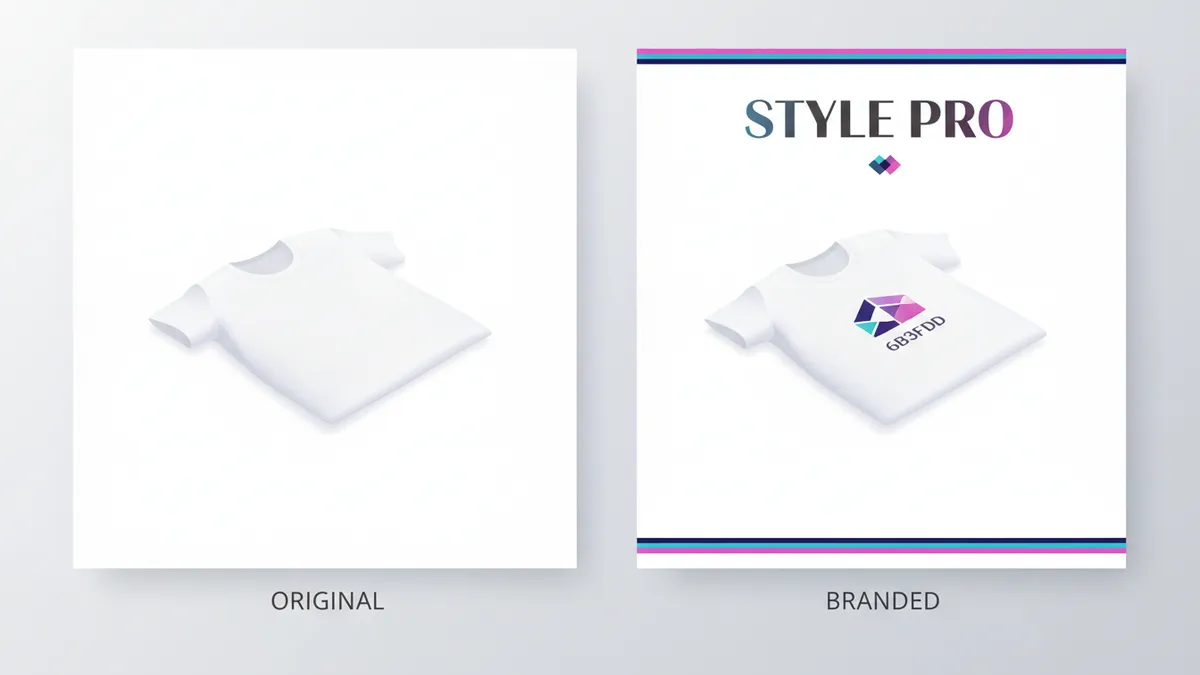
Set up once: connect your Shopify store, upload your brand colors, logo, and fonts to the Brand Kit, and choose which products or collections to automate. IDEQO generates pins from your product images with your brand identity applied to every piece of content. You are not uploading images manually or designing each pin.
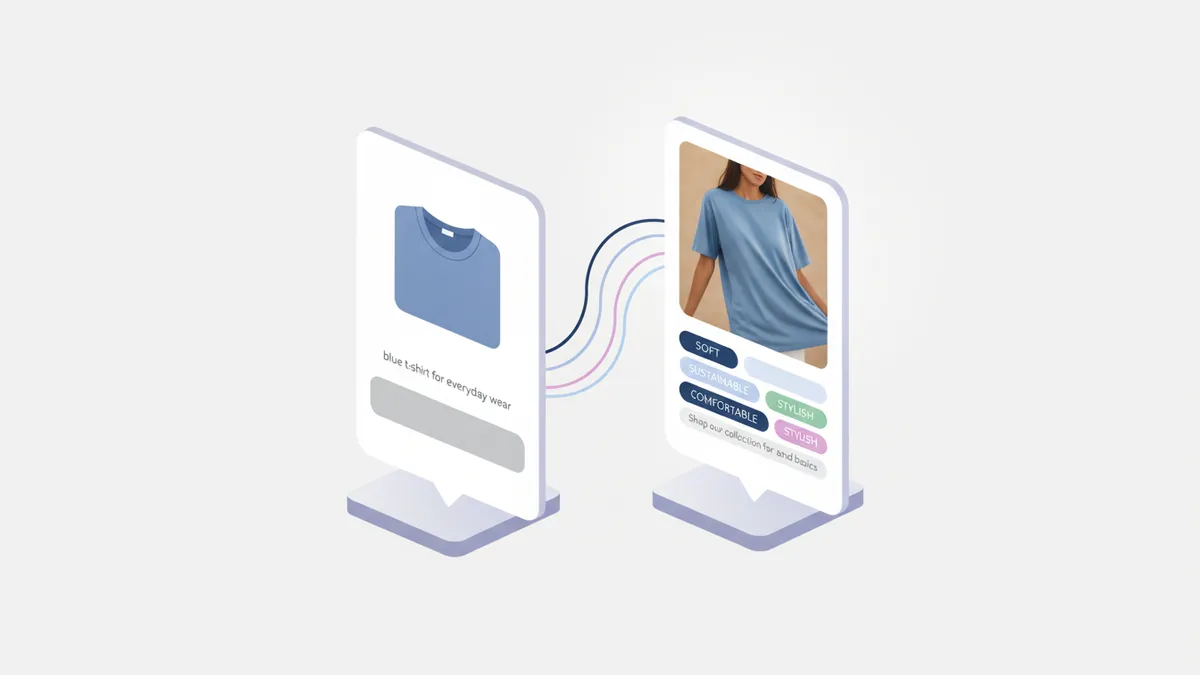
Brand Voice AI writes pin descriptions in your store’s tone. Set your voice once (“direct and minimal,” “warm and approachable,” “bold and premium”) and every auto-generated pin description matches it. Pinterest descriptions are indexed for search, so having on-brand, keyword-relevant copy on every pin matters for discoverability. You can test this yourself with IDEQO’s free AI caption generator before setting up the full automation.
For stores already posting to Instagram or TikTok, IDEQO handles all platforms from one place. A product post goes to Pinterest and Instagram simultaneously without you creating two separate versions.
Steps to set up IDEQO for Pinterest automation:
- Install IDEQO from the Shopify App Store (free plan available)
- Connect your Pinterest business account and other social accounts
- Upload your Brand Kit: colors, logo, fonts
- Set your Brand Voice: choose a tone or describe your store’s voice
- Select products or collections to automate
- Set your posting schedule; IDEQO manages the queue from there

Free plan: 1 Shopify store connection, 1 social media automation. Paid plans start at $15/month billed annually ($20/month billed monthly).
Option 3: Pin Auto: Dedicated Pinterest Publisher
Best for: Stores that only need Pinterest automation and want a lightweight tool focused entirely on pinning.
Pin Auto is a Shopify App Store app built specifically for Pinterest publishing. It connects to your product catalog and automatically creates pins from new or existing products. You choose which boards to post to, set a posting frequency, and Pin Auto handles the rest.
It is narrower in scope than IDEQO: Pinterest only. There is no Brand Kit enforcement or multi-platform posting. But if Pinterest is your only automated social channel and you want something that does one thing cleanly, Pin Auto is purpose-built for it.
Check the current reviews and pricing in the Shopify App Store before installing, as pricing models for smaller apps change frequently.
Option 4: Zapier: Custom Automation
Best for: Stores with specific workflow requirements that off-the-shelf apps do not cover, or those already using Zapier for other automations.
Zapier connects Shopify and Pinterest through a trigger-action workflow: when a new product is added to Shopify, Zapier creates a pin on a specified board. You can customize which product fields map to the pin title, description, and link.
The trade-off with Zapier is setup complexity and ongoing maintenance. You build the workflow yourself, including image formatting, which board to post to, and how to handle product variants. For stores that want a set-it-and-forget-it solution, Zapier requires more configuration than a dedicated Shopify app.
Zapier pricing depends on your existing plan and how many tasks you run per month. For high-volume stores adding products frequently, the task count adds up.
Pinterest Best Practices for Shopify Stores
Use vertical images. Pinterest’s ideal image ratio is 2:3 (1000px x 1500px). Horizontal product photos from your Shopify store may need cropping or padding to display correctly. IDEQO’s Brand Kit templates are sized for Pinterest automatically.
Organize boards by category, not by collection. Shopify collections map to your store structure, but Pinterest boards work better when organized around how buyers search (“Minimalist Home Office Ideas” performs better than “Spring 2026 Collection”). Create boards that match the intent of your buyer, then pin products to the relevant board.
Pin descriptions count for search. Pinterest indexes pin descriptions for search. Generic descriptions like “Blue cotton t-shirt, shop now” get less distribution than descriptions that include context: what it is, who it is for, and what makes it different. Brand Voice AI handles this automatically in IDEQO; for manual or Zapier setups, write descriptions that include natural keyword phrases.
Pin consistently. Stores that pin multiple times per week see better distribution than stores that post in bursts. Automation makes this easy: set a daily or multi-weekly schedule and let the tool handle the cadence. Decide what to pin with Pinterest Trends for Shopify content planning, then automate the publishing cadence.
Enable Rich Pins. Rich Pins pull live price and availability data from your Shopify store into each pin. When a product goes on sale or sells out, the pin updates automatically. The official Pinterest Shopify app enables this. IDEQO pins also support dynamic product data through the catalog sync.
Which Option Should You Choose?
Install the official Pinterest app as a baseline. It is free, gets your catalog into Pinterest Shopping, and enables Rich Pins and the Pinterest tag. Every Shopify store on Pinterest should have this running.
Add IDEQO if you want styled, scheduled pins with Brand Kit. If the gap in the official app is that it does not actually pin to your boards automatically, IDEQO fills that. You also get multi-platform automation if Pinterest is one of several channels you post to. See the full workflow for auto-posting Shopify products to social media.
Use Pin Auto if you only need Pinterest and want a lightweight tool. If Instagram, TikTok, and other channels are handled elsewhere and you just need Pinterest automation, Pin Auto is built for that use case.
Use Zapier if you have custom workflow requirements. For stores with non-standard product structures or existing Zapier setups, Zapier gives you more control at the cost of more setup time.
Most Shopify stores doing Pinterest seriously end up with the official Pinterest app plus a scheduling tool like IDEQO. The official app handles catalog sync and Rich Pins; IDEQO handles the actual posting schedule with brand-consistent pins going out automatically.
Frequently Asked Questions
Does Shopify have a built-in Pinterest integration?
Yes. Pinterest has an official app on the Shopify App Store that syncs your product catalog to Pinterest Shopping and enables Rich Pins and the Pinterest tag for conversion tracking. The integration makes your products discoverable within Pinterest’s shopping surfaces. What it does not do is automatically post styled pins to your boards on a schedule. For automated board posting, you need a separate tool like IDEQO or Pin Auto on top of the official app.
How many times should I pin per day for a Shopify store?
Pinterest recommends pinning consistently rather than pinning in large batches. For product-focused Shopify stores, 3-10 pins per day is a typical range. The mix should include both your own products and repins from other creators in your niche. Automation tools like IDEQO let you set a daily posting schedule so the cadence stays consistent without manual effort.
Can I post the same product to multiple Pinterest boards?
Yes, and you should. A single product can be relevant across multiple boards. A white linen dress could go to “Summer Outfits,” “Wedding Guest Dresses,” and “Minimalist Fashion.” IDEQO and Pin Auto both support multi-board posting from a single automation setup. Pinning the same product to multiple relevant boards increases its reach without requiring you to create separate content.
What is the best image size for Shopify product pins?
Pinterest’s recommended size is 1000px x 1500px (2:3 ratio). Square images (1:1) and horizontal images are supported but receive less display space in the feed. If your Shopify product photos are square or horizontal, tools like IDEQO apply Brand Kit templates that fit Pinterest’s vertical format automatically. For manual posting, you may need to add padding or reframe the image to hit the 2:3 ratio.
Does IDEQO post to Pinterest automatically from my Shopify catalog?
Yes. IDEQO connects to your Shopify product catalog and generates pins automatically with your Brand Kit applied. You select which products or collections to automate, set your posting schedule, and IDEQO handles the rest. Pin descriptions are generated by Brand Voice AI in your store’s tone. IDEQO also posts to Instagram, TikTok, Facebook, LinkedIn, X, and YouTube from the same automation setup.
Do Pinterest pins expire or need to be refreshed?
Pinterest pins do not expire, but older pins get less distribution from the algorithm over time. Re-pinning your top-performing products regularly keeps them circulating. Tailwind’s SmartLoop feature is built specifically for this use case. IDEQO handles this differently: by continuously pulling from your active catalog, new pins are generated from your current product lineup automatically, so the content stays fresh without manually recycling old pins.
Frequently Asked Questions
Does Shopify have a built-in Pinterest integration?
Yes. Pinterest has an official app on the Shopify App Store that syncs your product catalog to Pinterest Shopping and enables Rich Pins and the Pinterest tag. It makes your products discoverable within Pinterest search but does not automatically post styled pins to your boards. For automated board posting, you need a separate tool like IDEQO or Pin Auto.
How many times should I pin per day for a Shopify store?
For product-focused Shopify stores, 3-10 pins per day is a typical range. The mix should include both your own products and repins from other creators in your niche. Automation tools like IDEQO let you set a daily posting schedule so the cadence stays consistent without manual effort.
Can I post the same product to multiple Pinterest boards?
Yes, and you should. A single product can be relevant across multiple boards. A white linen dress could go to Summer Outfits, Wedding Guest Dresses, and Minimalist Fashion. IDEQO and Pin Auto both support multi-board posting from a single automation setup.
What is the best image size for Shopify product pins?
Pinterest's recommended size is 1000px x 1500px (2:3 ratio). Square and horizontal images are supported but receive less display space in the feed. Tools like IDEQO apply Brand Kit templates that fit Pinterest's vertical format automatically.
Does IDEQO post to Pinterest automatically from my Shopify catalog?
Yes. IDEQO connects to your Shopify product catalog and generates pins automatically with your Brand Kit applied. You select which products or collections to automate, set your posting schedule, and IDEQO handles the rest. It also posts to Instagram, TikTok, Facebook, LinkedIn, X, and YouTube from the same automation setup.