


Key Takeaways
- Pinterest traffic converts at higher rates than most social platforms because users are in a discovery mindset, not a scroll mindset.
- A well-optimized pin can drive clicks for months. That’s unlike any other platform in this comparison.
- Only IDEQO and Pin Auto connect to your Shopify catalog for Pinterest. Tailwind, Later, and Planoly require manual content upload.
- IDEQO is the only option that applies Brand Kit automatically to every pin without manual design work.
- Tailwind’s SmartLoop and Communities are Pinterest-specialist features IDEQO doesn’t replicate. Worth it if Pinterest is your primary channel.
Pinterest drives consistent, high-converting traffic for Shopify stores in fashion, home decor, beauty, food, and lifestyle. Unlike Instagram or TikTok, where content lives and dies within 24 hours, a well-optimized Pinterest pin can generate clicks for months after it goes up. For stores with a visual product catalog, showing up consistently on Pinterest is a compounding advantage.
The catch is that pinning consistently takes time. For a store adding products weekly and posting across multiple platforms, manually creating and scheduling Pinterest content every day is not sustainable. That is where a Pinterest scheduler comes in.
Not every scheduler handles Pinterest the same way. Some are purpose-built for Pinterest. Others include it alongside ten other platforms. And only a handful connect directly to your Shopify catalog so you are not starting from scratch for every pin. Here is how the best options compare in 2026.
What Makes a Good Pinterest Scheduler for Shopify Stores
Before the rankings, a few criteria matter more than others for Shopify stores specifically:
Shopify catalog integration. Can the tool pull product images, titles, prices, and descriptions from your Shopify store automatically? This is the difference between a scheduler that saves hours per week and one that just moves the manual work from Pinterest’s native interface to a third-party dashboard.
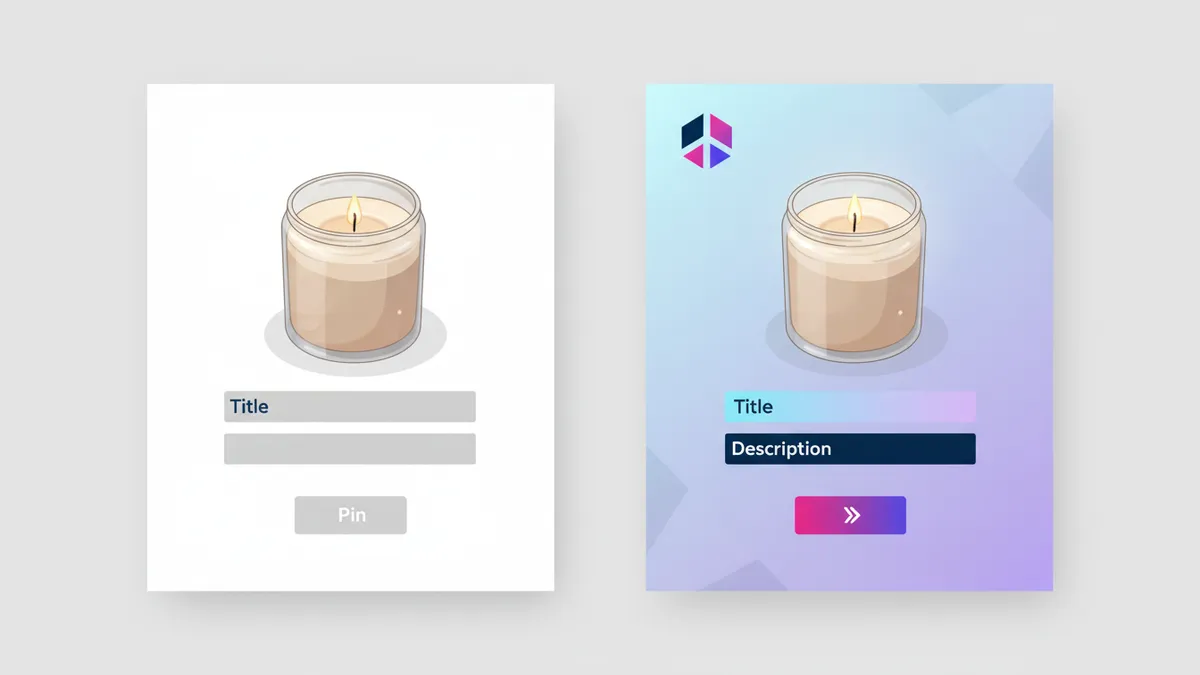
Brand Kit enforcement. Pinterest is a visual platform. Consistent brand identity across pins builds recognition over time. A scheduler with Brand Kit support applies your colors, logo, and fonts automatically to generated content, so you are not making design decisions for every pin.
Pin format support. Pinterest supports standard pins, video pins, Idea Pins, and product Rich Pins with live pricing. A strong scheduler handles at least standard and video pins, and ideally enables Rich Pins for ecommerce.
Scheduling flexibility. Can you set daily cadences, queue by category, or schedule individual pins weeks out? The best schedulers let you build a queue and walk away.
Multi-platform posting. Most Shopify stores do not only post to Pinterest. A scheduler that handles Pinterest alongside Instagram, TikTok, and Facebook reduces the number of tools you maintain.
Best Pinterest Schedulers for Shopify Stores
1. IDEQO: Best for Shopify stores that want catalog-driven pins with Brand Kit
Best for: Shopify stores that want Pinterest posts to generate automatically from their product catalog with brand identity applied, alongside Instagram, TikTok, and other platforms.
IDEQO is a native Shopify App Store app that connects to your product catalog and generates scheduled posts across platforms, including Pinterest. Select products or collections, and IDEQO creates pins with your Brand Kit applied: your colors, logo, and fonts on every piece of content. You are not uploading product images or designing each pin manually.
Brand Voice AI writes pin descriptions in your store’s tone. Pinterest indexes pin descriptions for search, so having on-brand, keyword-relevant copy on every pin without writing each one manually is a real advantage at scale. Set your brand voice once and every generated description matches it.
IDEQO is not Pinterest-only. It publishes to Instagram, TikTok, Facebook, LinkedIn, X, and YouTube from the same automation setup. For stores that need Pinterest as one part of a broader social strategy, handling everything in one place reduces the tool stack.
The free plan includes 1 Shopify store connection and 1 social automation. Paid plans start at $15/month billed annually ($20/month month-to-month).

Strengths for Pinterest:
- Native Shopify catalog sync: product images and data pull automatically
- Brand Kit on every pin: colors, logo, fonts applied without manual design
- Brand Voice AI writes pin descriptions at scale
- Handles Pinterest alongside all other major platforms
- No monthly pin caps on paid plans
2. Tailwind: Best Pinterest-specialist tool for non-Shopify-catalog workflows
Best for: Stores whose Pinterest strategy relies on manually curated content, group board sharing (Tailwind Communities), and automatic content recycling (SmartLoop), rather than catalog-driven posts.
Tailwind is the incumbent Pinterest scheduler. Its SmartLoop feature recycles top-performing pins automatically. Tailwind Communities connects you with other Pinterest creators in your niche for mutual resharing, which can accelerate reach during a pin’s initial distribution window. The built-in design tool generates multiple Pin variations from a single image quickly.
Tailwind does connect to Shopify, but the integration is Pinterest-centric: it helps you source product images for creating pins manually. It does not auto-generate posts for other platforms from your catalog. Platform coverage is Pinterest, Instagram, and Facebook only; TikTok, X, LinkedIn, and YouTube are not included.
For stores that rely on Pinterest specifically and manage Instagram and TikTok separately, Tailwind’s Pinterest-focused feature set remains the strongest in this category. For stores that want one tool to handle all platforms from a shared catalog, Tailwind’s limitations become friction.
Free plan: 5 pins/month. Pro plan: ~$17.99/month (150 posts/month). Advanced: ~$29.99/month (300 posts/month).
3. Later: Best for Pinterest + Instagram visual planning together
Best for: Shopify stores that want to manage Pinterest and Instagram scheduling in one visual calendar, with feed preview before anything goes live.
Later handles Pinterest scheduling with a visual content calendar that lets you plan posts in advance and see how your Instagram grid looks before you publish. For stores where the Instagram and Pinterest aesthetics need to feel cohesive, managing both in the same visual interface helps.
Later covers Instagram, TikTok, Facebook, Pinterest, LinkedIn, and YouTube. No Shopify catalog integration or Brand Kit, so content is still created and uploaded manually. But compared to Tailwind, Later extends platform coverage to TikTok and LinkedIn at a similar price point.
The Pinterest-specific features are solid but less specialized than Tailwind: no SmartLoop recycling, no Tailwind Communities. For stores that prioritize visual planning and consistency across Instagram and Pinterest over Pinterest-specific growth tactics, Later is the better fit.
Starter plans run around $16.67/month billed annually.
4. Pin Auto: Best lightweight Pinterest-only app for Shopify
Best for: Shopify stores that want Pinterest-only automation from their catalog without needing multi-platform posting.
Pin Auto is a Shopify App Store app built specifically for Pinterest. It connects to your product catalog and automatically creates and schedules pins from new or existing products. You choose boards, set frequency, and Pin Auto handles the rest.
It is more narrowly focused than IDEQO: Pinterest only, no Brand Kit enforcement, no multi-platform posting. But for stores that manage Instagram and TikTok elsewhere and just need Pinterest covered by a dedicated, lightweight tool, Pin Auto solves that cleanly.
Check current reviews and pricing in the Shopify App Store before installing.
5. Pinterest’s Native Scheduler: Best free option
Best for: Stores on a tight budget whose Pinterest strategy is straightforward and does not need automated volume or recycling.

Pinterest lets you schedule pins up to two weeks in advance at no cost through its native interface. For a store that posts to Pinterest a few times per week and is comfortable doing it manually within Pinterest, the native scheduler eliminates the need for a paid tool.
The limitations: no Shopify catalog integration, no content recycling, no multi-platform posting, and no Brand Kit controls. Scheduling is capped at two weeks out. For stores pinning at volume or wanting true set-it-and-forget-it automation, the native scheduler is too limited. But as a starting point before committing to a paid tool, it covers the basics.
Free.
6. Planoly: Best for aesthetic-focused brands on Pinterest and Instagram
Best for: Shopify stores in fashion, home decor, or beauty where both the Instagram grid and Pinterest board aesthetics need to feel intentional and on-brand.
Planoly’s drag-and-drop grid planner for Instagram lets you preview how posts will look in the feed context before scheduling. It handles Pinterest alongside Instagram, TikTok, Facebook, LinkedIn, X, and YouTube. For stores where visual consistency across both Pinterest boards and the Instagram grid matters, Planoly’s planning tools offer more control than most schedulers.
No Shopify catalog integration or Brand Kit. You create content in Canva or similar and import it into Planoly. But the visual planning layer adds something most schedulers do not have.
Starter plans begin at $16/month billed annually.
Side-by-Side Comparison

| Tool | Shopify sync | Brand Kit | Pinterest features | Other platforms | Price from |
|---|---|---|---|---|---|
| IDEQO | Product catalog | Yes | Scheduled pins, Rich Pin support | IG, TikTok, FB, LinkedIn, X, YouTube | Free / $15/mo (annual) |
| Tailwind | Pinterest-only import | No | SmartLoop, Communities, design tool | IG, Facebook only | Free / ~$17.99/mo |
| Later | No | No | Visual calendar, schedule | IG, TikTok, FB, LinkedIn, YouTube | $16.67/mo |
| Pin Auto | Product catalog | No | Auto-pin from catalog | Pinterest only | Check App Store |
| Pinterest Native | No | No | Basic scheduling (2 wks) | Pinterest only | Free |
| Planoly | No | No | Visual calendar, schedule | IG, TikTok, FB, LinkedIn, X, YouTube | $16/mo |
Prices listed are starting tiers. Verify current pricing before purchasing.
How to Choose
If you want product catalog automation with Brand Kit: IDEQO is the only tool on this list that connects to your Shopify product catalog for multi-platform posting and applies your Brand Kit automatically to every pin. For stores that post products consistently across Pinterest and other channels, this removes the manual creation work for every piece of content. See the full guide to auto-posting Shopify products to social media.
If Pinterest is your only social channel and you want specialist features: Tailwind’s SmartLoop and Tailwind Communities are Pinterest-specific tools that IDEQO does not replicate. For stores whose entire social strategy runs through Pinterest and Instagram, and who want content recycling and group board reach, Tailwind is purpose-built for that.
If Instagram and Pinterest visual planning matter equally: Later and Planoly both offer visual grid planning for Instagram alongside Pinterest scheduling. If managing how both feeds look before anything goes live is a priority, these tools serve that workflow.
If you only need Pinterest and want Shopify catalog automation: Pin Auto handles Pinterest-only posting from your catalog without the multi-platform overhead of IDEQO. It is the right fit if you manage other platforms separately.
If cost is the constraint: Pinterest’s native scheduler is free and covers basic scheduling. IDEQO’s free plan includes one automation at no cost. Both are valid starting points before committing to a paid tool.
Frequently Asked Questions
What is the best Pinterest scheduler for Shopify stores in 2026?
For Shopify stores that want product content posted automatically with brand identity applied, IDEQO is the strongest option. It connects to your catalog, applies Brand Kit to every pin, and handles Pinterest alongside Instagram, TikTok, and other platforms. For stores that want Pinterest-specialist features like content recycling and group board reach, Tailwind is purpose-built for that workflow. For stores that only need Pinterest automation without multi-platform posting, Pin Auto is a lighter-weight Shopify-native option.
Does Tailwind integrate with Shopify for Pinterest?
Tailwind connects to Shopify for sourcing product images to use when creating Pinterest content manually. It is not a full catalog sync: Tailwind does not auto-generate and schedule posts from your product data across all platforms. For that level of automation, IDEQO or Pin Auto are more direct fits.
Can I schedule Pinterest posts for free?
Yes. Pinterest’s built-in scheduler lets you schedule posts up to two weeks in advance at no cost. IDEQO also has a free plan that includes one Shopify store connection and one social media automation, which can include Pinterest. Tailwind’s free tier limits you to 5 posts per month.
How often should a Shopify store pin on Pinterest?
Most Pinterest growth advice suggests pinning consistently: anywhere from 3 to 10 pins per day for stores in active growth mode. The key is consistency over volume. An automated tool like IDEQO or Tailwind keeps the cadence going without daily manual effort. For a store just starting on Pinterest, starting with 1 to 3 pins per day and building from there is a reasonable approach.
Does IDEQO support Pinterest Rich Pins for Shopify?
IDEQO’s catalog sync pulls live product data from Shopify, which enables pins with current pricing and product information. For Rich Pin validation on Pinterest’s side, you still need to verify your domain with Pinterest (a one-time step). Once verified, product data from your Shopify catalog flows through pins generated by IDEQO with current pricing and availability.
Is Pinterest still worth it for Shopify stores in 2026?
Yes, especially for stores in visual product categories: fashion, home decor, beauty, food, art, and lifestyle. Pinterest users are in a higher-intent discovery mindset than most social platforms, and pins have a longer shelf life than posts on Instagram or TikTok. Stores that show up consistently on Pinterest with well-optimized pins tend to see traffic that converts at a higher rate than social media average. Automating the posting workflow removes the main barrier: the time it takes to create and schedule pins manually.
Frequently Asked Questions
What is the best Pinterest scheduler for Shopify stores in 2026?
For Shopify stores that want product content posted automatically with brand identity applied, IDEQO is the strongest option. It connects to your catalog, applies Brand Kit to every pin, and handles Pinterest alongside Instagram, TikTok, and other platforms. For Pinterest-specialist features like content recycling and group board reach, Tailwind is purpose-built for that workflow.
Does Tailwind integrate with Shopify for Pinterest?
Tailwind connects to Shopify for sourcing product images when creating Pinterest content manually. It is not a full catalog sync. Tailwind does not auto-generate and schedule posts from your product data across all platforms. For that level of automation, IDEQO or Pin Auto are more direct fits.
Can I schedule Pinterest posts for free?
Yes. Pinterest's built-in scheduler lets you schedule posts up to two weeks in advance at no cost. IDEQO also has a free plan that includes one Shopify store connection and one social media automation, which can include Pinterest. Tailwind's free tier limits you to 5 posts per month.
How often should a Shopify store pin on Pinterest?
Most Pinterest growth advice suggests pinning consistently: anywhere from 3 to 10 pins per day for stores in active growth mode. The key is consistency over volume. For a store just starting on Pinterest, 1 to 3 pins per day and building from there is a reasonable starting point.
Is Pinterest still worth it for Shopify stores in 2026?
Yes, especially for stores in visual product categories: fashion, home decor, beauty, food, art, and lifestyle. Pinterest users are in a higher-intent discovery mindset than most social platforms, and pins have a longer shelf life than posts on Instagram or TikTok. Stores that show up consistently on Pinterest with well-optimized pins tend to see traffic that converts at a higher rate than social media average.