


You’re running a small business. Social media is supposed to help you grow it. But somehow it’s become the thing eating your Tuesday evenings, Sunday nights, and random 20-minute gaps that should be going toward something else.
You’re not alone. Many small business owners cite time management as their biggest social media challenge, and surveys consistently put average weekly hours somewhere between 6 and 10, often without a clear sense of whether any of it is working.
This guide is about building a system that fits your actual situation: limited time, no dedicated marketing team, and a business that needs social media to pull its weight.
Key Takeaways
- Social media management involves four distinct jobs: create, publish, engage, analyze. Most small businesses only do one or two.
- Content batching (creating a week’s worth of content in one focused session) is the single highest-ROI change you can make to your workflow.
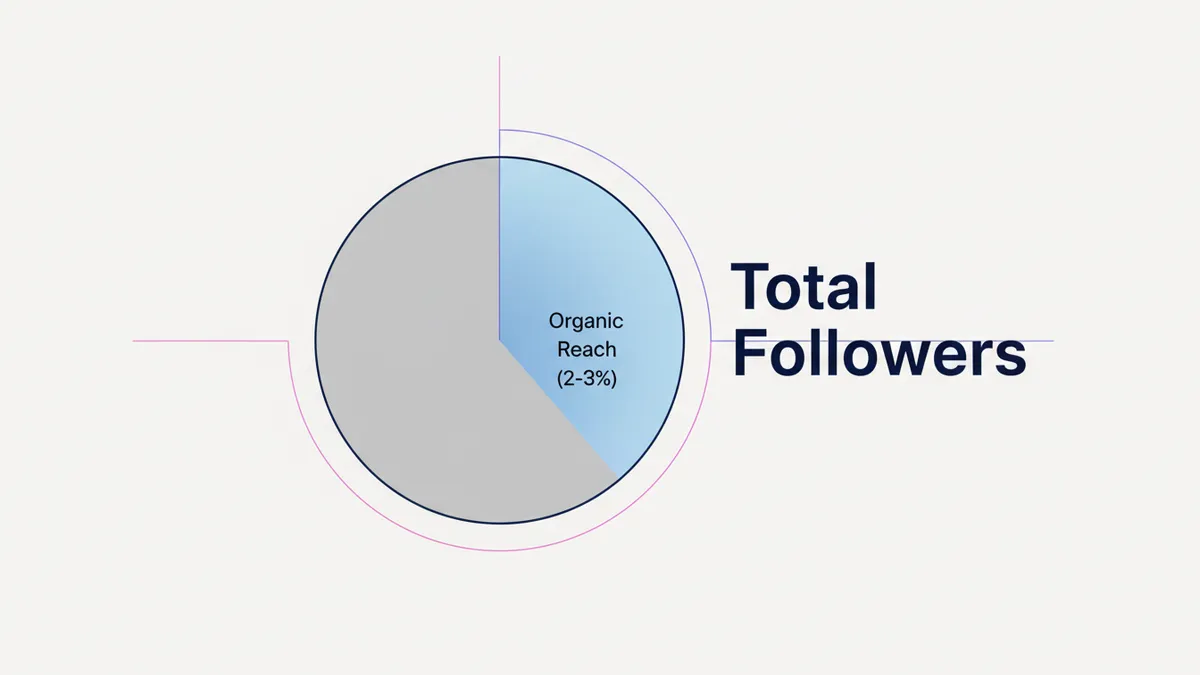
- Organic reach on Instagram typically hovers around 2–3% of followers. On Facebook, most industry estimates put it under 2%. Build for engagement quality, not just posting volume.
- You don’t need to be on every platform. Start with one, do it well, then expand.
- Industry surveys suggest a majority of marketers report measurable ROI from social media. The ones who don’t usually aren’t tracking the right things.
- Free tools are enough to start. Upgrade when you hit their actual limits, not because the ads are convincing.
What social media management actually involves
Most small businesses think social media management means posting. It’s more than that.
There are four distinct jobs involved, and each one takes different time and different skills.
Creating content is the work that produces posts: writing captions, taking product photos, filming short videos, designing graphics. This is the most time-consuming part and the one most people think of first.

Publishing and scheduling is the logistics layer: deciding when to post, formatting content for each platform, and either posting manually or using a tool to schedule in advance. Scheduling a week of content at once takes an hour. Posting manually every day takes much more.
Engaging with your audience means replying to comments and DMs, commenting on other accounts in your niche, and responding to mentions. This is what turns followers into customers. It’s also the part that gets skipped most often.
Analyzing performance means looking at what worked, what didn’t, and adjusting. Even 30 minutes of honest review each month will change how you create content. Most small business owners either skip this entirely or look at follower count and call it done.
A well-managed social media presence runs all four. If you’re only posting and not engaging or analyzing, you’re doing roughly half the job.
How to build a weekly management routine
The reason social media feels unmanageable isn’t the amount of work. It’s the interruption pattern. Thinking about what to post every single day, switching between creation and scheduling and replies, costs far more time than the tasks themselves.
The fix is a weekly routine with three distinct blocks.
The creation block (2-3 hours, once a week). Pick one day and create everything for the coming week. Write all your captions. Select or create your visuals. Film any short videos. Don’t try to post as you create. Just produce. Then schedule everything at once.

This approach, called content batching, is the single biggest time-saver available to small business owners. Instead of 45 scattered minutes per day, you do one focused session and you’re done for the week. IDEQO’s content calendar lets you view, schedule, and manage the whole week in one place.
The engagement window (15-20 minutes, twice a day). Once in the morning and once in the late afternoon. Reply to comments. Reply to DMs. Leave a few genuine comments on accounts in your niche. That’s it. Don’t try to do this continuously throughout the day. Set the window and stick to it. Shopify stores that need a fuller triage system can use the Sort-Shift-Solve-Save social customer service framework.
This is the part most small businesses automate when they shouldn’t. Automated comment replies are obvious and they kill trust. Real engagement, even in small amounts, builds real relationships.
The weekly review (30 minutes, same day each week). Pull up your analytics. Look at which posts got the most saves and shares. Note which format performed best. Check whether you got any traffic to your store from social. Adjust next week’s content based on what you learned.
That’s it. Three blocks. Most small business owners can manage their social media presence in 3-5 hours per week with this structure.
For a deeper look at how posting frequency and consistency actually affect reach, there’s a lot of useful data on what “consistent” actually means in practice.
Which platforms should you actually be on?
The right answer for most small businesses is one or two platforms, done well.
Spreading your effort across five platforms sounds like more reach, but it usually means doing five things poorly instead of one or two things well. You run out of content ideas faster, quality drops, and you don’t build enough presence on any single platform for the algorithm to push your content to new people.
Choose based on two factors: where your customers already spend time, and which format matches what you can realistically create.
Instagram works best for visual products and lifestyle brands. Strong for Reels and carousels. If your product photographs well and you can film short videos occasionally, Instagram is worth the effort.
TikTok is regularly cited as a top-ROI platform in industry surveys, especially for brands willing to show their personality and behind-the-scenes process. The organic reach is still better than other platforms, particularly for accounts that post consistently in a niche.
Pinterest drives high-intent traffic that converts. If you sell home goods, apparel, food, or anything visual and searchable, Pinterest pins have a much longer shelf life than posts on any other platform. A pin from two years ago can still drive traffic today.
Facebook organic reach has declined significantly for small business pages, with most estimates putting it well under 2% of followers. It still has value for paid ads and for reaching an older demographic, but it’s harder to grow organically without a budget.
LinkedIn is relevant if your product or service has a B2B angle, or if you’re building a founder brand alongside your business.
If you sell on Shopify and you’re not sure where to start, Instagram and TikTok are the highest-ROI combination for most product categories in 2026. New stores can follow the shorter how to start social media for a Shopify store checklist first. For the full breakdown on choosing platforms and building your strategy, the complete guide covers platform decision frameworks in detail.
One note on organic reach: Instagram posts typically reach somewhere around 2–3% of your followers, based on widely reported industry estimates. That’s not a bug, it’s the current state of the platform. Building for quality engagement (saves, shares, comments) matters more than raw posting volume, because the algorithm distributes content based on engagement signals, not frequency.
Tools that fit a small business budget
You don’t need a $99/month tool to manage social media for a small business. You need a tool that removes friction from your weekly workflow.
Here’s how the main options break down by budget and use case.
If your budget is $0: Buffer’s free plan covers 3 channels with 10 posts per channel per month. That’s enough to test whether scheduling actually works for your workflow. IDEQO’s free plan is worth considering if you sell on Shopify. It connects directly to your product catalog and auto-posts products with AI-generated captions, even on the free tier.
If your budget is $15-25/month: IDEQO’s paid plan starts at $15/month (billed annually) and adds additional integrations, a Brand Kit, and Brand Voice so AI drafts match how you actually write. Buffer’s paid tier starts around $6 per channel per month. For a Shopify store, IDEQO’s Shopify-native integration is a meaningful advantage. No tool at this price point automates product posting the same way. The social media automation guide covers the Shopify-specific workflow in more detail.
If your budget is $25-50/month: SocialPilot is worth a look for small teams. Bulk scheduling, decent analytics, and collaboration tools at a price that doesn’t require a business case to justify.
If your budget is $100+/month: Hootsuite’s entry-level paid plan has historically started around $99/month for teams (check hootsuite.com/plans for current pricing, since it has changed multiple times). At that price point, you need the advanced analytics and team collaboration features to justify it. For most small businesses managing 2–3 platforms solo, it’s more than you need.
A quick note on Later: it’s strong for visual planning on Instagram and Pinterest, with a drag-and-drop grid planner that shows exactly how your feed will look. Free plan is very limited (10 posts/profile/month). Starter plan is $18.75/month (billed annually). Good fit for brands where the grid aesthetic matters.
The tool matters less than the habit. A $0 tool used consistently beats a $99 tool opened twice a month.
For side-by-side comparisons, the IDEQO vs. Buffer vs. Hootsuite breakdown covers the details without the marketing spin.
The content calendar: what to post and when
A content calendar isn’t complicated. For most small businesses, a simple weekly template is enough.
Start with three to five content types you can reliably produce. Not aspirational content types you’d like to produce. Ones you can actually execute week after week with the time and tools you have.
Common content pillars for a small business:
- Product features and new arrivals
- Customer photos and testimonials
- Behind-the-scenes process
- Educational tips relevant to your niche
- Founder or brand story
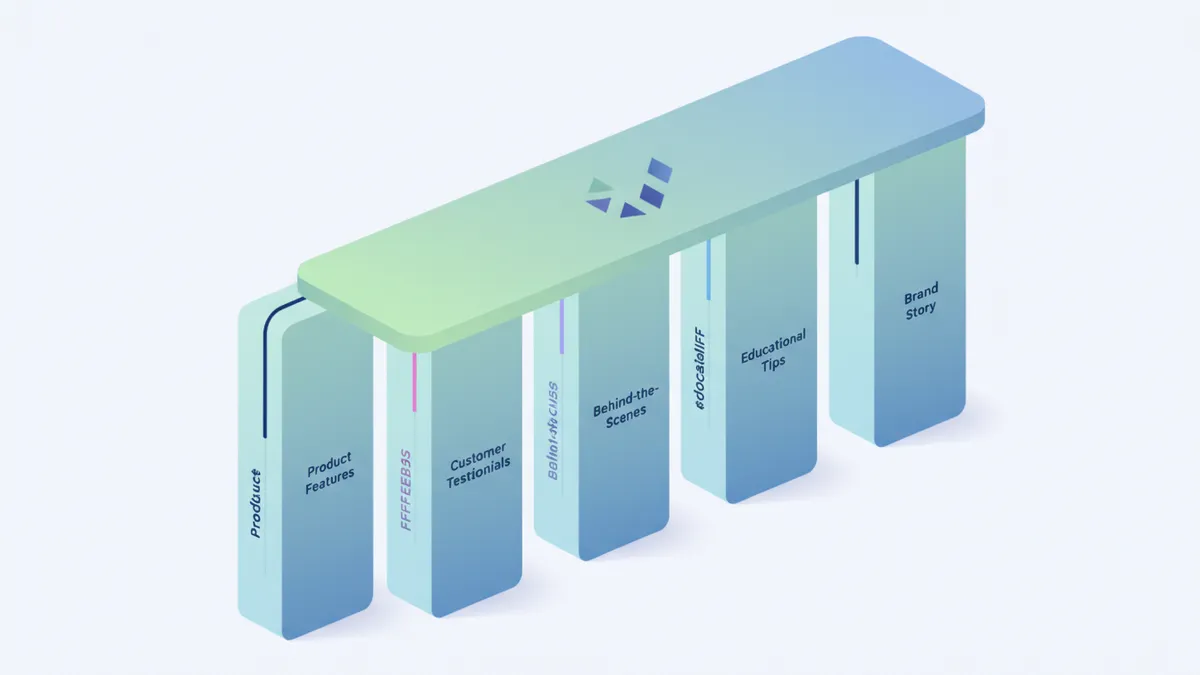
Each pillar serves a different purpose. Product posts drive direct sales. Customer photos build social proof. Behind-the-scenes content builds trust and connection. Educational tips attract new followers in your niche. Brand story deepens loyalty with existing customers.
Rotate through them. If every post is a product post, your feed feels like a catalog. If every post is behind-the-scenes, you’re not selling anything. The mix is the strategy.
A consistent 3-4 posts per week, maintained for 6 months, will outperform a burst of daily posting followed by a 3-week gap. Algorithms reward accounts that show up regularly. More importantly, your audience builds a habit of seeing you. Consistency is the compounding advantage that’s actually available to small businesses without big budgets.
Use the free content calendar tool to map out your weekly posting plan across platforms. If writing captions from scratch is slowing down your creation block, the free AI caption generator produces platform-ready drafts you can edit and schedule in minutes. Both are free.
Hiring help: when and how
At some point, if your business is growing, social media management will take more time than you can give it yourself. Here’s how to think about the hiring decision.
Hire when both conditions are true: social media is consistently taking more than 8 hours per week, and your revenue can absorb the cost. If you’re spending 8+ hours on it, you’re either doing it very well (and can delegate), or you’re spending too much time on low-value tasks (and need a different system first).
Before you hire anyone, document your process and your brand voice. Write down your content pillars. Save examples of posts you like. Describe how you sound: what words you use, what you’d never say. Without this, whoever you hire will post content that doesn’t sound like you, and fixing it takes as much time as doing it yourself.
Your options, in order of cost:
A virtual assistant handling scheduling and basic content management costs $10-20/hour for 5-10 hours/week. Good for the logistics layer: uploading content, scheduling, basic reporting. Not for strategic decisions or original content creation.
A freelance social media manager handling strategy and content creation costs $500-2,000/month depending on scope. This is the most flexible option. You hire for a defined deliverable, not a role.
A social media agency costs $1,000-5,000/month+. Usually overkill for a small business unless you’re spending serious budget on paid social alongside organic.
What to keep in-house no matter what: your brand voice, your product knowledge, and responses to anything sensitive. No one knows your products and customers the way you do. The best use of outside help is handling execution while you stay close to the strategy and relationships.
What to measure (and what to ignore)
Most small businesses track the wrong things and draw the wrong conclusions.
Stop treating follower count as a KPI. It’s a lagging indicator. An account with 500 engaged followers that drive sales is worth more than 10,000 followers who ignore every post.
The metrics that actually tell you something:
Engagement rate measures how many people who saw your post interacted with it. On Instagram, a healthy benchmark is 3-6%. On TikTok, 4-8%. Below that, your content isn’t resonating or isn’t reaching the right people.
Save rate is the single strongest quality signal on Instagram. When someone saves a post, they found it useful or want to come back to it. A high save rate tells the algorithm to distribute your content more widely. Track whether your saves trend up or down over time.
Click-through rate to your store. This one is the clearest revenue signal. Are people clicking the link in your bio or in your stories? Is that number going up? Down?
Revenue from social traffic. Check your Shopify analytics to see how much traffic comes from each social platform and what that traffic’s conversion rate looks like. This tells you which platforms are actually driving your business, not just which ones get the most likes.
Organic reach per post. Not to feel bad about the number, but to understand the trend. Is it stable? Improving? If it’s dropping, your content engagement signals may be weakening.
Set a monthly review. 30 minutes. Look at those five numbers. Ask what the best-performing content had in common. Post more of that. Ask what the lowest-performing content had in common. Post less of that.
Most marketers who track it properly report measurable ROI from social media. The ones reporting no ROI usually aren’t connecting their social activity to their store analytics. The data is there. You just have to look at it.
Building a system that actually scales
Social media management doesn’t have to grow linearly with your business. The right system stays manageable even as your audience grows.
The floor is simple: a weekly creation block, a daily engagement window, and a monthly review. A free or low-cost scheduling tool to remove the daily posting friction. Two or three content pillars that match what you can consistently produce.
From that base, you add complexity when it earns its keep. A paid tool when you’ve outgrown the free plan. A virtual assistant when scheduling takes more time than it should. A second platform when the first one is working consistently.
The biggest mistake small business owners make is trying to manage social media at scale before building the habit at all. Get consistent on one platform. Build the weekly routine. Then expand.
Research consistently finds that online stores with an active social presence outperform those without one in sales. The exact figure varies by study, but the direction is consistent. That advantage doesn’t come from posting frequency. It comes from showing up consistently enough that customers trust you’re a real business that’s going to be around.
That’s what social media management actually accomplishes for a small business. Not viral moments. Consistent presence.
Start free with IDEQO to schedule your first week of content in one session. Free plan available. No credit card required.
Frequently Asked Questions
How much time should a small business spend on social media management?
Most small business owners spend 6-10 hours per week on social media without a system. With content batching and a scheduling tool, you can reduce that to 3-4 hours while posting more consistently. The goal is a sustainable routine, not a heroic one.
What is social media management for small businesses?
Social media management covers four areas: creating content, publishing and scheduling it, engaging with your audience, and analyzing what's working. Most small businesses focus only on posting and skip engagement and analysis. All four parts matter.
What are the best social media management tools for small business?
Buffer is the simplest and most affordable option for basic scheduling (free plan covers 3 channels). IDEQO is the best choice for Shopify stores because it auto-posts products from your catalog with AI-generated captions. Later is strong for visual-heavy Instagram brands. Hootsuite suits teams with a bigger budget. Check their pricing page for current plan costs.
Should I hire someone to manage my small business social media?
Hire when two conditions are met: social media is consistently taking more than 8 hours per week, and your revenue can support it. Before hiring, document your process and brand voice so whoever you hire maintains consistency. Starting with a part-time virtual assistant or freelancer is usually smarter than going straight to an agency.
How do you measure social media ROI for a small business?
Track click-through rate to your store, conversion rate from social traffic, and revenue per platform. For content health, watch engagement rate and save rate. Ignore follower count as a primary metric. Set a monthly 30-minute review to check what content drove actual traffic or sales, then do more of that.